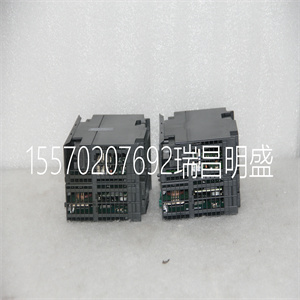
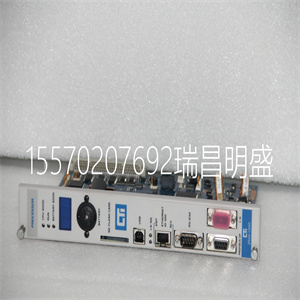
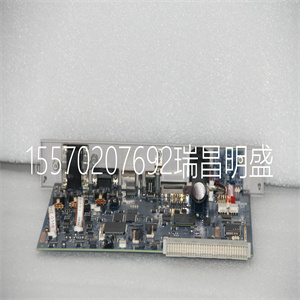
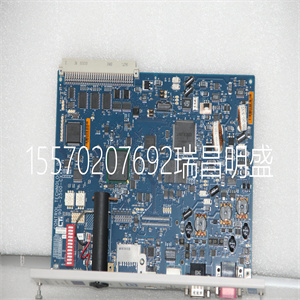


314-6CF02
阅读本前言以熟悉本手册的其余部分。它提供
有关以下方面的信息:
•谁应该使用本手册
•本手册的目的:
•相关文件
•本手册中使用的约定
谁应该用这个
手册
您必须能够编程和操作Allen-Bradley®可编程控制器
控制器,以有效利用您的FLEX™ I/O模块。特别是
必须知道如何编程块传输。
我们假设您知道如何在本手册中执行此操作。如果没有,请参阅
在尝试执行以下操作之前,请参阅相应的编程和操作手册:
为您的模块编程。
本手册的目的:本手册向您展示了如何将FLEX I/O模拟模块与
艾伦·布拉德利可编程控制器。本手册帮助您安装、安装和安装程序
并对模块进行故障排除。
关于本手册中的词汇,我们参考:
•模拟输入或模拟输出模块作为“输入模块”,或
“输出模块”
•可编程控制器作为“控制器”
有关的信息,请参见
FLEX I/O和模拟模块概述1章
2章安装FLEX I/O模块
将配置写入模块3章并从中读取状态
4章与您的模块沟通
规范附录A
系列与附录B之间的差异
附录C中的数据表
模块编程附录D
出版物1794-UM062B-EN-P-2020年3月
8序言
相关文件
以下文件包含有关罗克韦尔的其他信息
自动化产品。要获得副本,请联系当地的罗克韦尔自动化公司
办事处或分销商
资源描述
1794 FLEX I/O产品数据,出版物1794-PP019。有关FLEX I/O通用产品规范、认证和列表的信息
目录和说明。
FLEX I/O ControlNet冗余媒体适配器,
出版物1794-IN018。
有关如何安装FLEX I/O ControlNet®冗余介质的信息
适配器
目录号1794-ACNR。
FLEX I/O以太网/IP适配器模块安装
说明书,出版物1794-IN082。
有关如何安装FLEX I/O以太网/IP的信息™ 适配器模块
目录号1794-AENT。
ControlNet适配器模块安装说明,
1794-191年出版。
有关如何安装ControlNet适配器模块的信息
目录号1794-ACN15、1794-ACNR15。
FLEX I/O DeviceNet适配器模块安装
说明书,出版物1794-IN099。
有关如何安装FLEX I/O DeviceNet适配器模块的信息
目录号1794-ADN,1794-ADNK。
远程I/O适配器模块用户手册,出版物
1794-UM009。
有关如何使用远程I/O适配器模块的信息
目录号1794-ASB。
FLEX I/O PROFIBUS适配器模块安装
说明书,出版物1794-IN087。
有关如何安装FLEX I/O PROFIBUS适配器的信息
目录号1794-APB。
FLEX I/O PROFIBUS适配器模块用户手册,
出版物1794-UM057。
有关如何使用FLEX I/O PROFIBUS适配器模块的信息
目录号1794-APB。
FLEX I/O终端基本单元安装说明,
出版物1794-IN092。
有关如何安装FLEX I/O终端基本单元的信息
目录号1794-TB2、1794-TB 3、1794-TB3K、1794-TB3S、1794—TB32,
1794-TB3G、1794-TB 3g、1794-TB3GS、1794-TB3T、1794,
1794-TBNK、1794-TBNF。
FLEX I/O数字输入模块安装说明,
出版物1794-IN093。
有关如何安装FLEX I/O数字模块的信息
目录号1794-IB81794-IB161794-IB16K 1794-IB32。
FLEX I/O数字直流电源输出模块
安装说明,出版物1794-IN094。
有关如何安装FLEX I/O数字直流电源输出模块的信息
目录号1794-OB8、1794-OB8EP、1794-OB16、1794-OB16P、1794-OB32P。
FLEX I/O输入/输出模块安装说明,
出版物1794-IN083。
有关如何安装FLEX I/O输入和输出组合模块的信息
目录号1794-IB16XOB16P、1794-IBM10XOB6。
FLEX输入/输出模块安装
说明书,1794-100年出版。
有关如何安装FLEX I/O模拟模块的信息
目录号1794-IE8/B、1794-IE4XOE2/B、794-OE4/B和1794-IE8K/B,
1794-OE4K/B。
热电偶/毫伏输入模块安装
说明书,出版物1794-IN050。
有关如何安装热电偶/毫伏输入模块的信息
目录号1794-IRT8、1794-IRM8K、1794-IRT8XT。
FLEX I/O 8输入RTD模块用户手册,
出版物1794-UM004。
有关如何使用FLEX I/O 8输入RTD模块的信息
目录号1794-IR8。
FLEX I/O热电偶/毫伏输入模块用户
手册,出版物1794-UM007。
有关如何使用热电偶和毫伏输入模块的信息
目录号1794-IT8。
FLEX I/O AC输入模块安装说明,
1794-1902年出版。
有关如何安装FLEX I/O AC输入模块的信息
目录号1794-IA81794-IA8I,1794-IA16。
出版物1794-UM062B-EN-P-2020年3月
序言9
常用技术
在本手册中
本手册中使用了以下约定:
•项目符号列表(如本列表)提供了inf
314-6CF02
314-6CF02
Read this preface to familiarize yourself with the rest of the manual. It provides information concerning: • who should use this manual • the purpose of this manual • related documentation • conventions used in this manual Who Should Use this Manual You must be able to program and operate an Allen-Bradley® programmable controller to make efficient use of your FLEX™ I/O modules. In particular, you must know how to program block transfers. We assume that you know how to do this in this manual. If you do not, refer to the appropriate programming and operations manual before you attempt to program your modules. Purpose of this Manual This manual shows you how to use your FLEX I/O Analog modules with Allen-Bradley programmable controllers. The manual helps you install, program and troubleshoot your modules. About the Vocabulary In this manual, we refer to: • The analog input or analog output module as the "input module" or "output module" • The Programmable Controller as the “controller” For Information About See Overview of FLEX I/O and Your Analog Module Chapter 1 Install Your FLEX I/O Module Chapter 2 Write Configuration to and Read Status from Your Module Chapter 3 Communicate With Your Module Chapter 4 Specifications Appendix A Differences Between Series Appendix B Data Tables Appendix C Module Programming Appendix D Publication 1794-UM062B-EN-P - March 2020 8 Preface Related Documentation The following documents contain additional information concerning Rockwell Automation products. To obtain a copy, contact your local Rockwell Automation office or distributor Resource Description 1794 FLEX I/O Product Data, publication 1794-PP019. Information on FLEX I/O general product specifications, certifications, and list of catalogs and descriptions. FLEX I/O ControlNet Redundant Media Adapter, publication 1794–IN018. Information on how to install the FLEX I/O ControlNet® Redundant Media Adapter Catalog No. 1794-ACNR. FLEX I/O EtherNet/IP Adapter Module Installation Instructions, publication 1794-IN082. Information on how to install the FLEX I/O EtherNet/IP™ Adapter Module Catalog No. 1794-AENT. ControlNet Adapter Module Installation Instructions, publication 1794-IN101. Information on how to install the ControlNet Adapter Modules Catalog No. 1794-ACN15, 1794-ACNR15. FLEX I/O DeviceNet Adapter Module Installation Instructions, publication 1794-IN099. Information on how to install the FLEX I/O DeviceNet Adapter Modules Catalog No. 1794-ADN, 1794-ADNK. Remote I/O Adapter Module User Manual, publication 1794–UM009. Information on how to use the Remote I/O Adapter Module Catalog No. 1794-ASB. FLEX I/O PROFIBUS Adapter Module Installation Instructions, publication 1794-IN087. Information on how to install the FLEX I/O PROFIBUS Adapter Catalog No. 1794-APB. FLEX I/O PROFIBUS Adapter Module User Manual, publication 1794-UM057. Information on how to use the FLEX I/O PROFIBUS Adapter Module Catalog No. 1794-APB. FLEX I/O Terminal Base Units Installation Instructions, publication 1794-IN092. Information on how to install the FLEX I/O Terminal Base Units Catalog No. 1794-TB2, 1794-TB3, 1794-TB3K, 1794-TB3S, 1794-TB32, 1794-TB3G, 1794-TB3GK, 1794-TB3GS, 1794-TB3T, 1794-TB3TS, 1794-TBN, 1794-TBNK, 1794-TBNF. FLEX I/O Digital Input Modules Installation Instructions, publication 1794-IN093. Information on how to install the FLEX I/O Digital Modules Catalog No. 1794-IB8, 1794-IB16, 1794-IB16K, 1794-IB32. FLEX I/O Digital DC Sourcing Output Modules Installation Instructions, publication 1794-IN094. Information on how to install the FLEX I/O Digital DC Sourcing Output Modules Catalog No. 1794-OB8, 1794-OB8EP, 1794-OB16, 1794-OB16P, 1794-OB32P. FLEX I/O Input/ Output Module Installation Instructions, publication 1794-IN083. Information on how to install the FLEX I/O Input and Output Combo Modules Catalog No. 1794-IB16XOB16P, 1794-IB10XOB6. FLEX I/O Input and Output Module Installation Instructions, publication 1794-IN100. Information on how to install FLEX I/O Analog Modules Catalog No. 1794-IE8/B, 1794-IE4XOE2/B, 1794-OE4/B, 1794-IE8K/B, 1794-OE4K/B. Thermocouple/Millivolt Input Module Installation Instructions, publication 1794-IN050. Information on how to install the Thermocouple/Millivolt Input Modules Catalog No. 1794-IRT8, 1794-IRT8K, 1794-IRT8XT. FLEX I/O 8 Input RTD Module User Manual, publication 1794-UM004. Information on how to use the FLEX I/O 8 Input RTD Module Catalog No. 1794-IR8. FLEX I/O Thermocouple/Millivolt Input Module User Manual, publication 1794-UM007. Information on how to use the Thermocouple and Millivolt Input Module Catalog No. 1794-IT8. FLEX I/O AC Input Modules Installation Instructions, publication 1794-IN102. Information on how to install the FLEX I/O AC Input Modules Catalog No. 1794-IA8, 1794-IA8I, 1794-IA16. Publication 1794-UM062B-EN-P - March 2020 Preface 9 Common Techniques Used in this Manual The following conventions are used throughout this manual: • Bulleted lists such as this one provide information, not procedural steps. • Numbered lists provide sequential steps or hierarchical information. • Italic type is used for emphasis. FLEX I/O Digital AC Output Modules Installation Instructions, publication 1794-IN103. Information on how to install the FLEX I/O Digital AC Output Modules Catalog No. 1794-OA8, 1794-OA8K, 1794-OA8I, 1794-OA16. Interconnect Cable Installation Instructions, publication 1794-IN012. Information on how to install the Interconnect Cable Catalog No. 1794-CE1, 1794-CE3. FLEX I/O DC Power Supply Installation Instructions, publication 1794-IN069. Information on how to install the FLEX I/O DC Power Supply Catalog No. 1794-PS13, 1794-PS3. Industrial Automation Wiring and Grounding Guidelines, publication 1770-4.1. In-depth information on grounding and wiring Allen-Bradley programmable controllers. Resource Description Publication 1794-UM062B-EN-P - March 2020 10 Preface Notes: 11 Publication 1794-UM062B-EN-P - March 2020 Chapter 1 Overview of FLEX I/O and Your Analog Module Overview Read this chapter to familiarize yourself with configurable features on the FLEX I/O High Density modules. The following table lists where to find specific information in this chapter. The FLEX I/O System FLEX I/O is a small, modular I/O system for distributed applications that performs all of the functions of rack-based I/O. The FLEX I/O system contains the following components shown below: • adapter/power supply – powers the internal logic for as many as eight I/O modules • terminal base – contains a terminal strip to terminate wiring for two- or three-wire devices • I/O module – contains the bus interface and circuitry needed to perform specific functions related to your application Topic Page The FLEX I/O System 11 Types of FLEX I/O Modules 12 How FLEX I/O Analog Modules Communicate with Programmable Controllers 13 Physical Features of Your Modules 14 Terminal base I/O module 20125 Adapter Publication 1794-UM062B-EN-P - 2020 12 Overview of FLEX I/O and Your Analog Module Types of FLEX I/O Modules The following FLEX I/O analog modules are described in this user manual: FLEX I/O analog input, output and combination modules are block transfer modules that interface analog signals with any Allen-Bradley® programmable controllers that have block transfer capability. Block transfer programming moves input from the module’s memory to a designated area in the processor data table, and output data words from a designated area in the processor data table to the module’s memory. Block transfer programming also moves configuration words from the processor data table to module memory. The analog modules have selectable ranges as shown in t
Copyright ©2019-2022 瑞昌明盛自动化设备有限公司 版权所有 赣ICP备2021006016号






