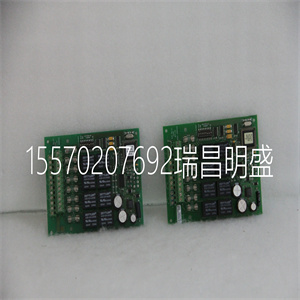
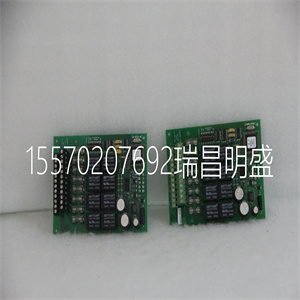
4100-3206 The AC 800M Controller can be powered from an external +24 V DC source. This source is often common for many different types of plant equipment, resulting in long power cables to the AC 800M Controller. Furthermore, heavy load changes can cause variations in controller supply voltage making it necessary to take precautions against low voltage in order to prevent controller malfunction. Should there be a risk that the +24 V at the PM8XX power terminals could drop below 19.2 V for more than 1 ms, then an energy reservoir must be used for Powering Units. ABB requires the use of DC/DC converter and extra energy reservoir in case external DC-supply with longer cables than 10 m is used. For redundant power supplies to the AC 800M controller and associated units, always derive connections from the SS8xx voting device. See Figure 61 on page 177. Section 3 Configuration Powering from an External Source 3BSE036351-510 A 177 Figure 61. Power Supply Options for AC 800M Units Units Supply to Device 8xx Supplies Power Mains 24 V DC Distribution SD Voting Redundant Power Supplies Redundant Mains Power Supplies Terminals 24 V DC Distribution Terminals 24 V DC Distribution Terminals 8xx Supply Power SD 8xx SD 8xx SD 8xx SS Device Voting 8xx SS 8xx Mains SD Mains 1 Mains 2 Units Supply to Units Supply to Mains Breaker Mains Breaker Mains Breaker Mains Breaker Single Power Supply Power Supplies Powering from an External Source Section 3 Configuration 178 3BSE036351-510 A Figure 62. Powering Field Equipment Field Equipment 8xx SD 8xx SD Units Supply to Supply to 24 V DC Distribution 24 V DC Distribution Independent 8xx SD Mains Mains Breaker Mains Breaker Supply to Units 24 V DC Distribution 24 V DC Distribution Independent Power Supplies Independent Mains Breaker Units Mains Breaker Mains Terminals Terminals Terminals Terminals Power Supplies Field Equipment Supply to 8xx SD Powering Field Equipment 3BSE036351-510 A 179 Section 4 Operation This section describes the operation of the AC 800M Controller, comprising a PM8xx (single or redundant configuration) processor unit, together with various optional units. For additional technical information on optional units, see Appendix A, Hardware Units. AC 800M Controller (PM8xx) Equipped with Control Software, the basic PM8xx/TP830 or PM891 hardware units mounted on the AC 800M hardware platform constitute an AC 800M Controller. LED Indicators See Figure 2 on page 32, for description of placement. Table 20. PM8xx – LED Indicators Marking Color Function F(ault) Red Normal state – OFF Re-start (INIT) temporarily lit F(ault). May also be operated by software program. R(un) Green Normal state – ON Re-start (INIT) temporarily extinguishes R(un). At restart press the (INIT) push button (3 sec. or more) until R(un) flashes. May also be operated by software program. AC 800M Controller (PM8xx) Section 4 Operation 180 3BSE036351-510 A P(ower) Green Normal state – ON When lit, indicates that the CPU DC/DC converter is generating valid +5 V and +3.3 V DC supply voltages. No software control. B(attery) Green Normal state – ON Lit when internal or external battery voltage is above 3.1 V. The LED is controlled by a software battery voltage test(1). Tx Yellow Green(2) Data Transmission(4), CN1 + CN2 and COM3(3) + COM4 Flashes in synchronization with Tx traffic Rx Yellow Green(2) Data Reception(4), CN1 + CN2 and COM3(3) + COM4 Flashes in synchronization with Rx traffic Valid for PM861/PM864/PM865/PM866/PM891 PRIM(ary) Yellow Lit in single and redundant configuration. Indicates Primary CPU in redundant configuration. Controlled by software. DUAL Yellow Lit when the CPU is running in redundant configuration and synchronized state. (1) The software performs cyclic battery voltage level tests via a dedicated LED control input. The battery provides back-up power for both the application memory and the real time clock during power down. The battery is either accessible via the PM8xx cover panel or externally connected to the external battery connector. Battery voltage is checked by the software. Voltage is common for both the internal and external battery. For this reason the internal battery should be removed when using the external battery, since having two batteries connected in parallel will result in greatly reduced capacity. (2) Only for PM891 (3) Not valid for PM891 (4) Only CN1 for PM851/PM851A. Do not connect to CN2. Table 20. PM8xx – LED Indicators (Continued) Marking Color Function Section 4 Operation AC 800M Controller (PM8xx) 3BSE036351-510 A 181 Switches and Push buttons Connectors Table 21. PM8xx – Switches and Push buttons Marking Type Function INIT Manual Push button Initiates 1. Cold Restart if INIT is held less than 2.5 seconds. 2. Controller Reset if INIT is held more than 3 seconds. If INIT is pushed on the Primary CPU in redundant configuration a switchover to the backup CPU will be initiated. Table 22. PM8xx/TP830 and PM891 – Connectors Marking Function L+ L– SA SB External Power Supply Connection +24 V DC supply 0 V Redundant Power Supply monitoring input Redundant Power Supply monitoring input SH B+ B– External Battery Connection Shield (Screw Connector) Battery Positive (Screw Connector) Battery Negative (Screw Connector) Tx Rx ModuleBus Connection Data Transmission Port (Optical) Data Reception Port (Optical) Note – Duplex or Simplex optical cables may be used. MODULEBUS(1) Provides expansion of I/O unit capability. Start-up Section 4 Operation 182 3BSE036351-510 A Start-up Refer to relevant document for information on: • Firmware download • Controller IP address • Downloading application • Updating firmware Start-up in Redundant Configuration (CEX Bus Considerations) The redundant configuration using CEX bus and CEX modules is supported along with the processor modules PM861, PM864, PM865, PM866 and PM891. At start-up, some things regarding the CEX bus and CEX modules have to be considered when starting up a redundant AC 800M system: • Without using BC810 units: – At least one CEX module must be inserted, if there are base plates without inserted modules in other positions. CEX-BUS Provides extension of on-board communication ports. Valid for PM861/PM864/PM865 RCU Link Connector Provides information and data transfer between Primary and Backup CPU in redundant configuration. Valid for PM891 RCU Data Link Connector Provides transfer of data required to keep the backup CPU synchronized with the primary CPU. RCU Control Link Connector Provides role selection and CPU identity assignment. |