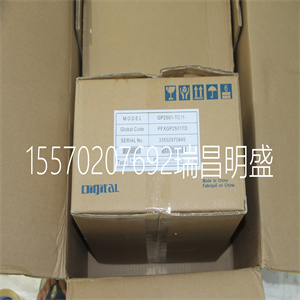
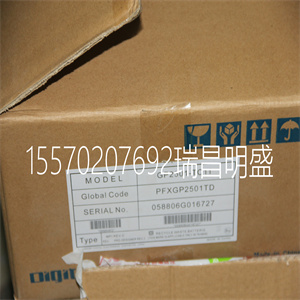
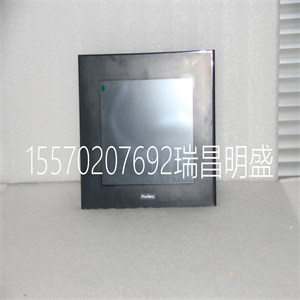


GP2501-TC11
D、 连接电机
设置参数后,连接模拟电机命令信号(ACMD)
至放大器输入端。
要测试反馈的极性,请使用以下指令命令移动:
PR 1000<CR>相对于1000个计数的位置
BGX<CR>在X轴上开始运动
当反馈极性错误时,电机将试图跑开。这个
当位置误差超过2000个计数时,控制器应禁用电机。如果
电机运行时,回路的极性必须反转。
反转回路极性
当反馈极性不正确时,用户必须反转回路极性,这可能是错误的
通过几种方法实现。如果您驾驶的是电刷式直流电机,简单的方法是:
反转两条电机导线(通常为红色和黑色)。例如,切换M1和M2连接
从放大器到马达。当驱动无刷电机时,极性反转可能是:
用编码器完成。如果使用单端编码器,则交换信号CHA和CHB。
另一方面,如果您使用的是差分编码器,则仅交换CHA+和CHA-。这个
环路极性和编码器极性也可以通过带有MT和CE的软件受到影响
命令。有关MT命令或CE命令的更多详细信息,请参见
命令参考部分。
有时反馈极性是正确的(电机不会试图跑开),但方向是正确的
相对于期望的指令运动,运动的方向相反。如果是这种情况,请反转
电机引线和编码器信号。
Artisan技术集团-质量仪器…保证|(888)88-SOURCE| www.artistg.com
16● 2章DMC-18x2的入门
如果电机沿所需方向移动,但在目标附近停止,则很可能是由于以下原因:
电机指令信号ACMD的扭矩输出不足。这可以通过减少
电机上的系统摩擦。指令:
TTX(CR)告诉X上的扭矩
报告输出信号的电平。它将显示低于摩擦水平的非零值。
一旦你确定你已经用正确的极性闭合了回路,你可以继续
补偿阶段(伺服系统调整)用于调整PID滤波器参数KP、KD和KI。它是
需要确调整伺服系统,以确保位置的保真度并小化运动
振荡如下一节所述。
J7
J6
J51
直流伺服电机
编码器
+
-
辅助编码器
输入接头
DB25女性
100针高密度连接器
放大器部分#2-178238-9
LSCOM
因科姆
VCC
VCC
ICM/AMP-1900
版次B
加利尔运动控制
美国制造
+
-
直流电源
M1X
M2X
M1Y
M2Y
M1Z
M2Z
M1W
M2W
十、
Y
滤器
窒息
Z
W
重置开关错误指示灯
土
GND
GND
鞋面
鞋面
辅助编码器
输入接头
26销接头
图2-2-与AMP-1900放大器的系统连接。注:此图显示了Galil电机和
使用扁平带状电缆连接到AMP-1900装置的编码器。
Artisan技术集团-质量仪器…保证|(888)88-SOURCE| www.artistg.com
DMC-18x22章入门•17 J7 J6
ADG202 U6
7407
RP1
RP2 U1
J51
编码器接线
编码器:ICM-1900:
通道A++大值
信道A-MAX
信道B++MBX
信道B-MBX
索引通道++INX
索引信道-INX
-
+
编码器
信号Gnd 2
刷型
PWM伺服
放大器
MSA 12-80
电机-2
电机+1
高压5
电源接地4
+参考文献4
抑制11
直流电源
+
-
+5伏直流电
-因克斯
-MBX
-马克斯
GND
+因克斯
+MBX
+马克斯
ICM/AMP-1900
修订版D
加利尔运动控制
美国制造
LSCOM
因科姆
VCC
VCC
未使用
DMC-18x2
控制器
100针高密度连接器
放大器部分#2-178238-9
错误LED复位开关
马达指令
缓冲电路
电源接地3
直流电刷
伺服电机
放大器使能
缓冲电路
GND
MOCMDX
安彭克斯
图2-3带有独立放大器(MSA 12-80)的系统连接。此图显示了
标准直流伺服电机和编码器
Artisan技术集团-质量仪器…保证|(888)88-SOURCE| www.artistg.com
18● 2章DMC-18x2的入门
步骤8b。连接正弦换向电机
当使用正弦换向时,必须确定换向参数
并保存在控制器的非易失性存储器中。然后可以根据需要调整伺服
如步骤9所述。
步骤A.禁用电机放大器
使用命令MO禁用电机放大器。例如,MOX将打开
X轴电机关闭。
步骤B.将电机放大器连接至控制器。
正弦换向放大器需要2个信号,通常表示为相位A&
相位B。这些输入应连接到由控制器生成的两个正弦信号
控制器。一个信号是用命令BA指定的轴(步骤6)。这个
二信号与网络上可用的高模拟命令信号相关联
控制器-请注意,该轴不可用于标准伺服操作
指挥部。
当更多tha时
GP2501-TC11
GP2501-TC11
D. Connect the Motor Once the parameters have been set, connect the analog motor command signal (ACMD) to the amplifier input. To test the polarity of the feedback, command a move with the instruction: PR 1000 Position relative 1000 counts BGX Begin motion on X axis When the polarity of the feedback is wrong, the motor will attempt to run away. The controller should disable the motor when the position error exceeds 2000 counts. If the motor runs away, the polarity of the loop must be inverted. Inverting the Loop Polarity When the polarity of the feedback is incorrect, the user must invert the loop polarity and this may be accomplished by several methods. If you are driving a brush-type DC motor, the simplest way is to invert the two motor wires (typically red and black). For example, switch the M1 and M2 connections going from your amplifier to the motor. When driving a brushless motor, the polarity reversal may be done with the encoder. If you are using a single-ended encoder, interchange the signal CHA and CHB. If, on the other hand, you are using a differential encoder, interchange only CHA+ and CHA-. The loop polarity and encoder polarity can also be affected through software with the MT and CE commands, respectively. For more details on the MT command or the CE command, see the Command Reference section. Sometimes the feedback polarity is correct (the motor does not attempt to run away) but the direction of motion is reversed with respect to the desired commanded motion. If this is the case, reverse the motor leads AND the encoder signals. Artisan Technology Group - Quality Instrumentation ... Guaranteed | (888) 88-SOURCE | www.artisantg.com 16 ● Chapter 2 Getting Started DMC-18x2 If the motor moves in the required direction but stops short of the target, it is most likely due to insufficient torque output from the motor command signal ACMD. This can be alleviated by reducing system friction on the motors. The instruction: TTX (CR) Tell torque on X reports the level of the output signal. It will show a non-zero value that is below the friction level. Once you have established that you have closed the loop with the correct polarity, you can move on to the compensation phase (servo system tuning) to adjust the PID filter parameters, KP, KD and KI. It is necessary to accurately tune your servo system to ensure fidelity of position and minimize motion oscillation as described in the next section. J7 J6 J51 DC Servo Motor Encoder + - AUX encoder input connector DB25 female 100 pin high density connector AMP part # 2-178238-9 LSCOM INCOM VCC VCC ICM/ AMP-1900 REV B GALIL MOTION CONTROL MADE IN USA + - DC Power Supply M1X M2X M1Y M2Y M1Z M2Z M1W M2W X Y Filter Chokes Z W Reset Switch Error LED EARTH GND GND VAMP VAMP AUX encoder input connector 26 pin header Figure 2-2 - System Connections with the AMP-1900 Amplifier. Note: this figure shows a Galil Motor and Encoder which uses a flat ribbon cable for connection to the AMP-1900 unit. Artisan Technology Group - Quality Instrumentation ... Guaranteed | (888) 88-SOURCE | www.artisantg.com DMC-18x2 Chapter 2 Getting Started • 17 J7 J6 ADG202 U6 7407 RP1 RP2 U1 J51 Encoder Wire Connections Encoder: ICM-1900: Channel A+ +MAX Channel A- -MAX Channel B+ +MBX Channel B- -MBX Index Channel + +INX Index Channel - -INX - + Encoder Signal Gnd 2 BRUSH-TYPE PWM SERVO AMPLIFIER MSA 12-80 Motor - 2 Motor + 1 High Volt 5 Power Gnd 4 +Ref In 4 Inhibit 11 DC Power Supply + - +5 VDC -INX -MBX -MAX GND +INX +MBX +MAX ICM/ AMP-1900 REV D GALIL MOTION CONTROL MADE IN USA LSCOM INCOM VCC VCC Unused with the DMC-18x2 Controller 100 pin high density connector AMP part # 2-178238-9 Error LED Reset Switch Motor Command buffer circuit Power Gnd 3 DC Brush Servo Motor Amp enable buffer circuit GND MOCMDX AMPENX Figure 2-3 System Connections with a separate amplifier (MSA 12-80). This diagram shows the connections for a standard DC Servo Motor and encoder Artisan Technology Group - Quality Instrumentation ... Guaranteed | (888) 88-SOURCE | www.artisantg.com 18 ● Chapter 2 Getting Started DMC-18x2 Step 8b. Connect Sinusoidal Commutation Motors When using sinusoidal commutation, the parameters for the commutation must be determined and saved in the controller’s non-volatile memory. The servo can then be tuned as described in Step 9. Step A. Disable the motor amplifier Use the command, MO, to disable the motor amplifiers. For example, MOX will turn the X axis motor off. Step B. Connect the motor amplifier to the controller. The sinusoidal commutation amplifier requires 2 signals, usually denoted as Phase A & Phase B. These inputs should be connected to the two sinusoidal signals generated by the controller. The first signal is the axis specified with the command, BA (Step 6). The second signal is associated with the highest analog command signal available on the controller - note that this axis was made unavailable for standard servo operation by the command BA. When more than one axis is configured for sinusoidal commutation, the controller will assign the second phase to the command output which has been made available through the axes reconfiguration. The 2nd phase of the highest sinusoidal commutation axis will be the highest command output and the 2nd phase of the lowest sinusoidal commutation axis will be the lowest command output. It is not necessary to be concerned with cross-wiring the 1st and 2nd signals. If this wiring is incorrect, the setup procedure will alert the user (Step D). Example: Sinusoidal Commutation Configuration using a DMC-1842 BAXY This command causes the controller to be reconfigured as a DMC-1822 controller. The X and Y axes are configured for sinusoidal commutation. The first phase of the X axis will be the motor command Z signal. The second phase of the X axis will be the motor command Z signal. The first phase of the axis will be the motor Y command Y signal. The second phase of the Y axis will be the motor command W signal. Step C. Specify the Size of the Magnetic Cycle. Use the command, BM, to specify the size of the brushless motors magnetic cycle in encoder counts. For example, if the X axis is a linear motor where the magnetic cycle length is 62 mm, and the encoder resolution is 1 micron, the cycle equals 62,000 counts. This can be commanded with the command: BM 62000 On the other hand, if the Z axis is a rotary motor with 4000 counts per revolution and 3 magnetic cycles per revolution (three pole pairs) the command is BM,, 1333.333 Step D. Test the Polarity of the DACs and Hall Sensor Configuration. Use the brushless motor setup command, BS, to test the polarity of the output DACs. This command applies a certain voltage, V, to each phase for some time T, and checks to see if the motion is in the correct direction. The user must specify the valu
Copyright ©2019-2022 瑞昌明盛自动化设备有限公司 版权所有 赣ICP备2021006016号






