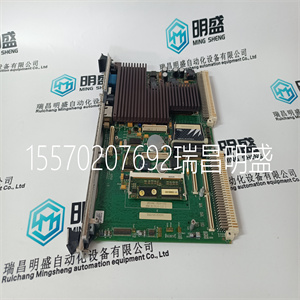
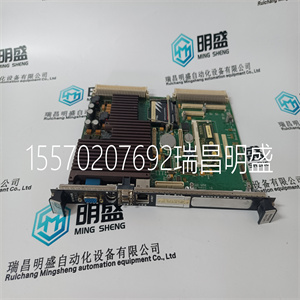
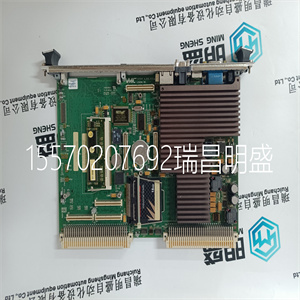
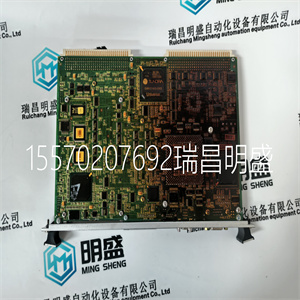


VMIVME-7614-132
安装前,目视检查模块是否损坏。确保
模块外壳看起来未损坏,并检查输入/输出接头的位置
模块背面用于弯曲销。如果模块出现损坏或任何针脚
如果弯曲,请勿安装模块。不要试图拉直弯曲的销。回来
该模块用于更换。
确保模块类型正确。
在安装前记录模块类型、版本和序列号
安装
警告:模块包含静电敏感部件。必须注意静电处理预防措施
观察。具体确保未接触暴露的连接器引脚。在没有
在这种情况下,应拆除模块外壳。
要安装模块,请执行以下操作:
1.确保现场电缆组件已安装并正确定位。
2.使用释放键释放模块上的推出器卡舌。确保
确保推料器凸耳完全打开。
3.握住弹出器,小心地将模块插入预期插槽。
4.按下模块的顶部和底部,将模块完全推入原位
模块面板。
5.关闭模块弹出器,确保其卡入锁定位置
位置
模块应以小电阻安装到机箱中。如果
模块不易安装,请勿强行安装。拆下模块并拆下
检查销是否弯曲或损坏。如果针脚没有损坏,请重试
重新安装模块。
适用于Trusted®TMR 24 Vdc数字输入的I/O电缆
这些出版物中详细介绍了该模块:
•可信I/O伴槽电缆产品说明、出版物
ICSTT-RM311(PD-TC200)
•可信I/O智能插槽电缆产品说明,发布ICSTTRM313(PD-TC500)
上述出版物还详细介绍了现场终端的类型
组件(FTA)或通用现场终端组件(VFTA),其可以是:
与这种类型的模块一起使用。
模块插入和
移动
现场电缆选择
第三章安装
20罗克韦尔自动化出版物ICSTT-RM271Q-EN-P-2021 8月
此表描述了模块引脚输出连接:
表2现场连接器引脚输出
C、B、A
1.智能插槽链路C、智能插槽链路B和智能插槽链路A
2.
3陈28(+)陈14(+)陈0(+)
4陈28(+)陈14(+)陈0(+)
5陈29(+)陈15(+)陈1(+)
6陈29(+)陈15(+)陈1(+)
7陈30(+)陈16(+)陈2(+)
8陈30(+)陈16(+)陈2(+)
9返回
10陈31(+)陈17(+)陈3(+)
11陈31(+)陈17(+)陈3(+)
12陈32(+)陈18(+)陈4(+)
13陈32(+)陈18(+)陈4(+)
14陈33(+)陈19(+)陈5(+)
15陈33(+)陈19(+)陈5(+)
16陈34(+)陈20(+)陈6(+)
17陈34(+)陈20(+)陈6(+)
18陈35(+)陈21(+)陈7(+)
19陈35(+)陈21(+)陈7(+)
20返回
21陈36(+)陈22(+)陈8(+)
22陈36(+)陈22(+)陈8(+)
23陈37(+)陈23(+)陈9(+)
24陈37(+)陈23(+)陈9(+)
25陈38(+)陈24(+)陈10(+)
26陈38(+)陈24(+)陈10(+)
27陈39(+)陈25(+)陈11(+)
28陈39(+)陈25(+)陈11(+)
29陈40(+)陈26(+)陈12(+)
30陈40(+)陈26(+)陈12(+)
31陈41(+)陈27(+)陈13(+)
32陈41(+)陈27(+)陈13(+)
所有受信任的模块都已设置密钥,以防止插入错误的模块
位于机箱内。极化包括两部分:模块
以及相关的现场电缆。
每种模块类型都在制造过程中进行了键控。组织
负责集成受信任系统的人员必须具有密钥
VMIVME-7614-132
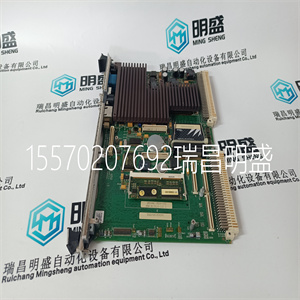
VMIVME-7614-132
Before installation, visually inspect the module for damage. Ensure that the module housing appears undamaged and inspect the I/O connector at the back of the module for bent pins. If the module appears damaged or any pins are bent, do not install the module. Do not try to straighten bent pins. Return the module for replacement. Ensure that the module is of the correct type. Record the module type, revision and serial number of the module before installation. WARNING: The module contains static sensitive parts. Static handling precautions must be observed. Specifically ensure that exposed connector pins are not touched. Under no circumstances should the module housing be removed. To install the module: 1. Ensure that the field cable assembly is installed and correctly located. 2. Release the ejector tabs on the module using the release key. Ensure that the ejector tabs are fully open. 3. Holding the ejectors, carefully insert the module into the intended slot. 4. Push the module fully home by pressing on the top and bottom of the module fascia. 5. Close the module ejectors, ensuring that they click into their locked position. The module should mount into the chassis with a minimum of resistance. If the module does not mount easily, do not force it. Remove the module and check it for bent or damaged pins. If the pins have not been damaged, try reinstalling the module. I/O cables suitable for use with the Trusted® TMR 24 Vdc Digital Input Module are detailed in these publications: • Trusted I/O Companion Slot Cables Product Description, publication ICSTT-RM311 (PD-TC200) • Trusted I/O SmartSlot Cables Product Description, publication ICSTTRM313 (PD-TC500) The publications listed above also detail the types of Field Termination Assembly (FTA) or Versatile Field Termination Assembly (VFTA) that may be used with this type of module. Module insertion and removal Field cable selection Chapter 3 Installation 20 Rockwell Automation Publication ICSTT-RM271Q-EN-P - August 2021 This table describes the module pin-out connections: Table 2 Field Connector Pin-out C B A 1 SmartSlot Link C SmartSlot Link B SmartSlot Link A 2 3 Chan 28 (+) Chan 14 (+) Chan 0 (+) 4 Chan 28 (+) Chan 14 (+) Chan 0 (+) 5 Chan 29 (+) Chan 15 (+) Chan 1 (+) 6 Chan 29 (+) Chan 15 (+) Chan 1 (+) 7 Chan 30 (+) Chan 16 (+) Chan 2 (+) 8 Chan 30 (+) Chan 16 (+) Chan 2 (+) 9 Return Return Return 10 Chan 31 (+) Chan 17 (+) Chan 3 (+) 11 Chan 31 (+) Chan 17 (+) Chan 3 (+) 12 Chan 32 (+) Chan 18 (+) Chan 4 (+) 13 Chan 32 (+) Chan 18 (+) Chan 4 (+) 14 Chan 33 (+) Chan 19 (+) Chan 5 (+) 15 Chan 33 (+) Chan 19 (+) Chan 5 (+) 16 Chan 34 (+) Chan 20 (+) Chan 6 (+) 17 Chan 34 (+) Chan 20 (+) Chan 6 (+) 18 Chan 35 (+) Chan 21 (+) Chan 7 (+) 19 Chan 35 (+) Chan 21 (+) Chan 7 (+) 20 Return Return Return 21 Chan 36 (+) Chan 22 (+) Chan 8 (+) 22 Chan 36 (+) Chan 22 (+) Chan 8 (+) 23 Chan 37 (+) Chan 23 (+) Chan 9 (+) 24 Chan 37 (+) Chan 23 (+) Chan 9 (+) 25 Chan 38 (+) Chan 24 (+) Chan 10 (+) 26 Chan 38 (+) Chan 24 (+) Chan 10 (+) 27 Chan 39 (+) Chan 25 (+) Chan 11 (+) 28 Chan 39 (+) Chan 25 (+) Chan 11 (+) 29 Chan 40 (+) Chan 26 (+) Chan 12 (+) 30 Chan 40 (+) Chan 26 (+) Chan 12 (+) 31 Chan 41 (+) Chan 27 (+) Chan 13 (+) 32 Chan 41 (+) Chan 27 (+) Chan 13 (+) All Trusted modules have been Keyed to prevent insertion into the wrong position within a chassis. The polarization comprises two parts: the module and the associated field cable. Each module type has been Keyed during manufacture. The organization responsible for the integration of the Trusted System must key the
Copyright ©2019-2022 瑞昌明盛自动化设备有限公司 版权所有 赣ICP备2021006016号






