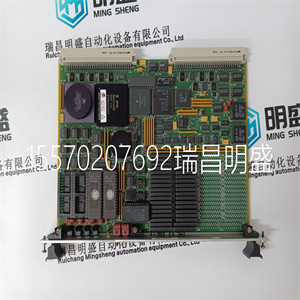
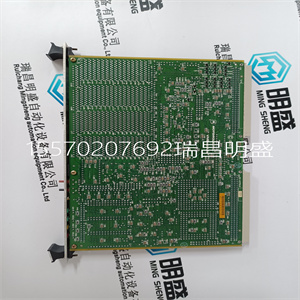
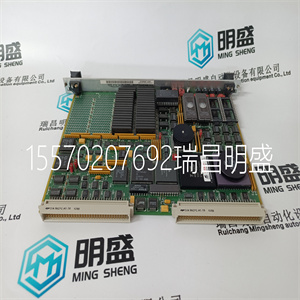
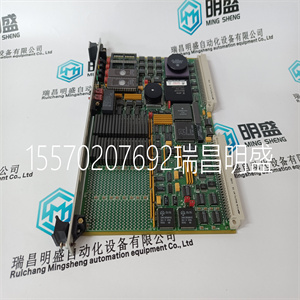
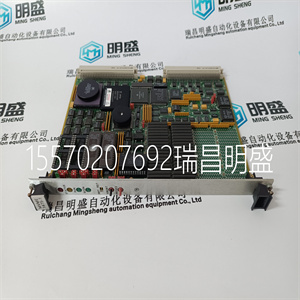


MVME147S-1
物理输入模块不需要配置。全部的
模块的可配置特性使用上的工具执行
工程工作站(EWS),并成为应用程序的一部分,或
系统加载到TMR处理器中的INI文件。TMR处理器
下载应用程序后自动配置输入模块
并且在主/备用切换期间。
IEC 61131工具集提供了配置输入的主界面
单元配置工具和配置顺序的详细信息如下:
在可信工具集套件产品描述中提供,出版物ICSTTRM249(PD-T8082)。有三个必要的过程来配置
输入模块。这些是:
1.为现场输入数据和模块定义必要的I/O变量
使用IEC 61131工具集的字典编辑器获取状态数据。
2.在I/O连接编辑器中为每个模块创建I/O模块定义
I/O模块。I/O模块定义定义物理信息,
e、 g.机箱和插槽位置,并允许将变量连接到
模块的I/O通道。
3.使用Trusted®系统配置管理器,定义自定义
LED指示器模式、每信道阈值水平和噪声滤波,
以及其他模块设置。
T8403 I/O复杂设备定义包括八块I/O板,
由机架编号以数字表示:
表3复杂设备定义
机架I/O板说明数据类型方向编号
渠道
1 DI OEM参数---
40中的字段输入状态布尔值
2.状态字段:输入40中的状态整数
3 AI输入电压整数输入40
4不使用整数16
5 LINE_ FLT 40中的线路故障状态布尔值
6离散通道差异整数,3
7.HKEEPING内务管理寄存器51中的整数
8信息输入/输出模块信息整数11
一个机架(DI板)中包含两个OEM参数。这些
OEM参数定义主模块位置;声明模块的
机箱和插槽位置。不需要定义辅助模块
模块配置
T8403复杂设备
释义
四章申请
24罗克韦尔自动化出版物ICSTT-RM271Q-EN-P-2021 8月
在IEC 61131工具集中定位。其中系统可能需要:
将处于辅助位置的模块作为激活模块启动,例如:。
主模块在应用程序启动时未安装,次模块
模块的位置应在系统的模块定义中声明
配置管理器。
表4 OEM参数
OEM参数说明注释
TICS_CHASSIS:受信任机箱的编号
其中主I/O模块是
安装
可信控制器机箱为1
可信扩展器机箱为2到15。
TICS_SLOT机箱中的插槽编号
其中主I/O模块是
安装
受信任端口中的I/O模块插槽
控制器机箱编号从1到
8.
受信任端口中的I/O模块插槽
扩展器机箱编号从1到
12
机架1:DI
该电路板为每个现场输入提供逻辑输入状态。
表5机架1:DI说明
频道描述
1字段输入通道1逻辑状态
2字段输入通道2逻辑状态
40字段输入通道40逻辑状态
对于闭合触点输入,输入状态报告为真(逻辑“1”)
开路触点输入为假(逻辑“0”)。逻辑状态是多数票
价值
机架2:状态
该板提供多数表决的数字输入状态。该输入
信道状态指示输入电压所在的阈值频带。
表6机架2:状态说明
频道描述
1字段输入通道1状态
2字段输入通道2状态
40字段输入通道40状态
四章申请
罗克韦尔自动化出版物ICSTT-RM271Q-EN-P-2021 8月25日
表7机架2:状态输出说明
频道描述
7未知
5.短路
4.闭合触点
3.不确定
2.开路触点
1.断路
在以下情况下,输入通道的值为7(未知):
1.不能通过两个或多个切片正确测量输入通道
TMR输入模块的输出。
2.TMR处理器检测到两个通道之间的2oo3通道差异
三片TMR输入模块。
3.模拟模块(未安装或TMR处理器无法安装)
与模块的2oo3片通信)。
机架3:AI
AI板返回输入端的磁场回路电压。
表8机架3:通道场电压
频道描述
1场输入通道1电压
2场输入通道2电压
40场输入通道40电压
电压是取自三重模块的中值。电压
电平报告为整数,单位为1/512v。这可以使用
直接、算术缩放或使用转换表缩放。
当直接使用时,该值可被视为有符号的定点
二进制值,即:
表9机架3:信道场电压位定义
一点
15 14 13 12 11 10 9 8 7 6 5 4 3 2 1 0
整数的符号是分数的
为了缩放值ari
MVME147S-1
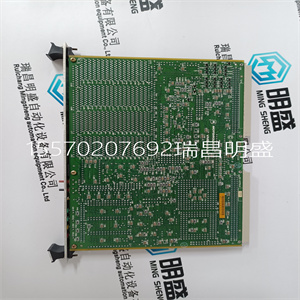
MVME147S-1
There is no configuration required to the physical Input Module. All configurable characteristics of the Module are performed using tools on the Engineering Workstation (EWS) and become part of the application or System.INI file that is loaded into the TMR Processor. The TMR Processor automatically configures the Input Module after applications are downloaded and during Active/Standby changeover. The IEC 61131 TOOLSET provides the main interface to configure the Input Module. Details of the configuration tools and configuration sequence are provided in Trusted Toolset Suite Product Description, publication ICSTTRM249 (PD-T8082). There are three procedures necessary to configure the Input Module. These are: 1. Define the necessary I/O variables for the field input data and module status data using the Dictionary Editor of the IEC 61131 TOOLSET. 2. Create an I/O Module definition in the I/O Connection Editor for each I/O Module. The I/O Module definition defines physical information, e.g. Chassis and Slot location, and allows variables to be connected to the I/O channels of the Module. 3. Using the Trusted® System Configuration Manager, define custom LED indicator modes, per-channel threshold levels and noise filtering, and other Module settings. The T8403 I/O Complex Equipment Definition includes eight I/O boards, referenced numerically by Rack number: Table 3 Complex Equipment Definition Rack I/O Board Description Data Type Direction No. of channels 1 DI OEM Parameters - - - Field Input Status Boolean In 40 2 STATE Field Input State Integer In 40 3 AI Input voltage Integer In 40 4 SPARE Not used Integer 16 5 LINE_FLT Line Fault Status Boolean In 40 6 DISCREP Channel Discrepancy Integer In 3 7 HKEEPING Housekeeping Registers Integer In 51 8 INFO I/O Module Information Integer In 11 There are two OEM parameters included in the first rack (DI Board). These OEM parameters define the primary module position; declaring the Module’s chassis and slot location. There is no need to define the secondary module Module configuration T8403 Complex Equipment Definition Chapter 4 Application 24 Rockwell Automation Publication ICSTT-RM271Q-EN-P - August 2021 position within the IEC 61131 TOOLSET. Where systems may be required to start up with a Module in the secondary position as the Active Module, e.g. primary module is not installed when application is started, the secondary module’s position should be declared in the Module definition of the System Configuration Manager. Table 4 OEM Parameters OEM Parameter Description Notes TICS_CHASSIS The number of the Trusted Chassis where the primary I/O Module is installed The Trusted Controller Chassis is 1, and Trusted Expander Chassis are 2 to 15. TICS_SLOT The slot number in the Chassis where the primary I/O Module is installed The I/O Module slots in the Trusted Controller Chassis are numbered from 1 to 8. The I/O Module slots in the Trusted Expander Chassis are numbered from 1 to 12. Rack 1: DI This board provides the logical input state for each of the field inputs. Table 5 Rack 1: DI descriptions Channel Description 1 Field input channel 1 logical state 2 Field input channel 2 logical state 40 Field input channel 40 logical state The input state is reported as true (logic ‘1’) for a closed contact input, and false (logic ‘0’) for an open contact input. The logic state is the majority voted value. Rack 2: STATE This board provides the majority voted numerical input state. This input channel state indicates the threshold band within which the input voltage lies. Table 6 Rack 2: STATE descriptions Channel Description 1 Field input channel 1 state 2 Field input channel 2 state 40 Field input channel 40 state Chapter 4 Application Rockwell Automation Publication ICSTT-RM271Q-EN-P - August 2021 25 Table 7 Rack 2: STATE Output descriptions Channel Description 7 Unknown 5 Short circuit 4 Closed contact 3 Indeterminate 2 Open contact 1 Open circuit The input channel has a value 7 (Unknown) when: 1. The input channel cannot be correctly measured by two or more slices of the TMR Input Module. 2. The TMR Processor detects a 2oo3 channel discrepancy between the three slices of the TMR Input Module. 3. The Module is simulated (not installed or the TMR Processor cannot communicate with 2oo3 slices of the Module). Rack 3: AI The AI board returns the field loop voltage at the input. Table 8 Rack 3: Channel Field Voltage Channel Description 1 Field input channel 1 voltage 2 Field input channel 2 voltage 40 Field input channel 40 voltage The voltage is the median value taken from the triplicated Module. The voltage level is reported as an integer, with the units being 1/512v. This may be used directly, scaled arithmetically or scaled using the conversion tables. When used directly the value may be considered as a signed, fixed-point binary value, i.e.: Table 9 Rack 3: Channel Field Voltage Bit Definitions Bit 15 14 13 12 11 10 9 8 7 6 5 4 3 2 1 0 Sign Integer Fractional To scale the value arithmetically, simply divide the input value by 512 to return the voltage as either a REAL or INTEGER as required. The IEC 61131 TOOLSET conversion tables may be used to convert the input value to engineering units, in this case voltage. The full scale range for this number format is decimal ±64, corresponding to physical range –32768 to Chapter 4 Application 26 Rockwell Automation Publication ICSTT-RM271Q-EN-P - August 2021 +32767. Other units may be chosen depending on the numeric resolution and span of the desired result. When the TMR Processor detects a 2oo3 channel fault or discrepancy, or if the Input Module is simulated, the input voltage numeric value is reported as – 2048. Rack 4: SPARE This rack is reserved for future used and is included to promote consistency with other Trusted I/O Modules. Rack 5: LINE_FLT This table describes Rack 5: LINE_FLT: Table 10 Rack 5: LINE_FLT Channel Description 1 Field input channel 1 line fault 2 Field input channel 2 line fault 40 Field input channel 40 line fault The line fault input is reported as true (logic ‘1’) for a line fault condition (open circuit, indeterminate, or short circuit condition). The logic state is the majority voted value. When the TMR Processor detects a 2oo3 channel fault or discrepancy, or if the Input Module is simulated, the line fault input is set to True. Rack 6: DISCREP This table describes Rack 6: DISCREP. Table 11 Rack 6: DISCREP Bit Descriptions Channel Description 1 Discrepancy status inputs 1 to 16 (input 1 is LSB, bit 0) 2 Discrepancy status inputs 17 to 32 (input 17 is LSB, bit 0) 3 Discrepancy status inputs 33 to 40 (input 33 is LSB, bit 0) Each of the integers reports the discrepancy status of 16 input channels. The corresponding bit within the integer is set to ‘1’ when a discrepancy condition is detected on that input channel’s input state (rack 2). For example, if Slice B of the Input Module reports the state of channel 4 as state 5, while Slices A and Chapter 4 Application Rockwell Automation Publication ICSTT-RM271Q-EN-P - August 2021 27 C report channel 4 as state 2, then Slice B has a channel discrepancy for channel 4. In this case, bit 3 of channel 1 on the Discrepancy board would be set to ‘1’. Rack 7: HKEEPING This table describes Rack 7: HKEEPING. Table 12 Rack 7: Housekeeping Channel Description FCR Units (Full Scale Range) 1 A 2 B 24V2 Input Voltage -32768 32767 mV 3 C 4 A Internal supply voltage (post
Copyright ©2019-2022 瑞昌明盛自动化设备有限公司 版权所有 赣ICP备2021006016号