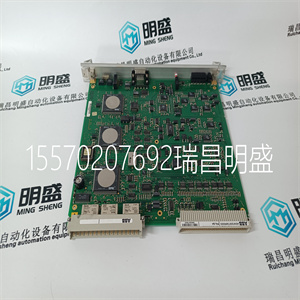
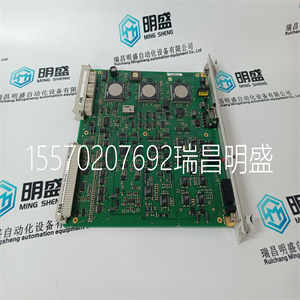
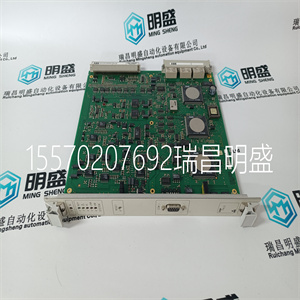
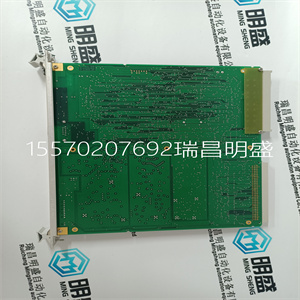


P4LQA HENF209736R0003
配置,例如机箱和插槽
并且允许变量连接到模块的I/O通道。
3.使用受信任的系统配置管理器,定义自定义LED指示灯
模式、每通道默认或故障安全状态以及其他模块设置。
3.2.T8451复杂设备定义
T8451 I/O复杂设备定义包括8个I/O板,以数字表示
按机架编号:
机架I/O板说明数据类型方向编号
渠道
1做
OEM参数---
字段输出状态布尔输出40
2状态字段输出40中的状态整数
3.AI输出电压整数在40
4 CI输出电流整数在40
5 LINE_ FLT 40中的线路故障状态布尔值
3.可信TMR 24Vdc数字输出模块的应用–40信道
1614期罗克韦尔自动化出版物ICSTT-RM280N-EN-P
机架I/O板说明数据类型方向编号
渠道
6离散通道差异整数,3
7.HKEEPING内务管理寄存器57中的整数
8信息输入/输出模块信息整数11
表3复杂设备定义
一个机架(DO板)中包含两个OEM参数。这些是原始设备制造商
参数定义主模块位置;声明模块的机箱和插槽
地方无需在IEC 61131中定义二次模块位置
工具集。其中可能需要系统以二级模块启动
定位为活动模块,例如应用程序启动时未安装主模块
启动时,应在模块的模块定义中声明辅助模块的位置
系统配置管理器。
OEM参数说明注释
TICS_CHASSIS:受信任的
主机所在的机箱
已安装I/O模块
可信控制器机箱为1
可信扩展器机箱为2到15。
TICS_
主机所在的机箱
已安装I/O模块
受信任端口中的I/O模块插槽
控制器机箱编号从1到8。
可信扩展器中的I/O模块插槽
机箱编号从1到12。
表4 OEM参数
3.2.1.1机架1:DO
该板为每个字段提供到逻辑输出控制信号的连接
输出。
频道描述
1字段输出通道1逻辑状态
2字段输出通道2逻辑状态
40字段输出通道40逻辑状态
可信TMR 24Vdc数字输出模块–40信道3.应用
罗克韦尔自动化出版物ICSTT-RM280N-EN-P14和17期
表5机架1:DO说明
用户应用程序应将输出控制信号设置为真(逻辑“1”),以打开或关闭
和false(逻辑“0”)来关闭或断电输出。
3.2.2.1机架2:状态
该板提供多数表决的数字输出状态。这表明
输出通道和相关现场连接的运行状态。
频道描述
1场输出信道1状态
2场输出信道2状态
40场输出通道40状态
表6机架2:状态说明
价值描述
7信道故障
6.磁场故障(例如,磁场泄漏至0 V或24 V)
5.现场接线或负载短路
4.输出通电(开)
3.现场接线或负载断路
2.输出断电(关闭)
1无磁场电源电压
0未使用
表7机架2:状态输出说明
3.可信TMR 24Vdc数字输出模块的应用–40信道
1814期罗克韦尔自动化出版物ICSTT-RM280N-EN-P
3.2.3.3机架3:人工智能
AI板返回输出端的磁场回路电压。
频道描述
1场输出通道1电压
2场输出通道2电压
40场输出通道40电压
表8机架3:AI说明
电压是取自三重模块的中值。电压电平为
报告为整数,单位为1/500V。这可以直接使用、按比例缩放
使用IEC 61131工具集转换表进行算术或缩放。
要在算术上缩放值,只需将返回的“整数”除以500即可返回值
根据需要将电压设置为实数或整数。
IEC 61131工具集转换表可用于将值转换为工程值
在这种情况下为电压。该数字格式的满标度范围为十进制±64,
对应于物理范围–32000到+32000。
3.2.4.机架4:CI
CI板返回输出端的磁场回路电流。
频道描述
1场输出通道1电流
2场输出通道2电流
40场输出通道40电流
表9机架4:CI说明
电流是取自三重模块的总和。当前水平为:
报告为整数,单位为1/1000A。这可以直接使用、按比例缩放
使用IEC 61131工具集转换表进行算术或缩放。
为了在算术上缩放该值,只需d
P4LQA HENF209736R0003
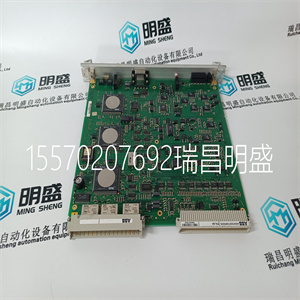
P4LQA HENF209736R0003
ormation, e.g. Chassis and Slot location, and allows variables to be connected to the I/O channels of the Module. 3. Using the Trusted System Configuration Manager, define custom LED indicator modes, per-channel default or fail safe states, and other Module settings. 3.2. T8451 Complex Equipment Definition The T8451 I/O Complex Equipment Definition includes 8 I/O boards, referenced numerically by Rack number: Rack I/O Board Description Data Type Direction No. of Channels 1 DO OEM Parameters - - - Field Output Status Boolean Out 40 2 STATE Field Output State Integer In 40 3 AI Output voltage Integer In 40 4 CI Output current Integer In 40 5 LINE_FLT Line Fault Status Boolean In 40 3. Application Trusted TMR 24Vdc Digital Output Module – 40 Channel 16 Issue 14 Rockwell Automation Publication ICSTT-RM280N-EN-P Rack I/O Board Description Data Type Direction No. of Channels 6 DISCREP Channel Discrepancy Integer In 3 7 HKEEPING Housekeeping Registers Integer In 57 8 INFO I/O Module Information Integer In 11 Table 3 Complex Equipment Definition There are two OEM parameters included in the first rack (DO Board). These OEM parameters define the primary Module position; declaring the Module’s chassis and slot location. There is no need to define the secondary Module position within the IEC 61131 TOOLSET. Where systems may be required to start-up with Modules in the secondary position as the Active Module, e.g. primary Module is not installed when application is started, the secondary Module’s position should be declared in the Module definition of the System Configuration Manager. OEM Parameter Description Notes TICS_CHASSIS The number of the Trusted Chassis where the Primary I/O Module is installed The Trusted Controller Chassis is 1, and Trusted Expander Chassis are 2 to 15. TICS_SLOT The slot number in the Chassis where the Primary I/O Module is installed The I/O Module slots in the Trusted Controller Chassis are numbered from 1 to 8. The I/O Module slots in the Trusted Expander Chassis are numbered from 1 to 12. Table 4 OEM Parameters 3.2.1.Rack 1: DO This board provides the connection to the logical output control signal for each of the field outputs. Channel Description 1 Field output channel 1 logical state 2 Field output channel 2 logical state 40 Field output channel 40 logical state Trusted TMR 24Vdc Digital Output Module – 40 Channel 3. Application Rockwell Automation Publication ICSTT-RM280N-EN-P Issue 14 17 Table 5 Rack 1: DO Descriptions The user application should set the output control signal to true (logic ‘1’) to turn ON or energise an output, and false (logic ‘0’) to turn OFF or de-energise an output. 3.2.2.Rack 2: STATE This board provides the majority voted numerical output state. This indicates the operational status of the output channel and associated field connection. Channel Description 1 Field output channel 1 state 2 Field output channel 2 state 40 Field output channel 40 state Table 6 Rack 2: STATE Descriptions Value Description 7 Channel fault 6 Field fault (e.g. field leakage to 0 V or 24 V) 5 Short circuit in field wiring or load 4 Output energised (ON) 3 Open circuit in field wiring or load 2 Output de-energised (OFF) 1 No field supply voltage 0 Unused Table 7 Rack 2: STATE Output Description 3. Application Trusted TMR 24Vdc Digital Output Module – 40 Channel 18 Issue 14 Rockwell Automation Publication ICSTT-RM280N-EN-P 3.2.3.Rack 3: AI The AI board returns the field loop voltage at the output. Channel Description 1 Field output channel 1 voltage 2 Field output channel 2 voltage 40 Field output channel 40 voltage Table 8 Rack 3: AI Descriptions The voltage is the median value taken from the triplicated Module. The voltage level is reported as an integer, with the units being 1/500V. This may be used directly, scaled arithmetically or scaled using the IEC 61131 TOOLSET conversion tables. To scale the value arithmetically simply divide the returned ‘integer’ by 500 to return the voltage as either a REAL or INTEGER as required. The IEC 61131 TOOLSET conversion tables may be used to convert the value to engineering units, in this case voltage. The full-scale range for this number format is decimal ±64, corresponding to physical range –32000 to +32000. 3.2.4. Rack 4: CI The CI board returns the field loop current at the output. Channel Description 1 Field output channel 1 current 2 Field output channel 2 current 40 Field output channel 40 current Table 9 Rack 4: CI Descriptions The current is the sum value taken from the triplicated Module. The current level is reported as an integer, with the units being 1/1000A. This may be used directly, scaled arithmetically or scaled using the IEC 61131 TOOLSET conversion tables. To scale the value arithmetically simply d
Copyright ©2019-2022 瑞昌明盛自动化设备有限公司 版权所有 赣ICP备2021006016号






