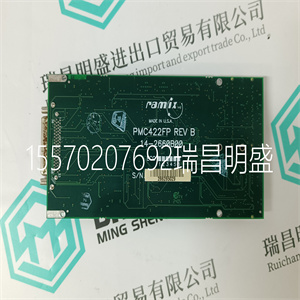
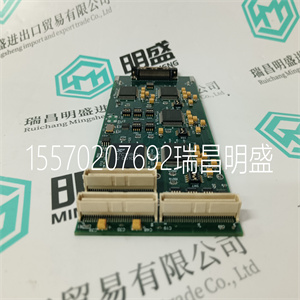
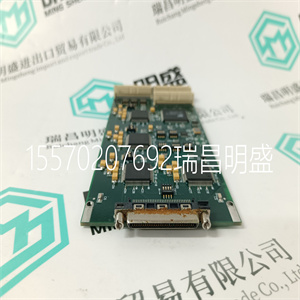
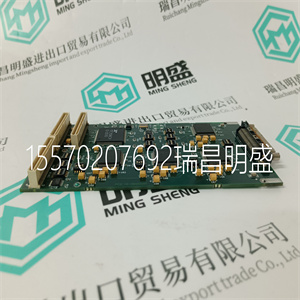
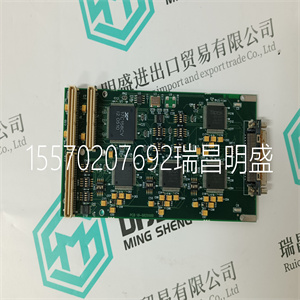


PMC422FP
内务机架内的每个输入都报告为整数。一般来说
应用工程师通常不需要这些输入。他们是
用于辅助故障查找和诊断,通常用于报告
以及显示目的。如果一个切片是致命的,则所有报告的内务管理输入
被设置为零。
机架8:信息
本表描述了机架8:信息。
表13机架8:信息说明
频道描述
1主动模块机箱编号
2活动模块插槽编号
3.主动模块健康
4活动模块状态
5备用模块机箱号
6备用模块插槽号
7.备用模块正常
8备用模块状态
9故障控制区域(FCR)状态
10主模块激活
11.对有源模块进行了仿真
活动模块机箱和插槽编号指示模块的位置
当前处于活动状态的模块。这些值将更改以匹配主或
辅助模块位置,取决于其激活状态,即:。
主/备用转换将“交换”主模块的值
机箱和插槽编号通道与备用模块机箱中的通道
以及时隙数信道。
主备模块健康通道作为整数返回。A.
值为0表示已检测到故障。值“1”表示:
模块正常。
第四章申请
罗克韦尔自动化出版物ICSTT-RM271Q-EN-P-2021 8月29日
主备模块状态是一个整数,表示当前状态
相关模块的操作模式。该值表示电流
模块的内部操作模式。
表14信息位说明
值模块状态
5.关闭
4.维护
3.活跃
2.备用
1配置
0未知、不存在模块或模块致命
FCR状态通道报告激活和关闭系统的每个片的故障状态
备用模块。该值按如下所示进行位压缩。少
有效字节用于将高有效8位设置为零:
表15机架8:FCR位说明
一点
7 6 5 4 3 2 1 0
备用模块和活动模块
喷射器
打开
FCR C
健康的
FCR B
健康的
FCR A
健康的
喷射器
打开
FCR C
健康的
FCR B
健康的
FCR A
健康的
如果主模块处于激活状态,则“主模块处于活动状态”通道设置为非零
是当前活动模块,即活动模块位于机箱和插槽中
OEM参数中定义的数字。
如果激活模块被激活,“激活模块被模拟”信道被设置为“1”
在进行模拟时,仅当模块不存在或不运行且模拟启用已在模块的功能范围内设置时,才会设置此选项
系统中的配置。INI文件。
每个布尔输入变量可以配置为自动排序
事件(SOE)日志记录。这适用于输入状态和线路故障状态
变量。在变量转换期间,为SOE配置布尔变量
数据字典编辑器中的定义。要选择SOE,请按扩展键
按钮,以打开扩展变量
定义对话框。然后选中事件序列框以启用
用于自动SOE日志记录的变量。
在操作过程中,输入模块自动报告时间戳
改变输入数据的状态信息。TMR处理器
自动将配置的SOE变量的状态更改记录到
系统SOE日志。可以使用SOE监视和检索SOE日志
以及运行在EWS上的Process Historian包。此软件包是
在可信事件序列和过程历史记录软件包中描述
产品说明、出版物
PMC422FP
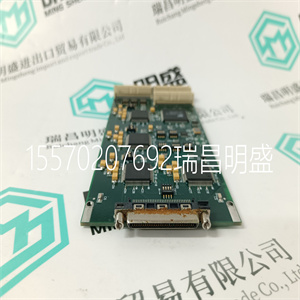
PMC422FP
Each input within the housekeeping rack is reported as an integer. In general, the application engineer will not normally require these inputs. They are provided to aid fault finding and diagnosis and are often used for reporting and display purposes. If a slice is Fatal, then all reported housekeeping inputs are set to zero. Rack 8: Information This table describes Rack 8: INFO. Table 13 Rack 8: INFO Descriptions Channel Description 1 Active Module chassis number 2 Active Module slot number 3 Active Module healthy 4 Active Module state 5 Standby Module chassis number 6 Standby Module slot number 7 Standby Module healthy 8 Standby Module state 9 Fault Containment Region (FCR) status 10 Primary Module is active 11 Active Module is simulated The Active Module chassis and slot numbers indicate the position of the currently Active Module. These values will change to match the primary or secondary Module position, depending on their active status, i.e. Active/Standby changeover will “swap” the values for the Active Module chassis and slot number channels with those in the Standby Module chassis and slot number channels. The Active and Standby Module healthy channel is returned as an integer. A value of 0 indicates that a fault has been detected. A value of ‘1’ indicates that the Module is healthy. Chapter 4 Application Rockwell Automation Publication ICSTT-RM271Q-EN-P - August 2021 29 The Active and Standby Module state is an integer indicating the current operating mode of the associated Module. The value indicates the current internal operating mode of the Module. Table 14 INFO Bit Descriptions Value Module State 5 Shutdown 4 Maintain 3 Active 2 Standby 1 Configuration 0 Unknown, no module present, or module is Fatal The FCR status channel reports the fault status of each slice of the Active and Standby Modules. The value is bit-packed as shown below. The least significant byte is used with the most significant 8-bits set to zero: Table 15 Rack 8: FCR Bit Descriptions Bit 7 6 5 4 3 2 1 0 Standby Module Active Module Ejector open FCR C Healthy FCR B Healthy FCR A Healthy Ejectors open FCR C Healthy FCR B Healthy FCR A Healthy The ‘Primary Module is active’ channel is set to nonzero if the primary Module is the current Active Module, i.e. the Active Module is in the chassis and slot numbers defined within the OEM parameters. The ‘Active Module is simulated’ channel is set to ‘1’ if the Active Module is being simulated, this will only be set if the module is not present or nonoperational and the simulation enable has been set within the Module’s configuration in the System.INI file. Each Boolean Input Variable can be configured for automatic Sequence of Events (SOE) logging. This applies to the Input Status and Line Fault Status variables. A Boolean variable is configured for SOE during the variable definition in the Data Dictionary Editor. To select SOE, press the Extended Button in the Boolean Variable Definition Dialog Box to open the Extended Definition Dialog. Then check the box for Sequence of Events to enable the variable for automatic SOE logging. During operation, the Input Module automatically reports time-stamped change of state information for the input data. The TMR Processor automatically logs change of state for configured SOE variables into the system SOE Log. The SOE Log can be monitored and retrieved using the SOE and Process Historian Package running on the EWS. This software package is described in Trusted Sequence of Events and Process Historian Package Product Description, publication
Copyright ©2019-2022 瑞昌明盛自动化设备有限公司 版权所有 赣ICP备2021006016号






