
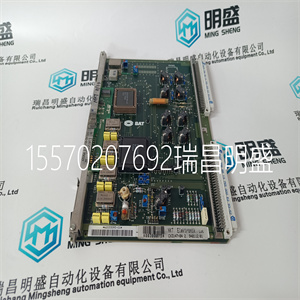

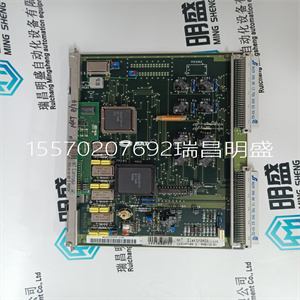
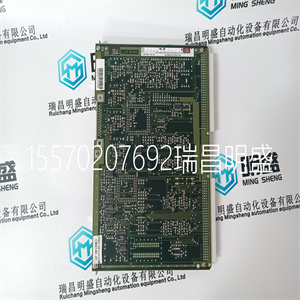


SAT CM3142-01-03
在系统中没有中断
过程通过打开的健康状态指示灯向用户报告故障
模块的前面板,并通过INFO和HKEEPING
变量。在正常操作下,所有三个健康LED均为绿色。当
如果发生故障,其中一个正常的LED将闪烁红色。建议:
调查此情况,如果故障在模块内,则应排除故障
替换。
模块更换活动取决于备用模块的类型
配置和安装系统时选择的配置。这个
模块可以配置有专用的配对插槽,或者配置有
用于备用更换模块的SmartSlot。
故障报告
现场接线故障
模块故障
第6章故障查找和维护
36罗克韦尔自动化出版物ICSTT-RM271Q-EN-P-2021 8月
对于配对插槽配置,Trusted®机箱中有两个相邻插槽
为相同的输入模块功能配置。一个插槽是主插槽
插槽,另一个为的辅助(或备用)插槽。这两个槽连接在一起
在可信机箱的后部,带有双宽I/O接口电缆,该电缆可:
将两个插槽连接到公共现场接线端子。在正常情况下
在操作中,主插槽包含由指示的活动模块
模块前面板上的激活指示灯。辅助时隙是
可用于通常作为备用模块的备用模块
由模块前面板上的备用指示灯指示。
根据安装情况,可能已经安装了热备盘模块,或者
模块挡片将安装在备用插槽中。如果安装了热备盘模块
已安装,当出现故障时自动转移到备用模块
在激活模块中检测到模块故障。如果未安装热备盘,
系统从激活模块继续运行,直到出现备用模块
已安装。
对于SmartSlot配置,辅助插槽不是每个插槽的
主槽。相反,单个辅助插槽在多个主插槽之间共享
插槽。这项技术提供了高密度的模块,可安装在
给定物理空间。在可信机箱的后部,一个宽输入
跨接电缆将辅助插槽直接连接到所连接的I/O电缆
到发生故障的主模块。在SmartSlot中安装了备用模块的情况下
以及连接到故障主模块的SmartSlot I/O电缆
SmartSlot可用于更换发生故障的主模块。
输入模块智能插槽跳线电缆TC
SAT CM3142-01-03
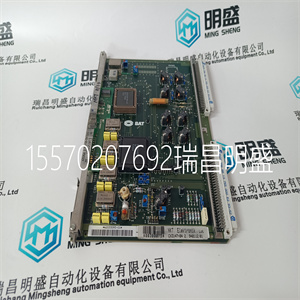
SAT CM3142-01-03
without interruption in the system or process. Faults are reported to the user through the Healthy status LEDs on the Front Panel of the Module and through the INFO and HKEEPING variables. Under normal operations, all three Healthy LEDs are green. When a fault occurs, one of the Healthy LEDs will flash red. It is recommended that this condition is investigated and if the fault is within the Module, it should be replaced. Module replacement activities depend on the type of spare module configuration chosen when the system was configured and installed. The Module may be configured with a dedicated Companion Slot or with a SmartSlot for a spare replacement Module. Fault reporting Field wiring faults Module faults Chapter 6 Fault finding and maintenance 36 Rockwell Automation Publication ICSTT-RM271Q-EN-P - August 2021 For a Companion Slot configuration, two adjacent slots in a Trusted® Chassis are configured for the same input module function. One slot is the primary slot and the other a unique secondary (or spare) slot. The two slots are joined at the rear of the Trusted Chassis with a double-wide I/O Interface Cable that connects both slots to common field wiring terminations. During normal operations, the primary slot contains the Active Module as indicated by the Active indicator on the Front Panel of the Module. The secondary slot is available for a spare Module that will normally be the Standby Module as indicated by the Standby indicator on the Front Panel of the Module. Depending on the installation, a hot-spare Module may already be installed, or a module blank will be installed in the standby slot. If a hot-spare Module is already installed, transfer to the Standby Module occurs automatically when a module fault is detected in the Active Module. If a hot-spare is not installed, the system continues operating from the Active Module until a spare Module is installed. For a SmartSlot configuration, the secondary slot is not unique to each primary slot. Instead, a single secondary slot is shared among many primary slots. This technique provides the highest density of Modules to be fitted in a given physical space. At the rear of the Trusted Chassis, a single-wide input jumper Cable connects the secondary slot directly to the I/O Cable connected to the failed primary Module. With a spare Module installed in the SmartSlot and the SmartSlot I/O Cable connected to the failed primary Module, the SmartSlot can be used to replace the failed primary Module. Input Module Smart Slot jumper cable TC
Copyright ©2019-2022 瑞昌明盛自动化设备有限公司 版权所有 赣ICP备2021006016号






