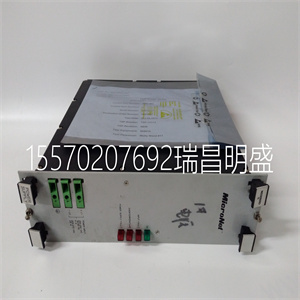






Woodward 5462-482
测试电流输出零点
仪器自动在两个传感器上传输电流输出零点测试信号
输出。
示例–对于4至20mA电流输出范围,传输4mA。
更改安全代码––更改安全代码
百货商店
设置所需的安全代码,介于0和19999之间。然后必须设置此值
再次输入以访问操作页面1中的安全参数。
前进到下一个参数。
测试输出零点
该仪器自动将电流输出满标度测试信号传输至
这两个输出。
示例–对于4至20mA电流输出范围,传输20mA。
测试输出FSD测试电流输出满标度
前进到下一个参数。
前进到下一个参数。
%输出比例输出百分比(至加热器)
用作诊断检查,以指示比例控制的电流
加热器的输出(%)。
或
返回到当前输出页面的顶部。
提前设置警报以设置警报页面。
或
xxx•x%
…6编程
…6.2.5当前输出页面
21
进来
对
不
高的
低的
前进到下一个参数。
报警A1启用
设置警报
选择“是”启用,或选择“否”禁用。
A1故障保护
页眉。
警报A1故障保护
百货商店
如果需要采取故障保护措施,选择“是”,否则选择“否”-见表6.1。
百货商店
前进到下一个参数。
A1启用
选择所需的报警动作,“高”或“低”-见表6.1。
A1动作警报A1动作
百货商店
前进到下一个参数。
前进到下一个参数。
A1滞后–%报警A1滞后
差分设定值可以设定为设定值的百分比。这个
差分设置在设定点附近运行。
示例–5%差分设置在设定点上方和下方各运行2.5%。
百货商店
前进到下一个参数。
报警l.e.d.指示和继电器输出可分配给CO2浓度或关闭。
对
不
前进到下一个参数。
选择所需的差值,以1%为增量,介于0和5%之间。
A1延迟–m报警A1延迟
如果需要,继电器启动和报警l.e.d.指示可在事件发生时延迟
警报状态的一种状态。如果报警条件在编程延迟内清除
此时,报警功能未激活,延迟时间重置。
百货商店
前进到下一个参数。
以1分钟为增量,将所需延迟时间设置在0到60分钟之间。
下一页继续。(a)
(b)
对
不
或
或
进来
或
进来
进来
或
或
进来
6编程…
6.2.6设置报警页面
22
进来
对
不
A1设定点
设置所需的设定值。
百货商店
前进到下一个参数。
A1设定点
重复报警继电器1的编程程序。或
A2启用A2启用
或
A2设定值A2设定值
返回到设置报警页面的顶部。
设置时钟提前设置时钟页面。
或
– – – • –
(a)
(b)
或
进来
设置所需的设定值。
百货商店
– – – • –
一项针对ailsaf M s测量值和状态L.e.D.指标的行动
高于设定点的高度
低于设定值
断电
充满活力
闪烁
关
高出设定点
低于设定值
充满活力
断电
闪烁
关
在设定点之上
低于设定值
充满活力
断电
关
闪烁
低于设定点
低于设定值
断电
充满活力
关
闪烁
…6编程
…6.2.6设置报警页面
23
– –
前进到下一个参数。
设置实时时钟
设置时钟
选择“是”设置时钟,否则选择“否”。或
页眉。
百货商店
前进到下一个参数。
设置时钟?
设定适当的年份。
定年定年
对
不
设置月份–设置月份
百货商店
Woodward 5462-482
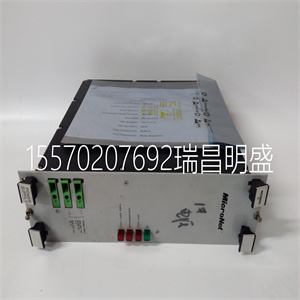
Woodward 5462-482
Test Current Output Zeros
The instrument automatically transmits a current output zero test signal on both
outputs.
Example – For a 4 to 20mA current output range, 4mA is transmitted.
Alter Sec. Code – – – – – Alter Security Code
Store.
Set the Security Code required, between 0 and 19999. This value must then be
entered again to access the secure parameters from Operating Page 1.
Advance to next parameter.
Test Output Zeros
The instrument automatically transmits a current output full scale test signal on
both outputs.
Example – For a 4 to 20mA current output range, 20mA is transmitted.
Test Output FSD Test Current Output Full Scale
Advance to next parameter.
Advance to next parameter.
% Output Proportional Output Percentage (to heater)
Used as a diagnostic check to indicate the proportionally controlled current
output (%) to the heater.
or
Return to top of Current Output Page.
SET UP ALARMS Advance to Set Up Alarms Page.
or or
xxx•x%
…6 PROGRAMMING
…6.2.5 Current Output Page
21
Enter
Yes
No
High
Low
Advance to next parameter.
Alarm A1 Enable
SET UP ALARMS
Select 'YES' to enable or 'NO' to disable.
A1 Failsafe
Page header.
Alarm A1 Failsafe
Store.
If failsafe action is required select 'Yes', otherwise select 'No' – see Table 6.1.
Store.
Advance to next parameter.
A1 Enabled
Select the alarm action required, 'High' or 'Low' – see Table 6.1.
A1 Action Alarm A1 Action
Store.
Advance to next parameter.
Advance to next parameter.
A1 Hysteresis –% Alarm A1 Hysteresis
A differential set point can be set as a percentage of the set point value. The
differential setting operates about the set point.
Example – A 5% differential setting operates 2.5% above and below the setpoint.
Store.
Advance to next parameter.
Alarm l.e.d. indication and relay output can be assigned either to the CO2 concentration or switched off.
Yes
No
Advance to next parameter.
Select the differential required, between 0 and 5% in 1 % increments.
A1 Delay – –m Alarm A1 Delay
If required, relay actuation and alarm l.e.d. indication can be delayed in the event
of an alarm condition. If the alarm condition clears within the programmed delay
time, the alarm function is not activated and the delay time is reset.
Store.
Advance to next parameter.
Set the required delay time between 0 and 60 minutes in 1 minute increments.
Continued on next page. (a)
(b)
Yes
No
or
or
Enter
or
Enter
Enter
or
or
Enter
6 PROGRAMMING…
6.2.6 Set Up Alarms Page
22
Enter
Yes
No
A1 Setpoint
Set the required setpoint value.
Store.
Advance to next parameter.
A1 Setpoint
Repeat the programming procedures as for Alarm Relay 1. or
A2 Enabled A2 Enabled
or
A2 Setpoint A2 Setpoint
Return to top of Set Up Alarms Page.
SET UP CLOCK Advance to Set Up Clock Page.
or or
– – – • –
(a)
(b)
or
Enter
Set the required set point value.
Store
– – – • –
A e ction F e ailsaf M s easured Valu R n elay Statu L.E.D. Indicatio
H S igh Y t E Above Setpoin
Below Setpoint
De-energised
Energised
Flashing
Off
H O igh N t Above Setpoin
Below Setpoint
Energised
De-energised
Flashing
Off
L S ow Y t E Above Setpoin
Below Setpoint
Energised
De-energised
Off
Flashing
L O ow N t Above Setpoin
Below Setpoint
De-energised
Energised
Off
Flashing
…6 PROGRAMMING
…6.2.6 Set Up Alarms Page
23
– –
Advance to next parameter.
Set Up Real Time Clock
SET UP CLOCK
Select 'Yes' to set up the clock, otherwise select 'No'. or
Page header.
Store.
Advance to next parameter.
Set Clock?
Set the appropriate year.
Set Year Set Year
Yes
No
Set Month – – Set Month
Store
Copyright ©2019-2022 瑞昌明盛自动化设备有限公司 版权所有 赣ICP备2021006016号






