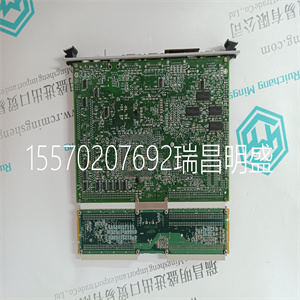
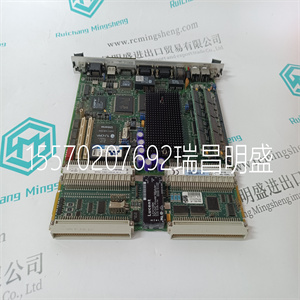
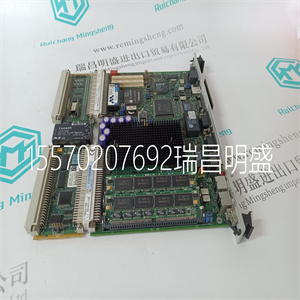


Woodward 9905-964
将卡安装在计算机内
安装卡之前,请确保:
•知道如何在计算机中安装硬件
•有关硬件安装,请参阅计算机的文档
说明书
要安装卡,您需要:
•访问计算机的扩展插槽
•拥有Phillip螺丝刀或平头螺丝刀
•将卡插入计算机
访问计算机的PCI本地总线扩展插槽
要安装卡,必须访问计算机的PCI本地总线
扩展插槽。请遵循以下一般步骤,或参考计算机的
有关如何执行以下操作的说明的用户指南:
1.使用电源开关关闭主机电源。
2.卸下计算机盖。
3.选择一个空闲的PCI本地总线扩展插槽。
4.卸下插槽的扩展盖。松开背面(后部)上的螺钉
支架)。
6 ControlNet PCI通信接口卡
9904-IN002A-US-P-2000年3月
插入卡片
要将卡插入计算机中,请执行以下操作:
1.按照4页的卡处理说明操作。
2.将卡插入边缘连接器并拧紧扩展插槽
螺丝钉
3.打开计算机以确保其显示正确。
4.更换计算机盖(当计算机正确启动时)。
如果计算机:则:
通电,转至步骤4
挂断•您可能存在内存或I/O冲突
•您应该移除所有其他卡,然后重试
如果您继续遇到困难,请联系
您购买此产品的代表。
ControlNet PCI通信接口卡7
9904-IN002A-US-P-2000年3月
连接卡
安装卡后,您可以连接它:
–连接到已连接到ControlNet网络的设备(8页)
–直接连接到需要分接的ControlNet网络(11页)
图1描述了9904-PCIC卡连接器和指示器。
图1 9904-PCIC卡
A.
B
网络接入端口(NAP)
用于连接的RJ-45连接器
将终端编程到设备
在ControlNet网络上
A频道
用于直接连接到的BNC连接器
控制网
B频道
不要连接多个
ControlNet网络连接到此板卡。
冗余媒体
BNC连接器
诊断状态
指标
!
!
!
!
控制网
8 ControlNet PCI通信接口卡
9904-IN002A-US-P-2000年3月
有关状态指示器的信息,请参见12页。诊断指标
仅冗余媒体BNC连接。
重要事项:如果使用非冗余电缆系统,则所有ControlNet
设备必须位于同一信道上,即信道A。
连接到ControlNet网络上的设备
9904-CP电缆(图2)将主机连接到另一台主机
ControlNet设备。它有两个RJ-45 8针连接器。
图2 9904-CP电缆
!
注意:不要连接多个ControlNet网络
给这张卡片。如果您尝试将二个网络连接到此卡,
您的通信系统将运行不稳定。
!
注意:仅在连接时使用9904-CP电缆
通过网络接入将终端编程到网络
端口(NAP)。如果使用不同的电缆,可能会导致
Woodward 9905-964
Woodward 9905-964
Install the Card Inside the Computer Before you install the card, be certain that you: • know how to install hardware in your computer • consult your computer’s documentation for hardware installation instructions To install the card, you need to: • access to the computer’s expansion slots • possess either a Phillip-head or a flat-head screwdriver • insert the card into the computer Access the Computer’s PCI Local Bus Expansion Slots To install the card, you must access the computer’s PCI local bus expansion slots. Follow these general steps, or refer to your computer’s user guide for instructions on how to: 1. Turn off the power to the host computer with the power switch. 2. Remove the computer’s cover. 3. Select a vacant PCI local bus expansion slot. 4. Remove the slot’s expansion cover. Loosen the screw on the back (rear bracket) of the computer. 6 ControlNet PCI Communication Interface Card 9904-IN002A-US-P - March 2000 Insert the Card To insert the card inside the computer: 1. Follow the card handling instructions on page 4. 2. Insert the card into the edge connector and tighten the expansion slot screw. 3. Turn on the computer to be certain that it comes up correctly. 4. Replace the computer’s cover (when the computer boots up correctly). If the computer: then: powers up go to step 4 hangs up • you probably have a memory or I/O conflict • you should remove all other cards and try again If you continue to experience difficulty, contact a representative where you purchased this product. ControlNet PCI Communication Interface Card 7 9904-IN002A-US-P - March 2000 Connect the Card After you have installed the card, you can connect it: – to a device already connected to the ControlNet network (page 8) – directly to a ControlNet network, which requires a tap (page 11) Figure 1 describes the 9904-PCIC card connectors and indicators. Figure 1 9904-PCIC card A B Network Access Port (NAP) RJ-45 connector for connecting programming terminals to devices on a ControlNet network Channel A BNC connectors for connecting directly to ControlNet network Channel B Do not connect more than one ControlNet network to this card. Redundant media BNC connectors Diagnostic status indicators ! ! ! ! ControlNet 8 ControlNet PCI Communication Interface Card 9904-IN002A-US-P - March 2000 See page 12 for information about status indicators. Indicators diagnose only redundant media BNC connections. Important:If you use a non-redundant cable system, all ControlNet devices must be on the same channel, channel A. Connect to a Device on the ControlNet Network The 9904-CP cable (Figure 2) connects a host computer to another ControlNet device. It has two RJ-45 8 pin connectors. Figure 2 9904-CP cable ! ATTENTION: Do not connect more than one ControlNet network to this card. If you attempt to connect a second network to this card, your communication system will operate erratically. ! ATTENTION: Use only the 9904-CP cable when you connect a programming terminal to the network through the network access port (NAP). If you use a different cable, it could result
Copyright ©2019-2022 瑞昌明盛自动化设备有限公司 版权所有 赣ICP备2021006016号






