

Woodward 9905-967
表A显示了电缆的接线。
表A 9904-CP连接器电缆的接线
连接器1
线号信号助记符信号名称
1 ISO-GND隔离接地
2 N.C.无连接
3 PTTX-H传输数据高
4 PTTX-L传输数据低
5 PTRX-L接收数据低
6 PTRX-H接收数据高
7 N.C.无连接
8 ISO-GND隔离接地
连接器2
线号信号助记符信号名称
1 ISO-GND隔离接地
2 N.C.无连接
3 PTRX-H接收数据高
4 PTRX-L接收数据低
5 PTTX-L传输数据低
6 PTTX-H传输数据高
7 N.C.无连接
8 ISO-GND隔离接地
10 ControlNet PCI通信接口卡
9904-IN002A-US-P-2000年3月
使用RJ-45连接器时,可以将卡连接到
通过网络访问端口(或
NAP)的可编程控制器、I/O适配器或其他控制网络
兼容设备(图3和图4)。
图3:通过可编程控制器将计算机连接到ControlNet网络
或I/O适配器
!
注意:如果将产品连接到电缆系统
不支持冗余介质,将分接分线连接到
标有通道A的BNC连接器。通道B保持打开状态。
如果电缆系统是冗余的,则连接产品,以便所有
网络上的设备对同一信道使用同一电缆。
即,所有通道A连接器连接到一根电缆;全通道
B连接器相互连接。
1.9904-CP电缆可插入任何ControlNet产品的NAP,以提供:
ControlNet网络上的编程能力。连接程序时
通过此电缆的终端,它被视为节点,必须具有地址。
控制网
编程
航空站
9904-PCIC 9904-CP电缆1
控制网
产品
42199
ControlNet PCI通信接口卡11
9904-IN002A-US-P-2000年3月
图4:通过9904-PCIC卡将主机连接到ControlNet
将板卡直接连接到ControlNet网络
要将板卡直接连接到ControlNet网络,如图所示
5、参考ControlNet规范并遵循制造商的
分接头安装、电缆规划和安装的文件。
您可以从ControlNet获得ControlNet规范™
佛罗里达州博卡拉顿市7号国道6楼国际机场315-20423号
33498-6797美国或访问http://www.controlnet.org.
图5:将板卡直接连接到ControlNet网络
9904-PCIC 9904-PC桌面主机
计算机
9904-CP电缆
控制网
桌面主机
计算机
42328
桌面主机
计算机
9904-PCIC
9904-TPR、-TPS、-TPYR或-TPYS抽头
控制网
12 ControlNet PCI通信接口卡
9904-IN002A-US-P-2000年3月
解释9904-PCIC上的状态指示灯
卡上的状态指示器为您提供有关卡的信息,以及
通过BNC连接器连接时的网络。表B
概述状态,并解释每个状态对您和
您应该采取的行动(如果有)来纠正该状态。
ControlNet状态解释
•稳定-指示灯在规定状态下持续点亮。
•交替-两个指示器在以下两个定义状态之间交替:
同时(适用于同时查看的两个指标)。二者
指示器始终处于相反的状态,不同步。
•闪烁-指示器在两个定义状态之间交替(适用
对于彼此独立地观察的每个指示符)。如果两个指示器都闪烁,
它们必须同步闪烁。
重要信息:当您使用将模块连接到ControlNet网络时
仅限网络访问端口(NAP),指示灯为
Woodward 9905-967
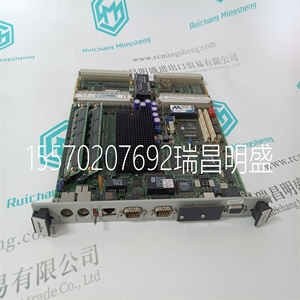
Woodward 9905-967
Table A shows the wiring for the cable. Table A Wiring for 9904-CP connector cable Connector 1 Wire Number Signal Mnemonic Signal Name 1 ISO-GND Isolated Ground 2 N.C. No Connection 3 PTTX-H Transmit Data High 4 PTTX-L Transmit Data Low 5 PTRX-L Receive Data Low 6 PTRX-H Receive Data High 7 N.C. No Connection 8 ISO-GND Isolated Ground Connector 2 Wire Number Signal Mnemonic Signal Name 1 ISO-GND Isolated Ground 2 N.C. No Connection 3 PTRX-H Receive Data High 4 PTRX-L Receive Data Low 5 PTTX-L Transmit Data Low 6 PTTX-H Transmit Data High 7 N.C. No Connection 8 ISO-GND Isolated Ground 10 ControlNet PCI Communication Interface Card 9904-IN002A-US-P - March 2000 When you use the RJ-45 connector you can connect the card to a ControlNet network, without a tap, through the Network Access Port (or NAP) of a programmable controller, I/O adapter, or other ControlNet compliant devices (Figure 3 and Figure 4). Figure 3 Connect a computer to a ControlNet network through a programmable controller or an I/O adapter ! ATTENTION: If you connect the product to a cable system that does not support redundant media, connect the tap dropline to the BNC connector labeled channel A. Channel B is left open. If the cable system is redundant, connect the product so that all devices on the network use the same cable for the same channel. That is, all channel A connectors connect to one cable; all channel B connectors connect to the other. 1 The 9904-CP cable can be plugged into any ControlNet product’s NAP to provide programming capability on the ControlNet network. When you connect a programming terminal through this cable, it is counted as a node and must have a unique address. ControlNet network programming terminal 9904-PCIC 9904-CP cable1 ControlNet product 42199 ControlNet PCI Communication Interface Card 11 9904-IN002A-US-P - March 2000 Figure 4 Connect a host computer to ControlNet through the 9904-PCIC card Connect the Card Directly to the ControlNet Network To connect the card directly to a ControlNet network as shown in Figure 5, refer to The ControlNet Specification and follow the manufacturer’s documentation for tap installation and cable planning and installation. You can obtain the ControlNet Specification from ControlNet™ International, PMB 315 - 20423 State Road 7 #F6, Boca Raton, FL 33498-6797 USA or visit http://www.controlnet.org. Figure 5 Connect the card directly to the ControlNet network 9904-PCIC 9904-PCIC Desktop host computer 9904-CP cable ControlNet network Desktop host computer 42328 Desktop host computer 9904-PCIC 9904-TPR, -TPS, -TPYR, or -TPYS tap ControlNet network 12 ControlNet PCI Communication Interface Card 9904-IN002A-US-P - March 2000 Interpret the Status Indicators on the 9904-PCIC The status indicators on the card give you information about the card and the network when you’re connected via the BNC connectors. Table B outlines the states and explains what each state means to you and the action you should take, if any, to correct that state. ControlNet status interpretation • steady - indicator is on continuously in the defined state. • alternating - the two indicators alternate between the two defined states at the same time (applies to both indicators viewed together). The two indicators are always in opposite states, out of phase. • flashing - the indicator alternates between the two defined states (applies to each indicator viewed independent of the other). If both indicators flash, they must flash together, in phase. Important:When you connect the module to a ControlNet network using the network access port (NAP) only, the LEDs are
Copyright ©2019-2022 瑞昌明盛自动化设备有限公司 版权所有 赣ICP备2021006016号






