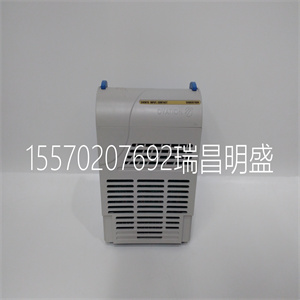


1X00416H02
操作其他功能,如以太网和SCSI接口,包括
独立于Winbond IDSEL行的函数。宽阔的
只能通过IPMC连接器支持SCSI接口
J3。
PMC模式与MVME5100向后兼容,并且
MVME5500,通过配置板载跳线实现。
开始
本节概述了安装和所需的步骤
为MVME6100通电,并简要介绍开箱和ESD
注意事项。
启动程序概述
下表列出了在使用之前需要执行的操作
此板并告诉您在何处查找执行每个操作所需的信息
步请务必阅读整个章节,包括所有注意事项和警告
注意,在开始之前。
表1-1.启动概述
你需要做的…参考。。。
打开硬件包装。1-4页的开箱指南
通过以下方式配置硬件:
在板上设置跳线。
MVME61001-5页的准备
在中安装MVME6100板
底盘。
将MVME6100安装到上的机箱中
1-12页
连接任何其他设备
您将使用
连接到1-13页的外围设备
验证硬件是否已安装。从+5V开始完成1页的安装
权力
注:为了获得大的VMEbus性能,MVME6100应为
安装在VME64x兼容背板(5排)中。2EST
使用3行背板时不支持传输。
MVME6100支持多种I/O操作模式。默认情况下
板配置用于前面板的以太网端口2(非特定
转换模块)和处于IPMC模式的PMC插槽1。董事会可以:
配置为将以太网端口2路由到P2并支持MVME712M或
MVME761转换模块。前/后以太网和转换
模块选项由跳线块J30配置。
在PMC或IPMC模式下选择PMC插槽1由跳线完成
区块J10、J15-J18和J25-J28(见1-6页表1-2)。IPMC模式
当使用IPMC712或IPMC761模块时选择。如果IPMC是
使用时,应为适当的转换模块配置J30(参见
J30配置选项,如前/后以太网和
转换模块选项标题(1-9页的J30)。
IPMC712和IPMC761使用AD11作为Winbond的IDSEL线
PCI-ISA桥接设备。该设备提供四个串行和一个
IPMC7xx模块的并行端口。Discovery II PHB(MV64360)
无法识别AD16以下的地址行。因此,尽管
IPMC7xx模块可用于MVME6100,串行和并行
端口不可用,也不可寻址。此问题将通过以下方式解决:
MCG在稍后的日期
1X00416H02
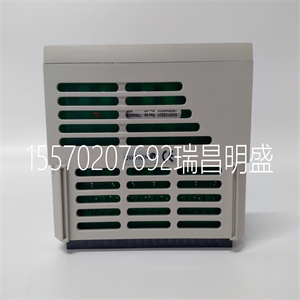
1X00416H02
opeOther functions, such as Ethernet and SCSI interfaces, are
function independent of the Winbond IDSEL line. The wide
SCSI interface can only be supported through IPMC connector
J3.
PMC mode is backwards compatible with the MVME5100 and
MVME5500 and is accomplished by configuring the on-board jumpers.
Getting Started
This section provides an overview of the steps necessary to install and
power up the MVME6100 and a brief section on unpacking and ESD
precautions.
Overview of Startup Procedures
The following table lists the things you will need to do before you can use
this board and tells where to find the information you need to perform each
step. Be sure to read this entire chapter, including all Caution and Warning
notes, before you begin.
Table 1-1. Startup Overview
What you need to do... Refer to...
Unpack the hardware. Unpacking Guidelines on page 1-4
Configure the hardware by
setting jumpers on the board.
MVME6100 Preparation on page 1-5
Install the MVME6100 board in
a chassis.
Installing the MVME6100 into a Chassis on
page 1-12
Connect any other equipment
you will be using
Connection to Peripherals on page 1-13
Verify the hardware is installed. Completing the Installation on page 1from the +5V
power.
Note For maximum VMEbus performance, the MVME6100 should be
mounted in a VME64x compatible backplane (5-row). 2eSST
transfers are not supported when a 3-row backplane is used.
The MVME6100 supports multiple modes of I/O operation. By default, the
board is configured for Ethernet port 2 to the front panel (non-specific
transition module), and PMC slot 1 in IPMC mode. The board can be
configured to route Ethernet port 2 to P2 and support MVME712M or
MVME761 transition modules. The front/rear Ethernet and transition
module options are configured by jumper block J30.
Selection of PMC slot 1 in PMC or IPMC mode is done by the jumper
blocks J10, J15-J18, and J25-J28 (see Table 1-2 on page 1-6). IPMC mode
is selected when an IPMC712 or IPMC761 module is used. If an IPMC is
used, J30 should be configured for the appropriate transition module (see
J30 configuration options as illustrated in Front/Rear Ethernet and
Transition Module Options Header (J30) on page 1-9).
The IPMC712 and IPMC761 use AD11 as the IDSEL line for the Winbond
PCI-ISA bridge device. This device supplies the four serial and one
parallel port of the IPMC7xx module. The Discovery II PHB (MV64360)
does not recognize address lines below AD16. For this reason, although an
IPMC7xx module may be used on an MVME6100, the serial and parallel
ports are not available, nor addressable. This issue will be resolved by
MCG at a later date
Copyright ©2019-2022 瑞昌明盛自动化设备有限公司 版权所有 赣ICP备2021006016号






