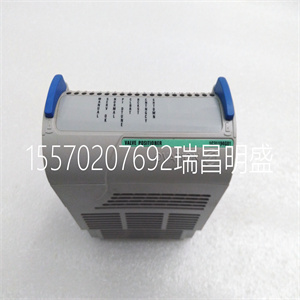
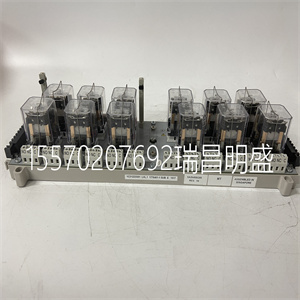
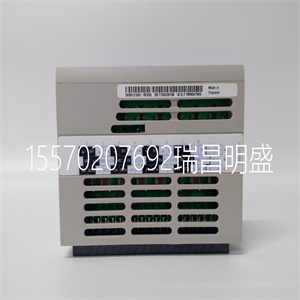
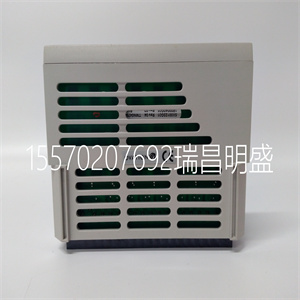
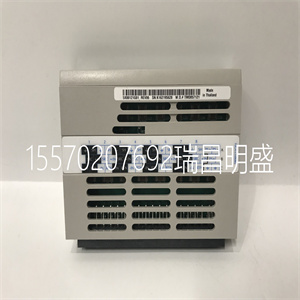


5X00301G01
驱动器之间采用RS485通信模式
以及远程安装的键盘。使用4芯电缆
要连接驱动器和键盘,大
距离可以是1000米。主/从通信
使用模式。键盘是主键盘,驱动器是
奴隶。电缆终端可通过公用电缆固定
螺钉,便于维护。
一个远程安装的键盘可以控制多个驱动器
通过连接485+和
每个驱动器的485-以形成RS485网络。
功能:
1) 能够控制启动、停止、点动操作、故障
重置从属驱动器并更改频率设置
以及操作方向。
2) 自动识别从机类型。是
能够监控工作频率、频率
设置、输出电压和电流、模拟闭环
反馈、模拟闭环设置和外部
自动计数值。
3.现场总线适配器
型号:TDS-PA01
能够将ENYDRIVE驱动器连接到PROFIBUS
通过TDS-PA01现场总线适配器进行网络连接。在
PROFIBUS网络系统,驱动器作为
奴隶
功能:
1) 向驱动器发送控制命令(例如:start,
停止和点动);
2) 将速度或频率参考信号发送到
驾驶
3) 读取运行状态信息和实际
来自驱动器的值;
4) 在驱动器发生故障时复位驱动器。
4.DrvWindows主机监控软件
版本:DrvWindows V1.2
用于TD1000、TD2000形成的控制网络
以及通过RS485总线的TD2100系列驱动。它可以监控
连接到总线的驱动器的运行状态
实现驱动器的集中管理。这个
软件友好的界面使操作
实用的该软件现在支持EV2000驱动器。
功能:
轮询从属驱动器、频率设置、操作和
停止、更改和查询
参数
5.键盘支架
型号:EVF-KB02
第3章安装和布线15
EV2000系列通用变速驱动用户手册
第3章安装和布线
3.1安装环境
请将驱动器垂直安装在通风良好的室内
地方
选择安装环境时,请执行以下操作
应考虑的问题:
环境温度应在以下范围内:
-10℃~40℃. 如果温度高于40℃,则
驱动器应降额,强制通风
必修的;
湿度应低于95%,无冷凝
安装在振动小于的位置
5.9m/s2
(0.6G);
安装在无阳光直射、灰尘、金属的位置
粉末、腐蚀性气体或可燃气体。
如果对安装有任何特殊要求,
请联系我们进行澄清。
安装空间和间隙要求如下:
如图3-1和图3-2所示。
安装两个变速驱动器时,一个
在另一个上方,应固定气流导流板
如图3-3所示。
10厘米
或以上
5厘米
或
在上面
5厘米
或
在上面
10厘米
或以上
风机排风
图3-1安装间隙(45kW或以下)
35厘米
或以上
15厘米
或
在上面
15厘米
或
在上面
35厘米
或以上
排气
迷
图3-2安装间隙(55kW或以上)
驾驶
驾驶
无花果
5X00301G01
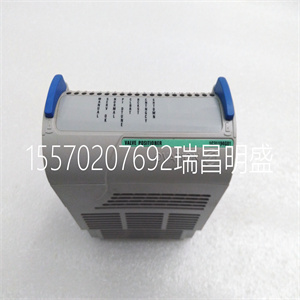
5X00301G01
RS485 communication mode is used between the drive
and the remote mounted keypad. A 4-core cable is used
to connect the drive and the keypad, and the maximum
distance can be 1000m. Master/slave communication
mode is used. The keypad is the master and the drive is
the slave. Cable terminals can be secured by common
screws, which makes it convenient for maintenance.
One remote mounted keypad can control several drives
by connecting the communication cables of 485+ and
485- of each drive to form a RS485 network.
Functions:
1) Be able to control the start, stop, jog operation, fault
reset of slave drives and change the frequency settings
and operation direction.
2) Identify the type of slave machine automatically. Be
able to monitor the operating frequency, frequency
setting, output voltage and current, analog close-loop
feedback, analog close-loop setting and external
counting value automatically.
3. Fieldbus adapter
Model: TDS-PA01
Be able to connect ENYDRIVE drive to PROFIBUS
network via the TDS-PA01 fieldbus adapter. In the
PROFIBUS network system, the drive operates as a
slave.
Functions:
1) To send control commands to drive (such as: start,
stop and jog);
2) To send speed or frequency reference signal to the
drive;
3) To read operating status information and actual
values from the drive;
4) To reset the drive when fault occurs in it.
4. DrvWindows host monitoring software
Version: DrvWindows V1.2
Used in the control network formed by TD1000, TD2000
and TD2100 series drive via RS485 bus. It can monitor
the operating status of the drive connected to the bus
and realize the central management of the drive. The
software’s friendly interfaces make the operation
convenient. This software now support EV2000 drive.
Functions:
Polling of slave drives, frequency setting, operating and
stopping, changing and querying the settings of
parameter.
5. Keypad Holder
Model: EVF-KB02
Chapter 3 Installation and Wiring 15
EV2000 Series Universal Variable Speed Drive User Manual
Chapter 3 Installation and Wiring
3.1 Installation Environment
Please mount the drive vertically inside a well-ventilated
location.
When selecting mounting environment, the following
issues should be taken into account:
Ambient temperature should be within the range of
-10℃~40℃. If the temperature is higher than 40 ℃, the
drive should be derated and forced ventilation is
required;
Humidity should be lower than 95% non-condensing
Mount in the location where vibration is less than
5.9m/s2
(0.6G);
Mount in the location free of direct sunlight, dust, metal
powder, corrosive gas or combustible gas.
If there are any special requirements for installation,
please contact us for clarifications.
The requirements on mounting space and clearance are
shown in Fig. 3-1 and Fig. 3-2.
When two Variable Speed Drives are mounted one on
top the other, an air flow diverting plate should be fixed
in between as shown in Fig. 3-3.
10cm
or above
5cm
or
above
5cm
or
above
10cm
or above
air expulsion by fan
Fig. 3-1 Installation clearance (45kW or below)
35cm
or above
15cm
or
above
15cm
or
above
35cm
or above
air expulsion by
fan
Fig. 3-2 Installation clearance(55kW or above)
Drive
Drive
Fig.
Copyright ©2019-2022 瑞昌明盛自动化设备有限公司 版权所有 赣ICP备2021006016号






