
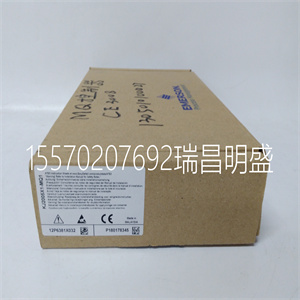
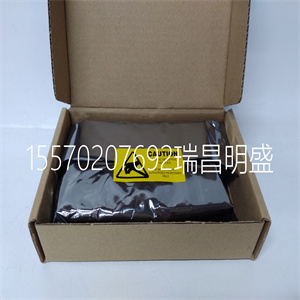
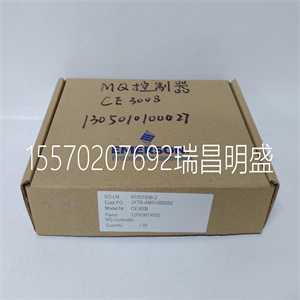
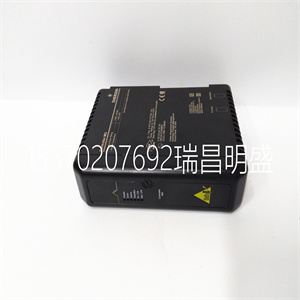


1C31150G02
发光二极管
开关通电时,系统指示灯亮起。
以太网1至8(主)
编号的LED对应于交换机上的编号端口
后面板。如果LED为固态,则设备连接到该端口。
闪烁的LED指示该端口上的网络活动。
以太网1至8(辅助)
如果LED不亮,则设备以10/100 Mbps的速率连接到该端口。
实心LED指示设备已成功连接到该设备
端口为1000 Mbps(千兆以太网)。
港口
以太网
将以太网电缆连接到千兆10/100/1000端口以添加有线
设备连接到您的网络。
权力
连接附带的交流电源适配器。
按钮
电源开关(欧洲型号)
切换以打开/关闭开关。
LED开/关按钮
按下可启用/禁用以太网主LED和辅助LED。
SE4008
正面视图
后视图
产品概述
以太网
次级指示器
以太网
主指示器
LED按钮
电源端口
以太网端口电源交换机
安装交换机
1.将电源适配器连接到开关和电气
出口将电源开关切换到|(On)位置(仅限欧洲)。
2.使用以太网将路由器连接到交换机上的任何端口
缆绳
3.使用以太网电缆将有线设备连接到交换机。
您可以使用其余七个以太网端口中的任何一个。
在互联网上获得帮助:linksys。com/support或Twitter:@LinksysCares
WRT 8端口千兆交换机|设置:基础知识2
设置:基础
4 3 2 1电力以太网
雷尼特
重置互联网USB2和USB1
4 3 2 1
电力以太网
雷尼特
重置互联网USB2和USB1
WRT 8端口千兆交换机|规格3
Linksys SE4008
型号名称:Linksys SE4008
描述:WRT 8端口千兆交换机
标准IEEE802.3、802.3u、802.3 x、802.3ab和802.3az
端口8个RJ-45 10/100/1000 Mbps端口
电缆类型:Cat5或更好的以太网电缆
LED系统LED:1
链接/活动指示灯:8
速度指示灯:8
尺寸:246 x 194 x 62 mm(宽x高)
单位重量602克
电源12V,1A
FCC B级、IC级、CE级认证
工作温度32至104ºF(0至40ºC)
储存温度-4至158ºF(-20至70ºC)
工作湿度10-90%,无冷凝
储存湿度5-90%,不冷凝
规格
LNKPG-00158版本A01
访问linksys。com/支持获奖
技术支持
BELKIN、LINKSYS和许多产品名称和徽标都是商标
贝尔金公司集团。提及的第三方商标包括:
各自所有者的财产。©2014贝尔金国际,
股份有限公司和/或其附属公司。版权所有
1C31150G02

1C31150G02
LEDS
The system LED is solid when the switch is powered on.
Ethernet 1 thru 8 (Primary)
Numbered LEDs correspond to the numbered ports on the switch's
back panel. If the LED is solid, a device is connected to that port.
A flashing LED indicates network activity over that port.
Ethernet 1 thru 8 (Secondary)
If the LED is not on, a device is connected to that port at 10/100 Mbps.
A solid LED indicates that a device is successfully connected to that
port at 1000 Mbps (Gigabit Ethernet).
PORTS
Ethernet
Connect Ethernet cables to Gigabit 10/100/1000 ports to add wired
devices to your network.
Power
Connect the included AC power adapter.
BUTTONS
Power Switch (European model)
Toggle to power on/off the switch.
LED On/Off Button
Press to enable/disable the Ethernet primary and secondary LEDs.
SE4008
Front View
Back View
Product Overview
ETHERNET
Secondary Indiators
ETHERNET
Primary Indiators
LED Button
Power Port
Ethernet Ports Power Switch
INSTALL YOUR SWITCH
1. Connect the power adapter to your switch and an electrical
outlet. Toggle the power switch to the | (On) position (Europe only).
2. Connect your router to any port on the switch with an Ethernet
cable.
3. Connect your wired devices to the switch with Ethernet cables.
You may use any of the remaining seven Ethernet ports.
Get help Internet: linksys.com/support or Twitter: @LinksysCares
WRT 8-PORT GIGABIT SWITCH | Setting Up: Basics 2
Setting Up: Basics
4 3 2 1 Power ETHERNET
REINIT
RESET INTERNET USB2 USB1
4 3 2 1
Power ETHERNET
REINIT
RESET INTERNET USB2 USB1
WRT 8-PORT GIGABIT SWITCH | Specifications 3
Linksys SE4008
Model Name Linksys SE4008
Description WRT 8-Port Gigabit Switch
Standards IEEE802.3, 802.3u, 802.3x, 802.3ab, 802.3az
Ports 8 RJ-45 10/100/1000 Mbps ports
Cabling Type Cat5 or better Ethernet cable
LEDs System LED: 1
Link/Activity LED: 8
Speed LED: 8
Dimensions 246 x 194 x 62 mm (WxDxH)
Unit Weight 602 g
Power 12V, 1A
Certification FCC Class B, IC, CE
Operating Temperature 32 to 104ºF(0 to 40ºC)
Storage Temperature -4 to 158ºF(-20 to 70ºC)
Operating Humidity 10 to 90%, non-condensing
Storage Humidity 5 to 90%, non-condensing
Specifications
LNKPG-00158 Rev. A01
Visit linksys.com/support for award-winning
technical support
BELKIN, LINKSYS and many product names and logos are trademarks
of the Belkin group of companies. Third-party trademarks mentioned are
the property of their respective owners.© 2014 Belkin International,
Inc. and/or its affiliates. All rights reserved
Copyright ©2019-2022 瑞昌明盛自动化设备有限公司 版权所有 赣ICP备2021006016号