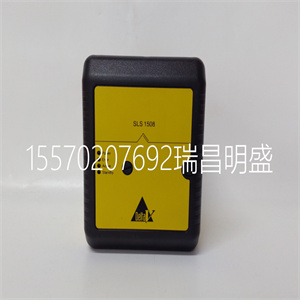
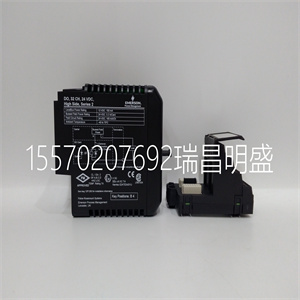
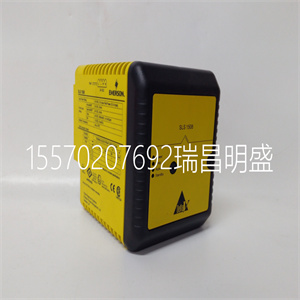
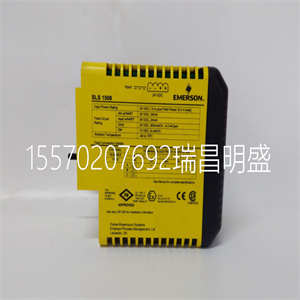


1C31227G02
远程武装
在离开模式下装备系统将激活所有内部区域和周边区域。如果动议是
在内部区域中检测到,或者如果违反其中一个周边区域,则报警序列将开始。
要在离开模式下进行防护,请输入您的访问代码,并通过指定的出口离开场所/
入口门。系统将识别居住者已离开该场所。一旦出口延迟
过期,系统将完全启用。
您可以在退出延迟到期之前按“离开”按钮重新启动退出延迟一次。
可听出口故障
为了减少错误警报,当出现以下情况时,音频出口故障将通知您不正确的出口
在离开模式下使系统待命。如果您在退出延迟期内没有离开该场所,或者
如果您没有安全地关闭出口/入口门,系统将通知您该门未正确防护。它
将以两种方式完成此操作:键盘将发出一个连续的蜂鸣音,铃声或警报器将响起。如果
如果发生这种情况,您必须重新进入场所,输入访问代码以解除系统的防护,然后
再次遵循武装程序,确保正确离开场所。您的安装程序将通知
如果您的系统上已启用音频退出故障功能,请单击。
保持武装
如果安装程序启用此功能,将允许您在离开
内部区域处于非活动状态,因此在系统启用时,您可以留在室内。当你
输入您的安全代码以启用系统,或按键盘上的“停留”按钮,不要退出
通过指定的出口/入口门,系统将自动进入停留模式
绕过内部区域。
内部区域可随时通过以下方式重新激活:[✱][1] 在任何键盘上。如果您重新激活
内部区域不进入运动检测器覆盖的区域。进入受保护的区域
运动传感器,您必须输入安全代码并解除系统。
无进入延迟的武装
如果您希望在没有输入延迟的情况下启用系统,请输入[✱][9] 然后是您的访问代码。武装人员
指示灯将闪烁,提醒系统已启用且无进入延迟。通过任何
被编程为延迟区的区域将产生即时报警。
快臂
启用快速防护功能后,只需按即可防护系统[✱][0]而不是
这是您的访问代码。请注意,按[✱][0]仅允许您启用系统;为了解除武装,
您必须输入有效的访问代码。您的安装程序将通知您是否已启用快速Arm功能
已在系统上启用。
快速退出
启用快速退出功能后,按[✱][0]或键盘上的“退出”按钮,而
系统已启用,将为您提供两分钟的窗口,以便您离开该场所。在此期间,您
只能打开和关闭指定的入口/出口门一次。门关闭后,面板
将结束两分钟的快速退出延迟。如果门再次打开,或如果在
两分钟,或者如果另一个区域打开,面板将开始进入延迟。您的安装程序将通知
如果您的系统已启用快速退出功能,请单击。
1C31227G02
1C31227G02
Away Arming
Arming the system in the Away mode will have all interior zones and perimeter zones active. If motion is
detected in the interior zones, or if one of the perimeter zones is violated, the alarm sequence will begin.
To arm in the Away mode, enter your access code and exit the premises through a designated Exit/
Entry door. The system will recognise that occupants have left the premises. Once the exit delay
expires, the system will be fully armed.
You can restart the exit delay once by pressing the Away button before the exit delay expires.
Audible Exit Fault
In an attempt to reduce false alarms, the Audible Exit Fault will to notify you of an improper exit when
arming the system in the Away mode. If you do not exit the premises during the exit delay period, or if
you do not securely close the Exit/Entry door, the system will notify you that it was improperly armed. It
will do this in two ways: the keypad will emit one continuous beep, and the bell or siren will sound. If
this occurs, you must re-enter the premises, enter your access code to disarm the system, and then
follow the arming procedure again, making sure to exit the premises properly. Your installer will inform
you if the Audible Exit Fault feature has been enabled on your system.
Stay Arming
This feature, if enabled by your installer, will allow you to arm the perimeter zones while leaving the
interior zones inactive so that you can remain on the premises while the system is armed. When you
enter your security code to arm the system, or press the "Stay" button on the keypad, and do not exit
the premises through a designated Exit/Entry door, the system will arm in the Stay mode, automatically
bypassing the interior zones.
The interior zones can be reactivated at any time by entering [✱][1] at any keypad. If you reactivate
the interior zones, do not go into areas covered by motion detectors. To access areas protected by
motion sensors, you must enter your security code and disarm the system.
Arming Without Entry Delay
If you wish to arm your system without the entry delay, enter [✱][9] then your access code. The Armed
light will flash as a reminder that the system is armed and has no entry delay. An entry through any
zone programmed as a delay zone will create an instant alarm.
Quick Arm
When the Quick Arm feature is enabled, you may arm the system by simply pressing [✱][0] instead of
your access code. Please note that pressing [✱][0] will only allow you to arm the system; to disarm,
you must enter a valid access code. Your installer will inform you if the Quick Arm feature has been
enabled on your system.
Quick Exit
When the Quick Exit feature is enabled, pressing [✱][0], or the "Exit" button on the keypad, while the
system is armed will provide a two-minute window for you to exit the premises. During this time, you
may only open and close the designated Entry/Exit door once. Once the door is closed, the panel
will end the two-minute quick exit delay. If the door is opened again, or if the door is not closed after
two minutes, or if another zone is opened, the panel will begin the entry delay. Your installer will inform
you if the Quick Exit feature has been enabled on your system.
Copyright ©2019-2022 瑞昌明盛自动化设备有限公司 版权所有 赣ICP备2021006016号






