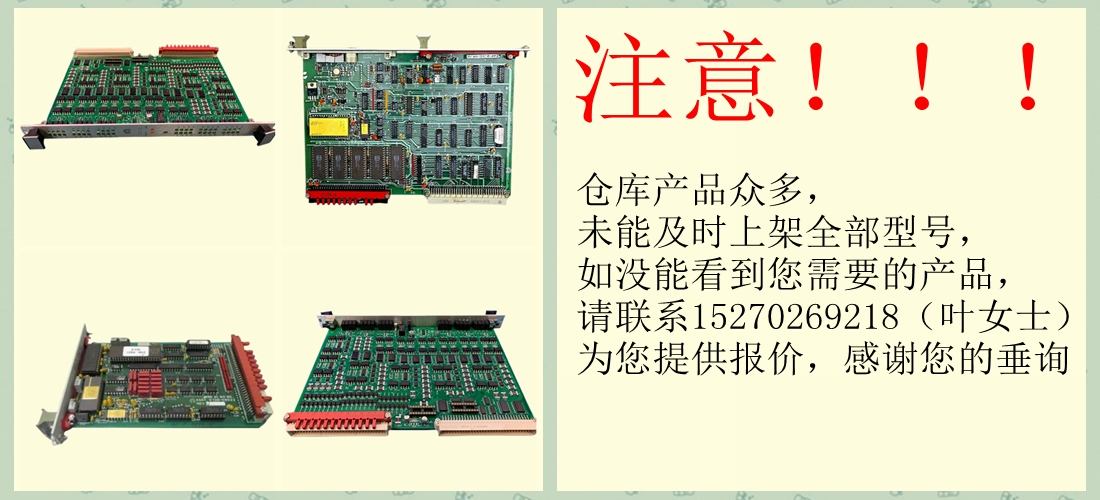
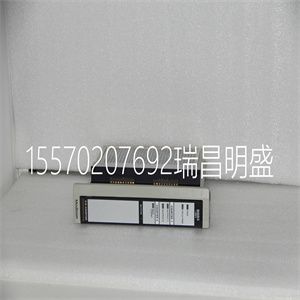
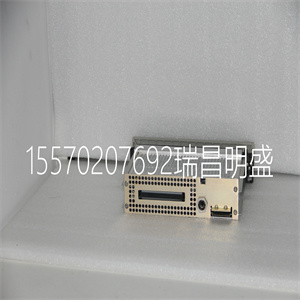


140XTS00500
断开电源或采取预防措施:
执行这些程序时,确保避免与通电部件接触。未遵守此警告构成电击危险,可能会伤害人员
以及损坏设备。
使用清洁溶剂时,请佩戴护目镜。
从印刷电路板上去除溶剂时,使用
压缩空气,飞溅可能导致眼睛受伤
从印刷电路板上除去溶剂。
预防性维护程序
WBPEEUI240774A0 7-3
本节涵盖表7-1中需要特定
说明或进一步解释。
•清洁印刷电路板和边缘连接器。
•检查信号、电源和接地连接。
印刷电路板清洁
本节中有几个电路板清洁程序。这些程序包括电路板清洁和清洗,清洁边缘连接器和电路板层压件
在边缘连接器之间。使用符合以下条件的程序:
每个电路板的需求。清除所有灰尘、污垢、油和腐蚀
或来自电路板的任何其他污染物。
在以下位置对印刷电路板进行所有清洁和处理:
静态安全工作站。始终遵守以下步骤:
第3节处理印刷电路时的特殊处理
董事会。
一般清洁和清洗
如果印刷电路板需要轻微清洁,请清除灰尘
以及印刷电路板表面的残留物,
干燥、过滤的压缩空气或抗静电现场服务真空吸尘器。
要清洗印刷电路板:
1.通过喷涂或擦拭清洁印刷电路板
使用异丙醇(99.5%电子级)。使用泡沫
用尖头拭子擦拭电路板。
2.用压缩空气吹去多余的溶剂
没有电路板。
边缘连接器清洁
1.使用80%异丙醇(99.5%电子级)和20%蒸馏水的溶剂混合物。
2.用溶剂混合物浸泡无绒布。
3.平行于边缘连接器触点来回工作布。
4.用浸有溶剂的干净布重复上述步骤
混合物
7-4 WBPEEUI240774A0
预防性维护程序
5.用清洁剂擦拭边缘连接器接触区域
无绒布。
要清洁污损或深染的边缘连接器触点:
1.使用非研磨性橡皮擦或等效物去除污点
或污渍。也可以使用玻璃纤维或尼龙抛光刷
习惯于
2.在抛光过程中,使用80/20异丙醇/水溶液,尽量减少静电放电。
3.打磨时不要过度用力。仅使用
足够的力来照射接触表面。检查边缘
清洁后的连接器,以确保接触面无损失。
4.用无绒布擦拭干净。
检查连接
注意:执行此预防措施时,应关闭机柜电源
维护任务。
检查内部的所有信号线路、电源和接地连接
以验证其完整性。检查连接时,务必按方向转动螺钉、螺母或其他紧固装置
仅拧紧方向。如果连接松动,则
收紧。如果连接紧密,拧紧动作将
验证它是否安全。不得有任何动议
松开连接。
1.验证机柜内的所有电源连接是否:
保护
2.验证终端单元的所有接线连接,
或终端模块是安全的。
警告
机柜内有外露的交流和直流连接。
这些暴露的电气连接存在电击危险
这可能导致伤害或死亡。
如果在电源进入面板上断开系统电源后,输入或输出电路存在电击危险,则
包含这些外部供电电路的机柜必须:
标有警告,说明多个电源
存在
WBPEEUI240774A0 8-1
修理和更换第8节
介绍
本节介绍IMASI23的更换步骤
模块(ASI)。不需要专用工具来更换
ASI模块。
注:有关更换IMASI03或
附录B关于带有IMASI23模块的IMASI13模块。
模块维修和更换
如果ASI模块有故障,请更换新模块。不要
尝试修复模块;更换部件可能会影响
模块性能。模块可以在系统运行时移除
供电。要更换模块:
1.将两个前面板固定闩锁推并转动一半
转动以解锁模块。当插槽打开时,它将解锁
闩锁是垂直的,插槽的开口端朝外
从模块的中心开始。参见图3-4。
2.轻轻地将模块滑出模块安装单元
(MMU)。
3.配置更换模块开关和跳线设置。确保将其设置为与原始模块相同。
4.在与原始模块相同的插槽分配中,对齐
替换模块wit
140XTS00500
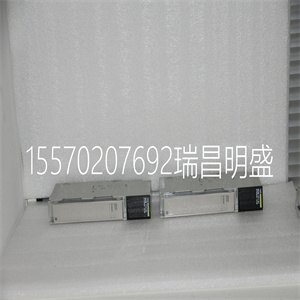
140XTS00500
Disconnect power from the source or take precautions to
ensure that contact with energized parts is avoided when performing these procedures. Failure to follow this warning constitutes an electrical shock hazard that can injure personnel
and damage equipment.
Wear eye protection whenever working with cleaning solvents.
When removing solvents from printed circuit boards using
compressed air, injury to the eyes could result from splashing
solvent as it is removed from the printed circuit board.
Preventive Maintenance Procedures
WBPEEUI240774A0 7 - 3
This section covers tasks from Table 7-1 that require specific
instructions or further explanation.
• Cleaning printed circuit boards and edge connectors.
• Checking signal, power and ground connections.
Printed Circuit Board Cleaning
There are several circuit board cleaning procedures in this section. These procedures cover circuit board cleaning and washing, cleaning edge connectors and circuit board laminate
between edge connectors. Use the procedures that meet the
needs of each circuit board. Remove all dust, dirt, oil, corrosion
or any other contaminant from the circuit board.
Do all cleaning and handling of the printed circuit boards at
static safe work stations. Always observe the steps under
Special Handling in Section 3 when handling printed circuit
boards.
General Cleaning and Washing
If the printed circuit board needs minor cleaning, remove dust
and residue from the printed circuit board surface using clean,
dry, filtered compressed air or an antistatic field service vacuum cleaner.
To wash the printed circuit board:
1. Clean the printed circuit board by spraying or wiping it
with isopropyl alcohol (99.5% electronic grade). Use a foam
tipped swab to wipe the circuit board.
2. Remove excess solvent by using compressed air to blow it
free of the circuit board.
Edge Connector Cleaning
1. Use a solvent mixture of 80% isopropyl alcohol (99.5% electronic grade) and 20% distilled water.
2. Soak a lint free cloth with the solvent mixture.
3. Work the cloth back and forth parallel to the edge connector contacts.
4. Repeat with a clean cloth that is soaked with the solvent
mixture.
7 - 4 WBPEEUI240774A0
Preventive Maintenance Procedures
5. Dry the edge connector contact area by wiping with a clean
lint free cloth.
To clean tarnished or deeply stained edge connector contacts:
1. Use a nonabrasive eraser or equivalent to remove tarnish
or stains. Fiberglass or nylon burnishing brushes may also be
used.
2. Minimize electrostatic discharge by using the 80/20 isopropyl alcohol/water solution during burnishing.
3. Do not use excessive force while burnishing. Use only
enough force to shine the contact surface. Inspect the edge
connector after cleaning to assure no loss of contact surface.
4. Wipe clean with a lint free cloth.
Checking Connections
NOTE: Power to the cabinet should be off while performing this preventive
maintenance task.
Check all signal wiring, power and ground connections within
the cabinet to verify their integrity. When checking connections, always turn a screw, nut or other fastening device in the
direction to tighten only. If the connection is loose, it will be
tightened. If the connection is tight, the tightening action will
verify that it is secure. There must not be any motion done to
loosen the connection.
1. Verify that all power connections within the cabinet are
secure.
2. Verify that all wiring connections to the termination unit,
or termination module are secure.
WARNING
There are exposed AC and DC connections inside the cabinet.
These exposed electrical connections present a shock hazard
that can cause injury or death.
If input or output circuits are a shock hazard after disconnecting system power at the power entry panel, then the door of the
cabinet containing these externally powered circuits must be
marked with a warning stating that multiple power sources
exist.
WBPEEUI240774A0 8 - 1
Repair and Replacement Section 8
Introduction
This section explains the replacement steps for a IMASI23
module (ASI). There are no special tools required to replace an
ASI module.
NOTE: Refer to Appendix C for information about replacing an IMASI03 or
Appendix B on an IMASI13 module with an IMASI23 module.
Module Repair and Replacement
If the ASI module is faulty, replace it with a new one. Do not
try to repair the module; replacing components may affect the
module performance. Modules can be removed while system
power is supplied. To replace a module:
1. Push and turn the two front panel captive latches one half
turn to unlatch the module. It is unlatched when the slots on
the latches are vertical and the open end of the slots face away
from the center of the module. Refer to Figure 3-4.
2. Gently slide the module out of the module mounting unit
(MMU).
3. Configure the replacement module switch and jumper settings. Ensure they are set the same as the original module.
4. In the same slot assignment as the original module, align
the replacement module with the guide rails in the module
mounting unit. Gently slide it in until the front panel is flush
with the top and bottom of the MMU frame.
5. Push and turn the two captive latches on the module faceplate one half turn to the latched position. It is latched when
the slots on the latches are vertical and the open ends face the
center of the module.
6. Return to normal operation.
Copyright ©2019-2022 瑞昌明盛自动化设备有限公司 版权所有 赣ICP备2021006016号