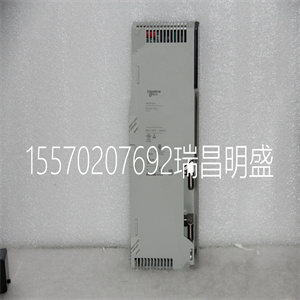







140CPS52400
规格
CPU模块
146 840使用100 00 2002年9月
LED指示灯
和说明
下图显示了CPU LED指示灯。
下表显示了CPU LED的说明。
LED描述
开启时LED颜色指示
绿色就绪-CPU已通过通电诊断。
绿色运行:CPU已启动并正在解决逻辑(参见以下内容
运行LED错误代码表)。
Modbus绿色通信在Modbus端口上激活。
Modbus+绿色通信在Modbus+端口上激活。
Mem Prt琥珀色内存受写保护(内存保护开关接通)。
Bat低红色-电池需要更换。
错误红色表示Modbus Plus网络上的通信错误。
准备好的
低飞
错误A
跑
Modbus
Modbus+
Mem Prt
CPU模块
840使用100 00 2002年9月147
LED错误代码:闪烁的运行LED错误代码表显示运行LED的次数
每种类型的错误和该组可能的故障代码(所有代码)闪烁
为十六进制)。
下表显示了140CPU21304的运行LED错误代码。
LED错误代码
闪烁次数代码错误
连续0000请求内核模式
2.调整大小时出现80B ram错误
80C运行输出激活失败
82E MB命令处理程序堆栈错误
收到3769笔巴士津贴
72A不是cpu上的主asic
72B主配置写入错误
72C量子总线DPM写入失败
72F plc asic环回测试
730 plc asic BAD_DATA
CPU模块
148 840使用100 00 2002年9月
4 604 UPI超时错误
605错误UPI响应操作码
606 UPI总线诊断错误
607 modbus cmd缓冲区溢出
608 modbus cmd长度为零
609 modbus中止命令错误
614 mbp总线接口错误
615错误的mbp响应操作码
616等待mbp超时
617 mbp不同步
618 mbp无效路径
619第0页未对齐段落
61E外部uart硬件不良
61F外部uart中断错误
620接收通信状态不良
621传输通信状态不良
622不良通信状态trn_asc
623错误通信状态trn_rtu
624错误通信状态rcv_rtu
625不良通信状态rcv_asc
626不良modbus状态tmr0_evt
627不良modbus状态trn int
628不良modbus状态rcv int
631错误中断
5 503 ram地址测试错误
52D P.O.S.T错误的MPU错误
6 402 ram数据测试错误
7300 EXEC未加载
301执行校验和
8 8001内核prom校验和错误
8002闪存编程/擦除错误
8003意外高管回归
LED错误代码
闪烁次数代码错误
CPU模块
840使用100 00 2002年9月149
前面板
开关
两个、三个位置的滑动开关位于CPU的前部。左派
当处于顶部位置且无内存时,开关用于内存保护
中间和底部位置的保护。上的三位滑动开关
右侧用于选择Modbus(RS232)端口的通信参数设置。
下图显示了可用的三个选项。
将滑动开关设置到顶部位置将ASCII功能分配给端口;这个
以下通信参数已设置且无法更改:
将滑动开关设置到中间位置将分配远程终端单元(RTU)
端口的功能;设置了以下通信参数,但无法:
被改变。
将滑动开关设置为底部位置可使您能够分配:
软件中端口的通信参数;以下参数为:
有效的
注:当前面板开关处于以下状态时,CPU硬件默认为桥接模式
设置为RTU或ASCII模式。连接控制器时,面板设备连接
对于CPU,Modbus端口可以与控制器通信
连接,并登录Modbus Plus网络上的任何节点。
ASCII通信端口参数
波特率2400
奇偶
数据位7
停止位1
设备地址后面板旋转开关设置
RTU通信端口参数
波特率9600
奇偶
数据位8
停止位1
设备地址后面板旋转开关设置
140CPS52400
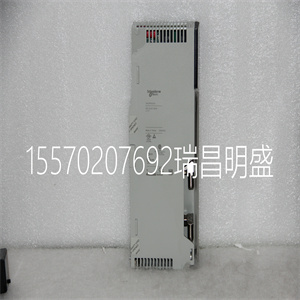
140CPS52400
pecifications
CPU Modules
146 840 USE 100 00 September 2002
LED Indicators
and Descriptions
The following figure shows the CPU LED indicators.
The following table shows the CPU LED descriptions.
LED Descriptions
LEDs Color Indication when On
Ready Green The CPU has passed powerup diagnostics.
Run Green The CPU has been started and is solving logic (see the following
table for Run LED error codes).
Modbus Green Communications are active on the Modbus port.
Modbus + Green Communications are active on the Modbus Plus port.
Mem Prt Amber Memory is write-protected (the memory protect switch is on).
Bat Low Red The battery needs replacing.
Error A Red Indicates a communications error on the Modbus Plus network.
Ready
Bat Low
Error A
Run
Modbus
Modbus +
Mem Prt
CPU Modules
840 USE 100 00 September 2002 147
LED Error Codes The Blinking Run LED Error Codes table shows the number of times the Run LED
blinks for each type of error and the crash codes possible for that group (all codes
are in hex).
The following table shows the run LED error codes for the 140CPU21304.
LED Error Codes
Number of Blinks Code Error
Continuous 0000 requested kernel mode
2 80B ram error during sizing
80C run output active failed
82E MB command handler stack error
3 769 bus grant received
72A not master asic on cpu
72B master config write bad
72C quantum bus DPM write failure
72F plc asic loopback test
730 plc asic BAD_DATA
CPU Modules
148 840 USE 100 00 September 2002
4 604 UPI timeout error
605 bad UPI response opcode
606 UPI bus diagnostic error
607 modbus cmd-buffer overflow
608 modbus cmd-length is zero
609 modbus abort command error
614 mbp bus interface error
615 bad mbp response opcode
616 timeout waiting for mbp
617 mbp out of synchronization
618 mbp invalid path
619 page 0 not paragraph aligned
61E bad external uart hardware
61F bad external uart interrupt
620 bad receive comm state
621 bad transmit comm state
622 bad comm state trn_asc
623 bad comm state trn_rtu
624 bad comm state rcv_rtu
625 bad comm state rcv_asc
626 bad modbus state tmr0_evt
627 bad modbus state trn-int
628 bad modbus state rcv-int
631 bad interrupt
5 503 ram address test error
52D P.O.S.T BAD MPU ERROR
6 402 ram data test error
7 300 EXEC not loaded
301 EXEC Checksum
8 8001 Kernal prom checksum error
8002 flash prog / erase error
8003 unexpected executive return
LED Error Codes
Number of Blinks Code Error
CPU Modules
840 USE 100 00 September 2002 149
Front Panel
Switches
Two, three-position slide switches are located on the front of the CPU. The left
switch is used for memory protection when in the top position and no memory
protection in the middle and bottom positions. The three-position slide switch on the
right is used to select the communication parameter settings for the Modbus (RS232) ports.
The following figure shows the three options that are available.
Setting the slide switch to the top position assigns ASCII functionality to the port; the
following communication parameters are set and cannot be changed
Setting the slide switch to the middle position assigns remote terminal unit (RTU)
functionality to the port; the following communication parameters are set and cannot
be changed.
Setting the slide switch to the bottom position gives you the ability to assign
communication parameters to the port in software; the following parameters are
valid.
Note: The CPU hardware defaults to bridge mode when the front panel switch is
set to RTU or ASCII mode. When networking controllers, a panel device connected
to the CPU Modbus port can communicationunicate with the controller to which it
is connected, as well as log into any nodes on the Modbus Plus network.
ASCII Communication Port Parameters
Baud 2,400
Parity Even
Data Bits 7
Stop Bits 1
Device Address Rear panel rotary switch setting
RTU Communication Port Parameters
Baud 9,600
Parity Even
Data Bits 8
Stop Bits 1
Device Address Rear panel rotary switch setting
Quantum CPU or NOM module.
Copyright ©2019-2022 瑞昌明盛自动化设备有限公司 版权所有 赣ICP备2021006016号






