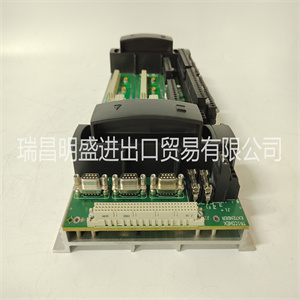







MSK050C-0450-NN-S2-UG0-RNNN
观察SIM卡接头J1和上的接头键的方向
MVME162连接器J10。转动SIM卡,使钥匙对齐并放置
轻轻地在连接器J10上,对准SIM拐角处的安装孔
在MVME162上具有匹配的支座。
2.轻轻按压SIM卡顶部,使其位于连接器上。如果SIM卡有
不要在轻轻的压力下就座,重新检查方向。如果SIM卡连接器
方向不正确,安装孔不会与
对峙。
注意:如果SIM卡方向不正确,请勿试图强行打开。
3.放置两个4-40 x 3
/之前使用的16“十字头螺钉
从两个相对的角安装孔中取出(或与新SIM一起提供)。将它们拧入支架,但不要
过紧。
各种串行中的信号关系和信号连接
端口A和B的可用配置如图2-3、2-4和3所示,
和2-5。
系统控制器选择标题(J1)
MVME162在工厂配置为VMEbus系统控制器(即
跨接线安装在接头J1的引脚1和2之间)。如果出现以下情况,拆下J1跨接导线:
MVME162不是系统控制器。请注意,当
MVME162用作系统控制器时,SCON指示灯点亮。
注意,对于没有可选VMEbus接口的MVME162s(即。,
无VMEchip2),可以安装或拆卸跳线
而不影响正常操作。
J1
2.
1.
2.
1.
J1
系统控制器(出厂配置)不是系统控制器
硬件准备和安装
2-6 MVME162嵌入式控制器用户手册
2.串行端口1/控制台的同步时钟选择标题(J11)
MVME162出厂时带有串行端口1/控制台
为异步通信配置的报头(即,移除跳线)。
为串行端口1/控制台选择同步通信
连接时,跨针脚1和2以及针脚3和4安装跨接线。
串行端口2的时钟选择标题(J12)
MVME162出厂时带有串行端口2接头
配置用于异步通信(即移除跳线)。到
为串行端口2连接选择同步通信,安装
跨接引脚1和2以及引脚3和4。
J11 J11
内部时钟(工厂配置)外部时钟
2 4 4 2
1 3 3 1
J12 J12
内部时钟(工厂配置)外部时钟
2 4 4 2
1 3 3 1
硬件准备
MVME162/D2 2-7
2 SRAM电池备用源选择标题(J20)
MVME162在工厂配置为使用VMEbus+5V备用电源作为
SRAM的备用电源(即跨引脚1安装跳线
以及3和2和4)。为了选择车载电池作为备用电源,
跨销3和5以及4和6安装跨接导线。
注意,对于没有可选VMEbus接口的MVME162s(即。,
如果没有VMEchip2 ASIC),您必须选择板载
电池作为备用电源。
注意:移除所有跳线可能会暂时禁用SRAM。
不要从J20中移除所有跳线,存储除外。
EPROM大小选择头(J21)
MVME162在工厂配置为4Mbit EPROM(即,跳线为
跨销2和3安装)。这是目前一可用的尺寸;如果
较大的EPROM可用时,此跳线将允许选择
MSK050C-0450-NN-S2-UG0-RNNN
MSK050C-0450-NN-S2-UG0-RNNN
Observe the orientation of the connector keys on SIM connector J1 and
MVME162 connector J10. Turn the SIM so that the keys line up and place
it gently on connector J10, aligning the mounting holes at the SIM corners
with the matching standoffs on the MVME162.
2. Gently press the top of the SIM to seat it on the connector. If the SIM does
not seat with gentle pressure, recheck the orientation. If the SIM connector
is oriented incorrectly, the mounting holes will not line up with the
standoffs.
Caution Do not attempt to force the SIM on if it is oriented incorrectly.
3. Place the two 4-40 x 3
/16” Phillips-head screws that you previously
removed (or that were supplied with the new SIM) into the two oppositecorner mounting holes. Screw them into the standoffs but do not
overtighten them.
The signal relationships and signal connections in the various serial
configurations available for ports A and B are illustrated in Figures 2-3, 2-4,
and 2-5.
System Controller Select Header (J1)
The MVME162 is factory-configured as a VMEbus system controller (i.e., a
jumper is installed across pins 1 and 2 of header J1). Remove the J1 jumper if
the MVME162 is not to be the system controller. Note that when the
MVME162 is functioning as system controller, the SCON LED is turned on.
Note For MVME162s without the optional VMEbus interface (i.e.,
no VMEchip2), the jumper may be installed or removed
without affecting normal operation.
J1
2
1
2
1
J1
System Controller (factory configuration) Not System Controller
Hardware Preparation and Installation
2-6 MVME162 Embedded Controller User’s Manual
2 Synchronous Clock Select Header (J11) for Serial Port 1/Console
The MVME162 is shipped from the factory with the SERIAL PORT 1/CONSOLE
header configured for asynchronous communications (i.e., jumpers removed).
To select synchronous communications for the SERIAL PORT 1/CONSOLE
connection, install jumpers across pins 1 and 2 and pins 3 and 4.
Clock Select Header (J12) for Serial Port 2
The MVME162 is shipped from the factory with the SERIAL PORT 2 header
configured for asynchronous communications (i.e., jumpers removed). To
select synchronous communications for the SERIAL PORT 2 connection, install
jumpers across pins 1 and 2 and pins 3 and 4.
J11 J11
Internal Clock (factory configuration) External Clock
2 4 4 2
1 3 3 1
J12 J12
Internal Clock (factory configuration) External Clock
2 4 4 2
1 3 3 1
Hardware Preparation
MVME162/D2 2-7
2 SRAM Battery Backup Source Select Header (J20)
The MVME162 is factory-configured to use VMEbus +5V standby power as a
backup power source for the SRAM (i.e., jumpers are installed across pins 1
and 3 and 2 and 4). To select the onboard battery as the backup power source,
install the jumpers across pins 3 and 5 and 4 and 6.
Note For MVME162s without the optional VMEbus interface (i.e.,
without the VMEchip2 ASIC), you must select the onboard
battery as the backup power source.
Caution Removing all jumpers may temporarily disable the SRAM.
Do not remove all jumpers from J20, except for storage.
EPROM Size Select Header (J21)
The MVME162 is factory-configured for a 4Mbit EPROM (i.e., a jumper is
installed across pins 2 and 3). This is the only size currently available; if a
larger EPROM becomes available, this jumper will allow it to be selecte
Copyright ©2019-2022 瑞昌明盛自动化设备有限公司 版权所有 赣ICP备2021006016号






