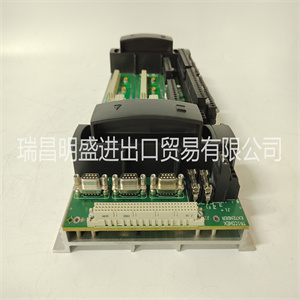







MSK076C-0300-NN-S1-UG0-NNNN
MSK076C-0300-NN-S1-2.按照用户手册中的说明卸下机箱盖
设备
3.从要安装的卡槽中卸下填充面板
MVME162。
–如果您打算使用MVME162作为系统控制器,它必须占用
左边的卡插槽(插槽1)。系统控制器必须位于插槽1中
要正确启动总线授予菊花链,并确保正确
IACK菊花链驱动器的操作。
–如果您不打算使用MVME162作为系统控制器,它可以
占用任何未使用的双高卡插槽。
4.将MVME162滑入所选卡槽。确保模块是
正确安装在底板上的P1和P2连接器中。不要
损坏或弯曲连接器引脚。
5.使用提供的螺钉将MVME162固定在机箱中,使
与横向安装轨道良好接触,以尽量减少射频
排放。
6.将MVME712系列过渡模块安装在
VME机箱。(要安装MVME712M,其具有双宽前部
面板,您可能需要移动机箱中的其他模块。)
7.在机箱底板上,移除中断确认
(IACK)和总线授权(BG)跳线,从卡插槽的头部
由MVME162占据。
安装说明
MVME162/D2 2-11
2 8.将P2适配器板或LCP2适配器板和电缆连接到
MVME162背板连接器P2。这为
EIA-232-D串行端口、SCSI端口或其他外围设备上的终端或其它外围设备,
以及LAN以太网端口。
有关安装P2或LCP2适配器板的信息,请参阅
MVME712系列转换模块,请参阅中列出的手册
1章中的相关文档(MVME162嵌入式控制器
程序员参考指南提供了一些连接图)。
注:如果您打算在EIA-530中使用带有端口B的MVME162
配置,不安装P2或LCP2适配器板
以及MVME712系列转换模块。它们与EIA-530接口不兼容(参见MVME162
4章,功能描述中的串行端口2)。
9.将适当的电缆连接至EIA-232的面板连接器-
D串行端口、SCSI端口和LAN以太网端口。
–请注意,MVME712系列未提供某些电缆
模块,并且必须由用户制造或购买。(摩托罗拉
建议所有外围连接使用屏蔽电缆,以尽量减少
辐射。)
10.将外围设备连接到电缆。附录A提供详细信息
支持的EIA-232-D信号信息。附录B描述:
以太网LAN(局域网)端口连接。附录C
描述SCSI(小型计算机系统接口)I/O总线连接。
11.在系统中安装任何其他所需的VMEmodules。
12.更换机箱盖。
13.将电源线连接到交流电源,然后转动设备
接通电源。UG0-NNNN
MSK076C-0300-NN-S1-UG0-NNNN
2. Remove the chassis cover as instructed in the user’s manual for the
equipment.
3. Remove the filler panel from the card slot where you are going to install
the MVME162.
– If you intend to use the MVME162 as system controller, it must occupy
the leftmost card slot (slot 1). The system controller must be in slot 1
to correctly initiate the bus-grant daisy-chain and to ensure proper
operation of the IACK daisy-chain driver.
– If you do not intend to use the MVME162 as system controller, it can
occupy any unused double-height card slot.
4. Slide the MVME162 into the selected card slot. Be sure the module is
seated properly in the P1 and P2 connectors on the backplane. Do not
damage or bend connector pins.
5. Secure the MVME162 in the chassis with the screws provided, making
good contact with the transverse mounting rails to minimize RF
emissions.
6. Install the MVME712 series transition module in the front or the rear of the
VME chassis. (To install an MVME712M, which has a double-wide front
panel, you may need to shift other modules in the chassis.)
7. On the chassis backplane, remove the INTERRUPT ACKNOWLEDGE
(IACK) and BUS GRANT (BG) jumpers from the header for the card slot
occupied by the MVME162.
Installation Instructions
MVME162/D2 2-11
2 8. Connect the P2 Adapter Board or LCP2 Adapter Board and cable(s) to
MVME162 backplane connector P2. This provides a connection point for
terminals or other peripherals at the EIA-232-D serial ports, SCSI ports,
and LAN Ethernet port.
For information on installing the P2 or LCP2 Adapter Board and the
MVME712 series transition module(s), refer to the manuals listed in
Related Documentation in Chapter 1 (the MVME162 Embedded Controller
Programmer’s Reference Guide provides some connection diagrams).
Note If you intend to use the MVME162 with Port B in an EIA-530
configuration, do not install the P2 or LCP2 Adapter Board
and the MVME712 series transition module. They are incompatible with the EIA-530 interface (refer to MVME162
Serial Port 2 in Chapter 4, Functional Description).
9. Connect the appropriate cable(s) to the panel connectors for the EIA-232-
D serial ports, SCSI port, and LAN Ethernet port.
– Note that some cables are not provided with the MVME712 series
module and must be made or purchased by the user. (Motorola
recommends shielded cable for all peripheral connections to minimize
radiation.)
10. Connect the peripheral(s) to the cable(s). Appendix A supplies detailed
information on the EIA-232-D signals supported. Appendix B describes
the Ethernet LAN (Local Area Network) port connections. Appendix C
describes the SCSI (Small Computer System Interface) I/O bus connections.
11. Install any other required VMEmodules in the system.
12. Replace the chassis cover.
13. Connect the power cable to the AC power source and turn the equipment
power ON.
Copyright ©2019-2022 瑞昌明盛自动化设备有限公司 版权所有 赣ICP备2021006016号






