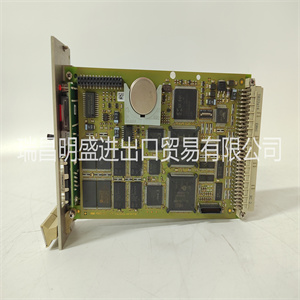
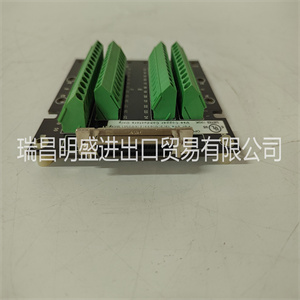
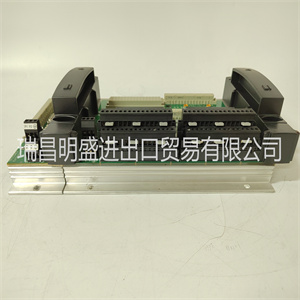
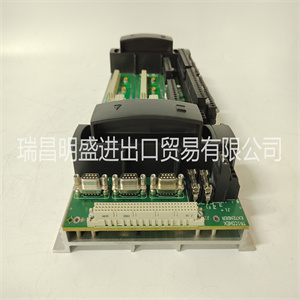






MSK060C-0600-NN-S1-UP0-NNNN R911306054
Z85230的端口A接口为EIA-232-D DCE(数据电路终端
设备),并路由到标有串行端口的25针DB25连接器
1/MVME162前面板上的控制台。端口A也被路由到DB9/RJ11
(MVME712x上)或DB25(MVME712M上)连接器
MVME712系列转换模块。它在那里被标识为端口2。
虽然两个端口都连接到同一个Z85230端口A,但有
它们之间的一些差异:
❏ 在MVME162前面板上,端口1可连接到TxC和RxC
DB25连接器上可能存在的时钟信号。这些
通过MVME162板上的接头J11进行连接(见图
2章中的2-3和2-4)。TxC和RxC时钟在端口不可用
2在MVME712系列转换模块上。
❏ 在MVME712x转换模块上,端口2可以通过
DB9 DTE串行接口或(如果模块如此配备)通过
车载调制解调器及其标准RJ11(电信公司)插孔。这些联系是:
通过MVME712x上的跳线接头J16和J17进行。
❏ 在MVME712M转换模块上,端口2可以配置为
DCE或DTE串行端口,通过上的跳线头J16和J17
MVME712M。
2章中的图2-3(1和2页)和图2-4(1页和2页)说明了
端口A可用的配置。
MVME162串行端口2
Z85230的端口B通过串行接口模块进行配置,该模块为:
安装在MVME162板上的连接器J10处。四串行接口
模块可用:
❏ SIM05和SIM06(分别为EIA-232-D DTE和DCE)
❏ SIM07和SIM08(分别为EIA-530 DTE和DCE)
1.MVME712AM和MVME712-13配备有调制解调器。
MVME162功能描述
MVME162/D2 4-7
4.
端口B路由(通过J10处的模块)至标记为的25针DB25接头
MVME162前面板上的串行端口2。端口B也被路由到DB9(on
MVME712x)或MVME712上的DB25(在MVME712M上)连接器
串联转换模块。它在那里被标识为端口4。
虽然两个端口都连接到相同的Z85230端口B,但有几个
注意事项:
❏ 在MVME162前面板上,端口2可连接到TxC和RxC
DB25连接器上可能存在的时钟信号。这些
通过MVME162板上的接头J12进行连接(见图
2章中的2-3、2-4和2-5)。TxC和RxC时钟线也
可在MVME712M过渡模块的端口4上使用。
❏ 在MVME712x转换模块上,端口4硬接线为EIA-232-D
DB9 DTE串行端口。必须使用“零调制解调器”电缆作为DCE
港口城市
❏ 在MVME712M转换模块上,端口4可以配置为
DTE或DCE EIA-232-D串行端口,通过上的跳线头J19和J18
MVME712M。端口4也可以连接到TxC和RxC时钟
DB25连接器上可能存在的信号。这些联系
通过MVME712M上的集管J15制造(参见图2-3中的表3-6
2章)。
❏ 当端口B配置为EIA-530接口时,EIA-53数据传输
通常通过MVME162前面板上的串行端口2发生。这个
MVME712系列转换模块应与
MVME162。
虽然信号出现在P2(见图2-5),但EIA-530
标准要求使用DB25连接器和平衡(非单端)线路;
P2适配器和MVME712系列转换不支持这些
模块。希望在P2使用EIA-530信号的系统集成商
必须提供适当的连接。
2章中的图2-3(3-6页)、图2-4(3至4页)和图2-5
说明可用于端口B的工厂配置。请注意
图2-3表5和表6所示的配置不建议用于
由于时钟方向不正确,导致同步应用。
MSK060C-0600-NN-S1-UP0-NNNN R911306054
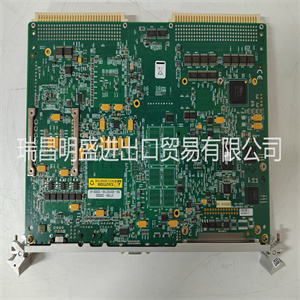
MSK060C-0600-NN-S1-UP0-NNNN R911306054
Port A of the Z85230 is interfaced as EIA-232-D DCE (data circuit-terminating
equipment) and is routed to the 25-pin DB25 connector marked SERIAL PORT
1/CONSOLE on the MVME162 front panel. Port A is also routed to a DB9/RJ11
(on the MVME712x) or DB25 (on the MVME712M) connector on the
MVME712 series transition module. It is identified there as Port 2.
Although both ports are connected to the same Z85230 Port A, there are
several differences between them:
❏ On the MVME162 front panel, Port 1 can be connected to the TxC and RxC
clock signals which may be present on the DB25 connector. These
connections are made via header J11 on the MVME162 board (see Figures
2-3 and 2-4 in Chapter 2). The TxC and RxC clocks are not available at Port
2 on the MVME712 series transition modules.
❏ On MVME712x transition modules, Port 2 can be routed either through a
DB9 DTE serial interface or (if the module is so equipped1) through the
onboard modem and its standard RJ11 (Telco) jack. These connections are
made via jumper headers J16 and J17 on the MVME712x.
❏ On MVME712M transition modules, Port 2 can be configured as either a
DCE or a DTE serial port via jumper headers J16 and J17 on the
MVME712M.
Figures 2-3 (sheets 1 and 2) and 2-4 (sheets 1 and 2) in Chapter 2 illustrate the
configurations available for Port A.
MVME162 Serial Port 2
Port B of the Z85230 is configured via a serial interface module which is
installed at connector J10 on the MVME162 board. Four serial interface
modules are available:
❏ SIM05 and SIM06 (EIA-232-D DTE and DCE respectively)
❏ SIM07 and SIM08 (EIA-530 DTE and DCE respectively)
1. The MVME712AM and MVME712-13 are equipped with a modem.
MVME162 Functional Description
MVME162/D2 4-7
4
Port B is routed (via the module at J10) to the 25-pin DB25 connector marked
SERIAL PORT 2 on the MVME162 front panel. Port B is also routed to a DB9 (on
the MVME712x) or DB25 (on the MVME712M) connector on the MVME712
series transition module. It is identified there as Port 4.
Although both ports are connected to the same Z85230 Port B, there are several
considerations to keep in mind:
❏ On the MVME162 front panel, Port 2 can be connected to the TxC and RxC
clock signals which may be present on the DB25 connector. These
connections are made via header J12 on the MVME162 board (see Figures
2-3, 2-4, and 2-5 in Chapter 2). The TxC and RxC clock lines are also
available at Port 4 on MVME712M transition modules.
❏ On MVME712x transition modules, Port 4 is hard-wired as an EIA-232-D
DB9 DTE serial port. A ‘‘null modem’’ cable is necessary to use it as a DCE
port.
❏ On MVME712M transition modules, Port 4 can be configured as either a
DTE or DCE EIA-232-D serial port via jumper headers J19 and J18 on the
MVME712M. Port 4 can also be connected to the TxC and RxC clock
signals which may be present on the DB25 connector. These connections
are made via header J15 on the MVME712M (see Figure 2-3, sheets 3-6 in
Chapter 2).
❏ When Port B is configured as an EIA-530 interface, EIA-530 data transfers
normally occur through serial port 2 on the MVME162 front panel. The
MVME712 series transition module should be disconnected from the
MVME162.
Although the signals are present at P2 (see Figure 2-5), the EIA-530
standard calls for a DB25 connector and balanced (not single-ended) lines;
these are not supported by the P2 adapter and MVME712 series transition
modules. System integrators who wish to use the EIA-530 signals at P2
must provide the appropriate connections.
Figure 2-3 (sheets 3-6), Figure 2-4 (sheets 3-4), and Figure 2-5 in Chapter 2
illustrate the factory configurations available for Port B. Note that the port
configurations shown in Figure 2-3, sheets 5 and 6 are not recommended for
synchronous applications because of the incorrect clock direction.
Copyright ©2019-2022 瑞昌明盛自动化设备有限公司 版权所有 赣ICP备2021006016号






