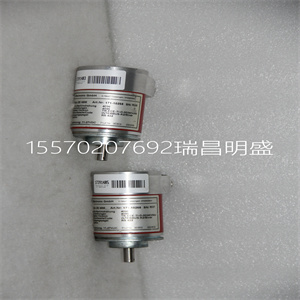






HIER460279R1 UN0901DV1 UN0901D 扩展PCB线路板
PM891的通信接口连接到CEX总线
处理器单元的左侧。PM891的S800输入/输出单元通过以下方式连接:
处理器单元底部的光学模块总线。
3.将总线终端重新插入距离
处理器单元。对于CEX总线,使用TB850终端插头(TB851,如果
使用CEX总线延长电缆TK850。如果在CEX总线上没有使用单元,
不需要总线终端。
4.使用终端插头提供冗余终端
TB853 RCU控制链路端子,位于
处理器单元的顶部。
5.提供电缆连接:
a、 将电源引线连接到螺钉端子L+和L-。如果适用,
将SS82x的电源监控信号连接到螺钉端子
SA和SB。
b、 将控制网络电缆连接至CN1(单连接),或
CN1+CN2(冗余连接)。
c、 使用电缆TK212将控制构建器连接到COM4(如果需要,用于
改变IP地址)。否则,将控件生成器连接到
控制网络。
在单个配置中安装PM8912节安装
88 3BSE036351-510 A
6.将光学模块总线连接至底部的光学触点(Tx1/Rx1)
处理器单元(参见43页图10)。关于
光缆选择和电缆长度,请参阅S800 I/O文档。
7.通过将PM891单元连接到外部SB822提供备用电池
电池单元。按照安装SB822中的说明进行安装
144页的可充电外部电池单元。
通信端口-CN1和CN2
控制网络连接到一个或两个RJ45连接器(CN1和CN2)
取决于网络选项(单个或冗余)。
使用IEEE802.3(以太网)的RJ45连接器连接到5类
屏蔽双绞线(STP 5级)。
光学模块总线的连接与处理器单元的连接相同
对于S800 I/O中的FCI(参见160页的图54)
5级或更高,电缆10/100BaseT/TX大100米(110码)。ABB建议:
在工业环境中使用光纤,例如62.5/125
100BaseFX,大距离1500米(1600码)。
表8.TP830 CN1和CN2连接(RJ45连接器)
引脚名称方向描述
1 TD+输出传输数据(plus)
2 TD-输出传输数据(减)
接收数据中的3+条(加号)
4–5–未使用
6位-接收数据中(减)
7–8–未使用
外壳屏蔽-屏蔽
2节安装:在单个配置中安装PM891
3BSE036351-510 A 89
COM4端口
COM4端口是一个RS-232C端口,光隔离,没有调制解调器信号。
当直接连接到控制器时,将控件生成器连接到此端口,
或者,当不需要时,无需通过
控制网络。
表9.PM891 COM4连接(RJ45连接器)
引脚名称方向描述
1–未使用
2–未使用
3 TD输出传输数据
4.0 V–信号接地
5.0 V–信号接地
接收数据中的6位
7–未使用
8–未使用
外壳屏蔽-屏蔽
在冗余配置中安装PM86x/TP830处理器单元2节:安装
90 3BSE036351-510 A
冗余安装PM86x/TP830处理器单元
配置
在冗余配置中,安装了两个PM861/PM864/PM865/PM866单元
安装在两个单独的DIN导轨上。如果有足够的空间,单元可以
安装在同一DIN导轨上
使用以下步骤沿DIN导轨安装处理器单元:
1.安装处理器单元。
2.将通信接口安装在CEX总线左侧
处理器单元。如果使用BC810,则段的配置应为
考虑过的。如果未使用BC810,则接口可在
以任何优选方式提供两个CPU。
3.轻轻地将单元压在一起,确保CEX总线正确
通过基板上的连接器连接。
4.如果使用BC810,将TK851电缆连接到两个BC810(图31
100页)。如果未使用BC810,则安装CEX总线延长电缆TK850
到离处理器单元远的单元,或者,如果没有单元
直接安装到处理器单元上的CEX总线。CEX巴士
无论是否有任何CPU,扩展电缆必须连接到两个CPU
其他CEX总线单元(93页图29)。
本主题不适用于冗余PM891装置的安装
配置请参阅以冗余方式安装PM891处理器单元
配置见94页。
注意,在冗余CPU配置中,COM3和电气模块总线
底板上不能使用。
HIER460279R1 UN0901DV1 UN0901D 扩展PCB线路板
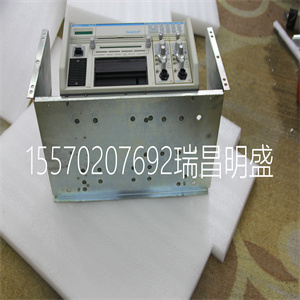
HIER460279R1 UN0901DV1 UN0901D 扩展PCB线路板
The communication interfaces for PM891 is connected to the CEX-Bus to the
left of the processor unit. The S800 I/O units for PM891 is connected through
the optical ModuleBus at the bottom of the processor unit.
3. Re-insert the bus terminations into the communication units farthest from the
processor unit. For CEX-Bus, use the TB850 termination plug (TB851, if
CEX-Bus Extension cable TK850 is used. If no units are used on the CEX-Bus,
no bus termination is required.
4. Provide termination for redundancy, by using the termination plug
TB853 RCU Control Link Terminator, at the RCU Control Link connector at
the top of the processor unit.
5. Provide cable connections:
a. Connect the power leads to screw terminals L+ and L-. If applicable,
connect the power supervision signals from SS82x to the screw terminals
SA and SB.
b. Connect the Control Network cables to CN1 (single connection) or
CN1 + CN2 (redundant connection).
c. Connect the Control Builder to COM4 with cable TK212 (if required, for
changing an IP address). Otherwise connect the Control Builder to the
Control Network.
Installing PM891 in Single Configuration Section 2 Installation
88 3BSE036351-510 A
6. Connect the optical ModuleBus to the optical contacts (Tx1/Rx1) at the bottom
of the processor unit (see Figure 10 on page 43). For information regarding
optical cable selection and cable length, refer to the S800 I/O documentation.
7. Provide battery backup by connecting the PM891 unit to the external SB822
battery unit. Install it according to the instructions in Installing the SB822
Rechargeable External Battery Unit on page 144.
Communication Ports - CN1 and CN2
The control network connects to one or two RJ45 connectors (CN1 and CN2)
depending on network option (single or redundant).
Use an RJ45 connector for IEEE802.3 (Ethernet) for connecting to a category 5
Shielded Twisted Pair cable (STP class 5).
The connection to the optical ModuleBus is identical to that for the processor unit
and for the FCI in S800 I/O (see Figure 54 on page 160.)
Class 5, or higher, cable 10/100BaseT/TX max 100 m (110 yd). ABB recommends
the use of optical fiber in an industrial environment, for example 62.5/125
100BaseFX, max. distance 1500 m (1600 yd).
Table 8. TP830 CN1 and CN2 Connections (RJ45 connectors)
Pin Designation Direction Description
1 TD+ Out Transmit Data (plus)
2 TD- Out Transmit Data (minus)
3 RD+ In Receive Data (plus)
4–5 – – Not used
6 RD- In Receive Data (minus)
7–8 – – Not used
Housing Shield – Shield
Section 2 Installation Installing PM891 in Single Configuration
3BSE036351-510 A 89
COM4 Port
The COM4 port is an RS-232C port, opto-isolated and without modem signals.
Connect the Control Builder to this port when connecting directly to the controller,
or, when not required, without the need use the remote tool connection through the
Control Network.
Table 9. PM891 COM4 Connections (RJ45 connector)
Pin Designation Direction Description
1 – – Not used
2 – – Not used
3 TD Out Transmit Data
4 0 V – Signal ground
5 0 V – Signal ground
6 RD In Receive Data
7 – – Not used
8 – – Not used
Housing Shield – Shield
Installing the PM86x/TP830 Processor Unit in Redundant Configuration Section 2 Installation
90 3BSE036351-510 A
Installing the PM86x/TP830 Processor Unit in Redundant
Configuration
In redundant configuration two PM861/PM864/PM865/PM866 units are mounted
onto two separate DIN-rails. If sufficient space is available, the units can be
mounted onto the same DIN-rail
Use the following procedure to install the processor units along the DIN-rail:
1. Mount the processor units.
2. Mount the communication interfaces on the CEX-Bus to the left of the
processor unit. If BC810s are used, the configuration of the segments should be
considered. If no BC810s are used, the interfaces can be divided between the
two CPUs in any preferred way.
3. Press the units gently together and make sure that the CEX-Bus is correctly
connected, via the connectors on the baseplates.
4. If BC810s are used, connect the TK851 cable to the two BC810s (Figure 31 on
page 100). If no BC810s are used, mount the CEX-Bus extension cable TK850
to the units at farthest away from the processor units or, if no units are
mounted, directly to the CEX-Bus on the processor unit. The CEX-Bus
extension cable must be connected to both CPUs whether or not there are any
other CEX-Bus units (Figure 29 on page 93).
This topic does not apply to the installation of PM891 unit in redundant
configuration. See Installing the PM891 Processor Unit in Redundant
Configuration on page 94.
Note that in redundant CPU configuration, COM3 and the electrical ModuleBus
on the baseplate can not be used.
Copyright ©2019-2022 瑞昌明盛自动化设备有限公司 版权所有 赣ICP备2021006016号






