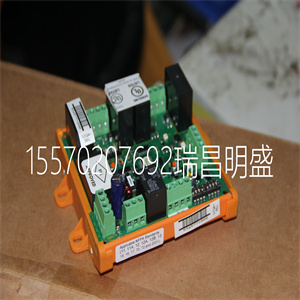








REG316*4 HESG448750M4 REG316 数字继电保护器
2.将现场总线电缆连接至LAN连接器(右侧连接器)。看见
CI862 TRIO现场总线指南、电缆类型和安装手册
长
手持式显示器(如使用)连接至HHM连接器。
装置至基板阿尔法密码锁
由于
装置内电子设备的位置。电子设备不允许CI862
装置安装在任何带有锁定装置的底板上。然而,其他单位
可插入CI862基板。
总线终端
适当的端接电阻器必须连接到起点和终点
公共汽车的。表142中列出了每种类型电缆的特性阻抗。
如果CI862位于总线两端,则特性电阻由开关设置
在现场总线接口模块上,表17。如果一个TRIO模块在开始
或总线的末端,总线可通过电阻器或终端
电阻插头,6202FP00150用于150 W或6202FP00075用于75 W。BSM短截线
不应终止。
CI862基板没有锁定装置。仅将CI862装置插入此
底板。插入其他装置类型可能会损坏设备。
表17.CI862的现场总线终端开关设置
Dip开关(1)设置
1.75欧姆
2 110欧姆(2)
第2节总线终端的安装
3BSE036351-510 A 125
如图78所示,dip开关位于外壳底部
从前面看。开关1朝向壳体顶部。
3150欧姆
4.未使用
(1) dip开关必须闭合才能进行终端连接。这个
默认为打开(无内部终止)。
(2) 110欧姆选项可用于端接带有
阻抗范围为100至120欧姆。
表17.CI862的现场总线终端开关设置(续)
Dip开关(1)设置
安装Satt I/O单元和CI865模块第2节安装
126 3BSE036351-510 A
安装Satt I/O单元和CI865模块
CI865由处理器单元通过CEX总线供电,无需
额外的外部电源。没有现场设备由CI865供电。
使用以下步骤将ControlNet连接到的BNC连接器
I/O系统和CI865模块。有关更多信息,请参阅的Satt I/O接口
AC 800M(3BSE042821*)。
BNC连接器位于:
•机架I/O-位于200-RACN模块后部。
•200系列I/O-位于200-ACN模块的前部。
•CI865-位于CI865模块的前部。
1.为控制网1米范围内的抽头选择合适的位置
BNC连接器。选择抽头位置时,请记住
分接电缆和干线电缆。它们不应靠近高压布线
电缆。避免过度弯曲干线电缆。
2.分接头可以多种方式安装,例如使用DIN导轨或
拧入合适的结构中。即使分接头未安装在DIN导轨上,
应使用通用安装支架,以避免与
导电结构。
3.将分接电缆连接至BNC连接器。在启动
系统,应测试所有控制网电缆连接。检查牵引力
应用连接器的强度。
REG316*4 HESG448750M4 REG316 数字继电保护器
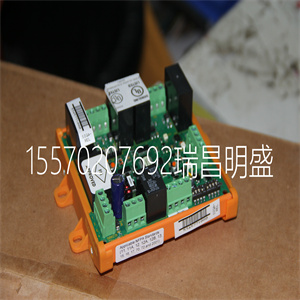
REG316*4 HESG448750M4 REG316 数字继电保护器
2. Connect the field bus cable to the LAN connector (right most connector). See
the CI862 Installation book for TRIO field bus guidelines, cable types and
length.
The Hand-Held Monitor, if used, is connected to the HHM connector.
Unit to Baseplate Alpha Code Lock
The CI862 unit and baseplate have the locking device removed because of the
placement of the electronics inside the unit. The electronics will not allow the CI862
unit to be installed in any baseplate with a locking device. However, other units
could be inserted into the CI862 baseplate.
Bus Termination
The appropriate terminating resistor must be attached to both the beginning and end
of the bus. The characteristic impedance for each type of cable is listed in Table 142.
If the CI862 is at either end of the bus, the characteristic resistance is set by a switch
on the Field Bus Interface Module, Table 17. If a TRIO module is at the beginning
or end of the bus, the bus can be terminated with a resistor or a terminating
resistance plug, 6202FP00150 for 150 W or 6202FP00075 for 75 W. BSM stubs
should not be terminated.
The CI862 baseplate has no locking device. Insert only the CI862 unit into this
baseplate. Insertion of other unit types may cause damage to the equipment.
Table 17. Field Bus Termination Switch Settings of the CI862
Dip Switch(1) Setting
1 75 ohms
2 110 ohms(2)
Section 2 Installation Bus Termination
3BSE036351-510 A 125
As shown in Figure 78, the dip switch is located on the bottom of the housing when
looking from the front. Switch 1 is towards the top of the housing.
3 150 ohms
4 Not Used
(1) The dip switch must be closed to make the termination connection. The
default is open, (no internal termination).
(2) The 110 ohm option may be used to terminate cables with an
impedance in the range of 100 to 120 ohms.
Table 17. Field Bus Termination Switch Settings of the CI862 (Continued)
Dip Switch(1) Setting
Installing the Satt I/O Units and CI865 Module Section 2 Installation
126 3BSE036351-510 A
Installing the Satt I/O Units and CI865 Module
The CI865 is powered from the processor unit via the CEX-Bus and requires no
additional external power source. No field device is powered from the CI865.
Use the following procedure to connect the ControlNet to the BNC connector of the
I/O systems and the CI865 module. For more information see Satt I/O Interface for
AC 800M (3BSE042821*).
The BNC connector is located:
• Rack I/O - at the rear of the 200-RACN module.
• Series 200 I/O - at the front of the 200-ACN module.
• CI865 - at the front of the CI865 module.
1. Select a suitable location for the tap within one meter from the ControlNet
BNC connector. When selecting the tap location, keep in mind the routing of
the drop and trunk cables. They should not be routed close to high-voltage
cables. Avoid bending the trunk cable too much.
2. The tap can be mounted in various ways, for example using a DIN rail or
screwed into a suitable structure. Even if the tap is not mounted on a DIN rail,
the universal mounting bracket should be used to avoid galvanic connection to
a conducting structure.
3. Connect the tap drop cable to the BNC connector. Before starting up the
system, all ControlNet cable connections should be tested. Check the pulling
strength of applied connectors.
Copyright ©2019-2022 瑞昌明盛自动化设备有限公司 版权所有 赣ICP备2021006016号






