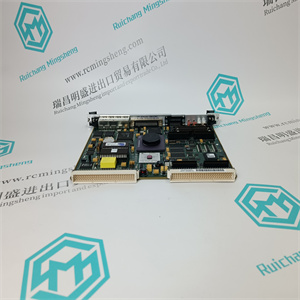
61552-002S 1-061551-002 模拟量PC板用于控制电路输出 ABB
可以通过两种方式进行快速设置
这取决于如何设置缠绕增益。
完成
设置
系统定义
见3.12.2
选择标准辊、单面测量或
分段轧辊应用的输入数量。
语言、单位、幅宽1)和所需
在演示文稿中设置小数位数
菜单
选择称重传感器组合并设置分段
滚动比例因子(SRSF)2)和增益调度
在这个菜单中。
检查称重传感器名称上的标称负载
盘子使用或从列表中选择标称负载
.确认。
零点设置用于补偿称重传感器零点
信号和皮重。
缠绕增益可以通过使用悬挂来确定
重量或通过计算。
仅选择Off、U(电压)、I(电流)或Profibus。
连接信号并设置滤波器设置,高和低
张力、输出和限制。
设置液位检测器(4)和“状态正常”
AI 1-AI 2
见3.12.9
用于连接多个电子设备。
迪
见3.12.10
选择关闭、零设置或增益调度。
该菜单用于设置profibus参数或
将出厂设置为默认值。
显示PFEA113软件版本。
查看的大负载和当前偏移设置
称重传感器A、B、C和D。
重置大负载内存和偏移量。
称重传感器信号的模拟。
见第3.11节。
1)
2)
3)
如果单位设置为:
N/m、kN/m、kg/m或pli。
如果称重传感器出现此菜单
组合设置为分段滚动。
这取决于称重传感器的组合。
笔记一些子菜单询问
确认问题不是
如本概述所示。在这些
菜单:您必须确认
应执行设置。
见第6.6节。
张力电子PFEA113,用户手册
第三章调试
3-4 3 BSE029382R0101 C版
3.6分步调试指南
阶跃测量,参见第节
1检查主电源电压是否关闭。
2根据电缆图检查所有电缆。附录
B、 C、D、E、F
或G
3.检查电源电压3.7
DIN导轨安装式IP20装置(未密封)
标称24V直流电,工作范围18-36 V直流电,X1:1-2
壁挂式IP65装置(NEMA 4)
85-264伏交流电(100伏-15%至240伏+10%),45-65赫兹,X9:1-2
标称24V直流电,工作范围18-36 V直流电,X1:1-2
4.执行基本设置(如有必要)3.7
5.执行设置
快速设置3.8
完成设置3.11
6.检查称重传感器信号极性3.9
7.检查称重传感器功能3.10
张力电子PFEA113,用户手册
第3.7节执行基本设置
3BSE029382R0101版本C 3-5
3.7执行基本设置
当张力电子设备在交付后通电时,会询问
到SetLanguage,然后到SetUnit。必须进行这两个设置才能继续
其余的设置。如果需要,可以在以后更改语言和单位。
3.8执行快速设置(仅适用于一卷或两卷)
快速设置引导您通过少的步骤设置张力电子设备。
要求您回答一些问题并输入所需值。这些选择和
必须进行参数设置,以准备张力电子设备进行测量。
在快速设置中仅设置有限数量的选择和参数设置。所有其他
参数设置为出厂默认值。见附录A.5工厂默认设置。
快速设置可以通过两种方式完成,具体取决于缠绕增益的设置方式。
可通过选择“悬挂重量”或“EnterWrapGain”设置缠绕增益。
•使用悬挂重物,见第3.8.1节。
•使用缠绕增益,见第3.8.2节。
悬挂重物和包装
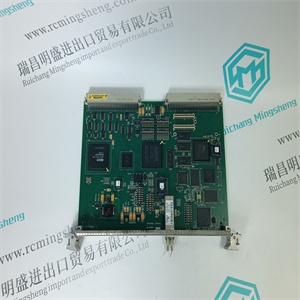
61552-002S 1-061551-002 模拟量PC板用于控制电路输出 ABB
61552-002S 1-061551-002 模拟量PC板用于控制电路输出 ABB
The fast setup can be made in two ways
depending on how the wrap gain is set.
Complete
setup
SystemDefinition
See 3.12.2
Select Standard roll, Single side measurement or
number of inputs for segmented roll applications.
Language, Unit, Web Width 1) and desired
number of decimals are set in the presentation
menu.
Select load cell combination and set Segmented
Roll Scale factor (SRSF) 2) and Gain scheduling
in this menu.
Check the nominal load on the load cell name
plate. Select nominal load from the list with or
. Confirm with .
Zero set is used to compensate for load cell zero
signal and tare weight.
Wrap gain can be determined by using hanging
weights or by calculating.
Select Off, U (Voltage), I (Current) or Profibus only.
Connect signals and set filter settings, high and low
Tension, Output and Limit.
Set level detectors (4) and “Status OK”
AI 1 - AI 2
See 3.12.9
For connection of multiple electronics.
DI
See 3.12.10
Select Off, Zero set or Gain scheduling.
This menu is used to set profibus parameters or to
set factory default.
Show PFEA113 software version.
View maximum load and current offset settings for
load cell A, B, C and D.
Reset maximum load memory and offset.
Simulation of load cell signals.
See Section 3.11.
1)
2)
3)
This menu appears if unit is set to
N/m, kN/m, kg/m or pli.
This menu appears if load cell
combination is set to segmented roll.
Depending on load cell combination.
Note! Some sub menus asking
confirmation questions are not
shown in this overview. In these
menus you have to confirm that your
settings should be performed.
See Section 6.6.
Tension Electronics PFEA113, User Manual
Chapter 3 Commissioning
3-4 3BSE029382R0101 Rev C
3.6 Step-by-step Commissioning Guide
Step Measurement See section
1 Check that the main supply voltage is switched off.
2 Check all cabling according to the cable diagrams. Appendix
B, C, D, E, F
or G
3 Check the supply voltage 3.7
DIN-rail mounted IP20-unit (unsealed)
Nominal 24 V DC, Working range 18 - 36 V DC, X1:1-2
Wall mounted IP65-unit (NEMA 4)
85 - 264 V AC (100 V - 15% to 240 V + 10%), 45-65 Hz, X9:1-2
Nominal 24 V DC, Working range 18 - 36 V DC, X1:1-2
4 Perform basic settings (if necessary) 3.7
5 Perform setup
Fast setup 3.8
Complete setup 3.11
6 Check load cell signal polarity 3.9
7 Check load cell function 3.10
Tension Electronics PFEA113, User Manual
Section 3.7 Performing Basic Settings
3BSE029382R0101 Rev C 3-5
3.7 Performing Basic Settings
When the tension electronics has been powered on for the first time after delivery, you are asked
to SetLanguage and then to SetUnit. These two settings must be made to be able to proceed
with the rest of the setup. Language and unit can be changed later on if desired.
3.8 Performing a Fast Setup (Only for One or Two Rolls)
The fast setup guides you through a minimum number of steps to set up the tension electronics.
You are asked to answer some questions and to enter desired values. These selections and
parameter settings must be made to prepare the tension electronics for measurement.
Only a limited number of selections and parameter settings are set in fast setup. All other
parameters are set as factory default values. See Appendix A.5 Factory Default Settings.
Fast setup can be done in two ways, depending on how the wrap gain is set.
The wrap gain can be set by selecting “HangWeight” or “EnterWrapGain”.
• Using Hanging Weights, see Section 3.8.1.
• Using Wrap Gain, see Section 3.8.2.
Hanging Weights and Wrap
61552-002S 1-061551-002 模拟量PC板用于控制电路输出 ABB