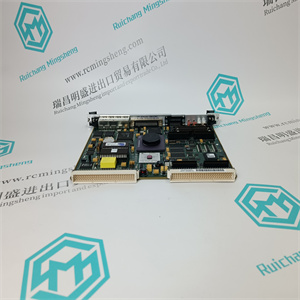
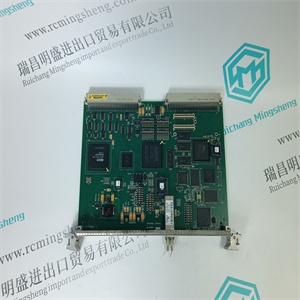
AIO86-8/4 57275812 5760842-1F 模拟接口板模块卡 ABB
当张力电子设备在交付后通电时,会询问
到SetLanguage,然后到SetUnit。必须进行这两个设置才能继续
其余的设置。如果需要,可以在以后更改语言和单位。
3.8执行快速设置(仅适用于一卷或两卷)
快速设置引导您通过少的步骤设置张力电子设备。
要求您回答一些问题并输入所需值。这些选择和
必须进行参数设置,以准备张力电子设备进行测量。
在快速设置中仅设置有限数量的选择和参数设置。所有其他
参数设置为出厂默认值。见附录A.5工厂默认设置。
快速设置可以通过两种方式完成,具体取决于缠绕增益的设置方式。
可通过选择“悬挂重量”或“EnterWrapGain”设置缠绕增益。
•使用悬挂重物,见3.8.1节。
•使用缠绕增益,见3.8.2节。
悬挂重量和缠绕增益在3.12.6节中进行了说明。
1.使用和从列表中选择所需语言
英语设置为默认值。
确认。
2.从列表中选择所需的演示单元:
N(牛顿)设置为默认值。
确认。
3.菜单集WebWidth仅在以下情况下可用:
所选单位为N/m、kN/m、kg/m或pli。
默认腹板宽度为2m(78740英寸)。
4.从列表中选择小数位数
和,确认。
见4.6节。
5按下启动快速设置序列。
见3.8节。
如果要进行完整的设置,请转到
按分离设置菜单。
见3.11节。
设定语言
[英文]
设置单元
[N]
SetWebWidth
[XXXXXX]
集合小数
[X]
快速安装
张力电子PFEA113,用户手册
三章调试
3-6 3 BSE029382R0101版本C
3.8.1使用悬挂重物进行快速设置
在张力系统中设置缠绕增益的简单方法是使用已知重量,即:
用一根完全沿着卷筒路径的绳索加载卷筒中心。
图3-1.使用悬挂重物设置缠绕增益(安装示例)
按照以下步骤使用悬挂重物运行快速设置。
1按5秒进入快速设置菜单。
2按下启动快速设置序列。
3如果单位设置为N/m、kN/m、kg/m或pli,则选择腹板宽度。
辊1和辊2的宽度相同。
4.选择辊数(1或2)
5选择辊(1或2)。
如果NumberOfRolls设置为[1],则菜单将隐藏。
6零位设置用于补偿称重传感器零位信号,以及
皮重。
零位设置必须在辊未施加张力的情况下进行。
7.1.检查辊上是否未施加负载。
2.按归零设置。“ActionDone”显示在
显示一秒钟以确认零点设置动作。
8使用和从列表中选择悬挂重量。
确认。
称重传感器
重量
绳托辊
所有卷必须
自由转动惰轮。
摩擦
损失很低,仅
使用接近的
卷定义web
路径
网张力
> 5
秒
快速安装
SetWebWidth
XXXXXX
卷数
[2]
1卷或2卷
[1]
零集A,B
[ZZ]
无张力
按确定零集
SetWrapGain
[悬挂重物]
张力电子PFEA113,用户手册
3.8.1节使用悬挂重物进行快速设置
3BSE029382R0101版本C 3-7
注
使用悬挂重量时,缠绕增益值由张力计算
电子学
要读取缠绕增益值,请转到所需的菜单EnterWrapGain
卷
9选择符合以下条件的称重传感器(2,单侧A或单侧B):
用或支持列表中的卷。用确认。
10检查称重传感器铭牌上的标称载荷。
使用或从列表中选择标称负载。
确认。
11 1.在辊上施加已知重量(见图3-1)。
2.输入已知重量的值。确认。
12
使用或从列表中选择电压或电流。
确认。
13选择的电压:
输入对应于10 V的张力值。
或
当前选定:
输入对应于20 mA的张力值。
确认。
14从中选择过滤器设置(5、15、30、75、250、750或1500毫秒)
使用或确认列表。
15一卷系统的快速设置现已完成。
按下以完成快速设置并转到操作员
菜单
继续2卷的快速设置。在步骤4中,选择
称重传感器(2个,单侧或单侧)支持
用或从列表中滚动2。用确认。
AIO86-8/4 57275812 5760842-1F 模拟接口板模块卡 ABB
AIO86-8/4 57275812 5760842-1F 模拟接口板模块卡 ABB
When the tension electronics has been powered on for the first time after delivery, you are asked
to SetLanguage and then to SetUnit. These two settings must be made to be able to proceed
with the rest of the setup. Language and unit can be changed later on if desired.
3.8 Performing a Fast Setup (Only for One or Two Rolls)
The fast setup guides you through a minimum number of steps to set up the tension electronics.
You are asked to answer some questions and to enter desired values. These selections and
parameter settings must be made to prepare the tension electronics for measurement.
Only a limited number of selections and parameter settings are set in fast setup. All other
parameters are set as factory default values. See Appendix A.5 Factory Default Settings.
Fast setup can be done in two ways, depending on how the wrap gain is set.
The wrap gain can be set by selecting “HangWeight” or “EnterWrapGain”.
• Using Hanging Weights, see Section 3.8.1.
• Using Wrap Gain, see Section 3.8.2.
Hanging Weights and Wrap Gain are explained in Section 3.12.6.
1 Select desired language from the list with and
. English is set as default.
Confirm with .
2 Select desired presentation unit from the list with
and . N (Newton) is set as default.
Confirm with .
3 The menu SetWebWidth will only be available when
the selected unit is N/m, kN/m, kg/m or pli.
Default Web Width is 2m (78,740 inch).
4 Select number of decimals from the list with
and , confirm with .
See Section 4.6.
5 Press to start the fast setup sequence.
See Section 3.8.
If you want to make a complete setup, go to the
separate setup menus by pressing .
See Section 3.11.
SetLanguage
[English]
SetUnit
[N]
SetWebWidth
[XXXXXX]
SetDecimals
[X]
FastSetUp
Tension Electronics PFEA113, User Manual
Chapter 3 Commissioning
3-6 3BSE029382R0101 Rev C
3.8.1 Performing Fast Setup using Hanging Weights
The simplest method to set the wrap gain in this tension system is to use a known weight that
loads the center of the roll with a rope that follows the web path exactly.
Figure 3-1. Setting Wrap Gain with Hanging Weights (example of installation)
Follow the steps below to run a fast setup using hanging weights.
1 Press for 5 seconds to go to the FastSetUp menu.
2 Press to start the fast setup sequence.
3 Select web width if the unit is set to N/m, kN/m, kg/m or pli.
The same width is applied to Roll 1 and Roll 2.
4 Select number of rolls (1 or 2)
5 Select roll (1 or 2).
The menu is hidden if NumberOfRolls is set to [1].
6 Zero set is used to compensate for load cell zero signal and
tare weight.
Zero set must be done with no tension applied to the roll.
7 1. Check that no load is applied on the roll.
2. Press to zero set. “ActionDone” is shown on the
display for one second to confirm the zero setting action.
8 Select HangingWeights from the list with and .
Confirm with .
Load cell
Weight
Rope supported roll
All rolls must be
free turning idlers.
To keep friction
losses low, only
use the closest
rolls to define web
path.
WebTension
> 5
seconds
FastSetUp
SetWebWidth
XXXXXX
NumberOfRolls
[2]
Roll 1 or 2
[1]
ZeroSet A, B
[ZZ]
WithNoTension
PressOkToZeroSet
SetWrapGain
[HangingWeights]
Tension Electronics PFEA113, User Manual
Section 3.8.1 Performing Fast Setup using Hanging Weights
3BSE029382R0101 Rev C 3-7
NOTE
When using HangWeight the wrap gain value is calculated by the tension
electronics.
To be able to read the wrap gain value, go to menu EnterWrapGain of the desired
roll.
9 Select the load cells (2, SingleSideA or SingleSideB) that
support the roll from the list with or . Confirm with .
10 Check the nominal load on the load cell name plate.
Select nominal load from the list with or .
Confirm with .
11 1. Apply a known weight on the roll (see Figure 3-1).
2. Enter the value of the known weight. Confirm with .
12
Select Voltage or Current from the list with or .
Confirm with .
13 Voltage selected:
Enter the tension value corresponding to 10 V.
or
Current selected:
Enter the tension value corresponding to 20 mA.
Confirm with .
14 Select filter setting (5, 15, 30, 75, 250, 750 or 1500 ms) from
the list with or . Confirm with .
15 FastSetUp of a system with one roll is now completed.
Press to finish the fast setup and go to the operator
menu.
Proceed with the FastSetUp for Roll 2. In step 4, select the
load cells (2, SingleSideC or SingleSideD) that support
Roll 2 from the list with or . Confirm with .
AIO86-8/4 57275812 5760842-1F 模拟接口板模块卡 ABB