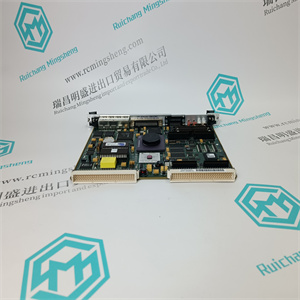
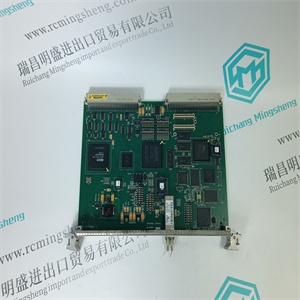
6205BZ10000K 125S2821-4 AA P195006 控制D/F主板用于驱动器 ABB
菜单系统定义必须设置以下内容:
•称重传感器梳(称重传感器组合)
–一卷(称重传感器A和B)
–两个辊(辊1连接到A和B;辊2连接到C和D)
-分段卷
•增益调度(包装增益调度)。可用于一卷、两卷(仅卷1)
和分段卷。
–是/否
图3-4.设置系统定义
菜单SRSF仅在所选称重传感器组合设置为时可用
分段卷。
分段轧辊比例系数(SRSF)用于补偿总测量张力,以及
当不是所有轧辊都由分段式称重传感器支撑时,给出总张力的估计值
滚动应用程序。有关SRSF的计算,请参考附录A.3分段滚动比例系数
(SRSF)。
3.12.2.1包装增益调度
增益调度允许在一个测量辊上使用两个不同的卷筒纸路径。可以设置缠绕增益的两个预定义值。
包角增益1用于包角1,包角增益2用于包角2。
通过数字输入信号或通路选择要使用的两个包络增益中的哪一个
Profibus。
对于称重传感器组合,双辊增益调度仅适用于辊1。
如果数字输入设置为“0”,或者如果指定的字段
Profibus设置为“0”。
如果数字输入设置为“1”,或者如果指定的字段
Profibus设置为“1”。
如果数字输入用于缠绕增益调度,Profibus中的缠绕增益调度字段为:
残废
如果数字输入用于远程调零或设置为“关闭”,则从Profibus控制缠绕增益调度。FastSetUpWebTensionPresentation-菜单使用名称分配服务菜单
ErosetSetTrapGain>5 sAO 1-AO 6混合菜单系统定义对象类型DO 1-DO 4AI 1-AI 2DI
负载单元梳
ZZSRSFZ.ZZLoadCellComb[ZZ]SRSF
[X.XX]目标类型的系统定义您是否确定了计划ZZ计划ZZ包裹角2包裹角1张力电子PFEA113,用户手册3.12.3节设置目标类型3 BSE029382R0101版本C 3-173.12.2设置目标类型取决于哪个称重传感器组合,称重传感器梳:•一辊•两辊或•分段辊
在菜单“系统定义”中选择以下对象类型。
图3-5.设置一卷的对象类型
使用上下键从列表中选择对象类型[ZZ]。
1.标准辊(两个称重传感器,A和B连接)
2.单侧A(仅连接称重传感器A)
3.单侧B(仅连接称重传感器B)
当选择单面测量时,测量信号乘以2,并在显示器和模拟输出上显示为卷筒纸张力。3.12.3.1一个卷筒的对象类型图3-6。一个卷筒对象类型设置卷筒纸张力表示菜单标称负载服务菜单集集增益>5 sAO 1-AO 6混合菜单系统定义对象类型DO 1-DO 4AI 1-AI 2DI
设置对象
ZZ
你确定要设置对象吗
[ZZ]至
对象类型
设置一卷的对象类型
设定标称负载
1卷
单侧B测量
张力电子PFEA113,用户手册
三章调试
3-18 3 BSE029382R0101版本C
3.12.3.2设置两辊的对象类型
使用上下键从列表中选择对象类型[ZZ]。
卷1:标准卷(称重传感器A和B)、单侧A或单侧B(称重传感器B或A)
卷2:标准卷(称重传感器C和D)、单面C或单面(称重传感器B或D)
当选择单侧测量时
6205BZ10000K 125S2821-4 AA P195006 控制D/F主板用于驱动器 ABB
6205BZ10000K 125S2821-4 AA P195006 控制D/F主板用于驱动器 ABB
menu SystemDefinition the following must be set:
• LoadCellComb (load cell combination)
– One roll (load cells A and B)
– Two rolls (Roll 1 connected to A and B; Roll 2 connected to C and D)
– Segmented roll
• GainScheduling (wrap gain scheduling). Available for One roll, Two rolls (only Roll 1)
and Segmented roll.
– Yes/No
Figure 3-4. Setting system definition
The menu SRSF will only be available when the selected load cell combination is set to
segmented roll.
Segmented Roll Scale Factor (SRSF) is used to compensate the total measured tension and
present an estimate of total tension when not all rolls are supported by load cells in a segmented
roll application. For calculations of SRSF, refer to Appendix A.3 Segmented Roll Scale Factor
(SRSF).
3.12.2.1 Wrap Gain Scheduling
Gain scheduling enables the use of two different web paths on one measuring roll. Two predefined values for wrap gain can be set.
Wrap gain 1 is used for wrap angle 1 and wrap gain 2 for wrap angle 2.
Which of the two wrap gains that is to be used is selected with a digital input signal or via
Profibus.
For load cell combination TwoRolls gain scheduling is available only for Roll 1.
Wrap gain parameter 1 is used if the digital input is set to “0”, or if the specified field in
Profibus is set to “0”.
Wrap gain parameter 2 is used if the digital input is set to “1”, or if the specified field in
Profibus is set to “1”.
If the digital input is used for wrap gain scheduling the wrap gain scheduling field in Profibus is
disabled.
If the digital input is used for remote zero set or set to“Off”,wrap gain scheduling is controlledfrom Profibus.FastSetUpWebTensionPresentation- MenuSetNominalLoaServiceMenu
eroSetSetWrapGain> 5 sAO 1 - AO 6MiscellaneousMenuSystemDefinitionObjectTypeDO 1 - DO 4AI 1 - AI 2DI
LoadCellComb
ZZSRSFZ.ZZLoadCellComb[ZZ]SRSF
[X.XX]SystemDefinitionToObjectTypeAreYouSureGainSchedulingZZGainScheduling[ZZ]Wrap angle 2Wrap angle 1Tension Electronics PFEA113, User ManualSection 3.12.3 Setting Object Type3BSE029382R0101 Rev C 3-173.12.3 Setting Object TypeDepending on which load cell combination, LoadCellComb:• one roll• two rolls or• segmented roll
that is selected in menu “SystemDefinition” the following object types are available.
Figure 3-5. Setting Object Type for One Roll
Use up and down keys to select type of object [ZZ] from list.
1. StandardRoll (two load cells, A and B connected)
2. SingleSideA (only load cell A connected)
3. SingleSideB (only load cell B connected)
When single side measurement is selected the measuredsignal is multiplied by two andpresented as web tension on display and analog output.3.12.3.1 Object Types for One RollFigure 3-6. Object Types for One RollFastSetUpWebTensionPresentationMenuSetNominalLoadServiceMenuZeroSetSetWrapGain> 5 sAO 1 - AO 6MiscellaneousMenuSystemDefinitionObjectTypeDO 1 - DO 4AI 1 - AI 2DI
SetObject
ZZ
AreYouSure SetObject
[ZZ] To
ObjectType
Setting Object Type for One Roll
SetNominalLoad
Roll 1
Single side B measurement
Tension Electronics PFEA113, User Manual
Chapter 3 Commissioning
3-18 3BSE029382R0101 Rev C
3.12.3.2 Setting Object Types for Two Rolls
Use up and down keys to select type of object [ZZ] from list.
Roll 1: StandardRoll (load cells A and B), SingleSideA or SingleSideB (load cell A or B)
Roll 2: StandardRoll (load cells C and D), SingleSideC or SingleSideD (load cell C or D)
When single side measurement is selected the
6205BZ10000K 125S2821-4 AA P195006 控制D/F主板用于驱动器 ABB