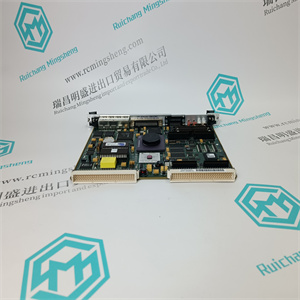
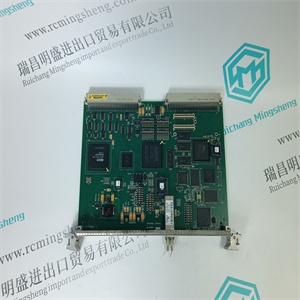
NAMC-03 3BSE006065R1 应用于电机驱动控制板K版 ABB
显示的测量值示例:
例1:
选定单位[N],测力传感器标称载荷为100 kN,测量值为987654 N。
显示值:987600 N。
例2:
选定单位[kN],测力传感器标称载荷为100 kN,测量值为987654 N。
显示值:987.6 kN。
与设置小数功能一起显示的测量值示例:
例1:
选定单位[pli],测力传感器标称载荷为1 kN,测量值为46.5987 pli。
集合小数=2
显示值:46.60 pli。
例2:
选定单位[pli],测力传感器标称载荷为1 kN,测量值为46.5987 pli。
集合小数=0
显示器上显示的值:47 pli。
张力电子PFEA113,用户手册
第4.7节操作员菜单
3BSE029382R0101版本C 4-5
4.7操作员菜单
本节介绍操作员菜单。显示值的更新时间为500ms。
使用up和在菜单之间切换。
图4-2.操作员菜单
张力辊1
价值
张力A
价值
张力B
价值
张力差A-B
价值
AO 1-AO 6
价值
错误和
警告信息
张力辊2
价值
张力C
价值
张力D
价值
张力差C-D
价值
辊1的张力值
辊2的张力值
连接至AO1-AO6的张力值
数值=N、kN、kg、lbs、N/m、kN/m、kg/m或pli
张力电子PFEA113,用户手册
第四章操作
4-6 3 BSE029382R0101版本C
4.7.1腹板张力
4.7.1.1标准辊(两个称重传感器),一个或两个辊
当标准辊(两个称重传感器)连接到
张力电子设备:
•一卷
–网张力
显示由称重传感器A和称重传感器B测量的总腹板张力
-张力A
显示由称重传感器A测量的腹板张力部分
-张力B
显示了由称重传感器B测量的腹板张力部分
-张力差A-B
显示张力A和张力B之间的差异
•两卷
张力菜单,卷1:
–张力辊1
显示由称重传感器A和称重传感器B测量的总腹板张力
-张力A
显示由称重传感器A测量的腹板张力部分
-张力B
显示了由称重传感器B测量的腹板张力部分
-张力差A-B
显示张力A和张力B之间的差异
张力菜单,第2卷:
-张力辊2
显示了由称重传感器C和称重传感器D测得的腹板总张力
-张力C
显示了由称重传感器C测量的腹板张力部分
-张力D
显示由称重传感器D测量的腹板张力部分
-张力差C-D
显示张力C和张力D之间的差异
张力电子PFEA113,用户手册
第4.7.1节腹板张力
3BSE029382R0101版本C 4-7
4.7.1.2分段辊
分段滚动比例因子(SRSF)用于补偿卷绕增益,以获得正确的结果
并非所有轧辊都由分段轧辊中的称重传感器支撑时的测量读数
应用有关SRSF的简化计算,请参考附录A.3.1分段辊秤
因子(SRSF)。
•分段滚动(一个输入)
-张力A
•分段滚动(两个输入)
–腹板张力(总腹板张力=A+B)
–张力A、张力B、张力差A-B
•分段滚动(三输入)
–腹板张力(总腹板张力=A+B+C)
–张力A、张力B、张力C、张力差A-C
•分段滚动(四个输入)
–腹板张力(总腹板张力=A+B+C+D)
–张力A、张力B、张力C、张力D、张力差A-D
4.7.1.3单侧测量(一个称重传感器)
当每卷只有一个称重传感器(单侧测量)时,显示以下菜单:
连接到张力电子设备:
•腹板张力(一个辊,称重传感器A或B)
•张力辊1(两个辊,辊1,称重传感器A或B)
•张力辊2(两个辊,辊2,称重传感器C或D)
腹板张力,张力辊1或张力辊2是由单个称重传感器测量的张力
乘以2。
张力电子PFEA113,用户手册
第四章操作
4-8 3 BSE029382R0101版本C
4.7.1.4连接至模拟输出的张力值,AO1-AO6
模拟输出AO1-6可连接到对应于数字的不同张力值
张力信号组合。
参见第3.12.7节模拟输出设置(AO1-AO6)。
模拟输出张力菜单:
AO1,值
AO2,值
AO3,价值
AO4,值
AO5,价值
AO6,价值
4.7.2错误和警告信息
错误是导致张紧电子设备工作不正常的原因。
警告可能会影响测量精度。
当出现警告或错误时,将在
操作员面板和“状态”指示从绿色变为红色。
按下时,信息将从显示屏上消失。
如果激活警告或错误消息的问题已消失
“状态”指示变为绿色。
如果错误或警告仍然存在,则“状态”指示为红色。使用“至”步骤至后一步
菜单,您可以在其中读取错误或警告消息。
用于处理错误和Wa
NAMC-03 3BSE006065R1 应用于电机驱动控制板K版 ABB
NAMC-03 3BSE006065R1 应用于电机驱动控制板K版 ABB
Examples of measuring values displayed:
Example 1:
Selected unit [N], Load cell nominal load 100 kN, Measured value 987654 N.
Value presented on display: 987600 N.
Example 2:
Selected unit [kN], Load cell nominal load 100 kN, Measured value 987654 N.
Value presented on display: 987.6 kN.
Examples of measuring values displayed together with the Set Decimals function:
Example 1:
Selected unit [pli], Load cell nominal load 1 kN, Measured value 46.5987 pli.
Set Decimals = 2
Value presented on display: 46.60 pli.
Example 2:
Selected unit [pli], Load cell nominal load 1 kN, Measured value 46.5987 pli.
Set Decimals = 0
Value presented on display: 47 pli.
Tension Electronics PFEA113, User Manual
Section 4.7 Operator Menus
3BSE029382R0101 Rev C 4-5
4.7 Operator Menus
This section describes the operator menus. The updating time for displayed values is 500 ms.
Use up and to switch between menus.
Figure 4-2. Operator Menus
TensionRoll 1
Value
Tension A
Value
Tension B
Value
TensionDiff A-B
Value
AO 1 - AO 6
Value
Error and
warning messages
TensionRoll 2
Value
Tension C
Value
Tension D
Value
TensionDiff C-D
Value
Tension values Roll 1
Tension values Roll 2
Tension values connected to AO1 - AO6
Value = N, kN, kg, lbs, N/m, kN/m, kg/m or pli
Tension Electronics PFEA113, User Manual
Chapter 4 Operation
4-6 3BSE029382R0101 Rev C
4.7.1 Web Tension
4.7.1.1 Standard Roll (two load cells), One or Two Rolls
The following menus are available when a standard roll (two load cells) is connected to the
tension electronics:
• One roll
– WebTension
Shows the total web tension measured by load cell A and load cell B
– Tension A
Shows the part of web tension measured by load cell A
– Tension B
Shows the part of web tension measured by load cell B
– TensionDiff A-B
Shows the difference between Tension A and Tension B
• Two rolls
Tension menus, Roll 1:
– TensionRoll 1
Shows the total web tension measured by load cell A and load cell B
– Tension A
Shows the part of web tension measured by load cell A
– Tension B
Shows the part of web tension measured by load cell B
– TensionDiff A-B
Shows the difference between Tension A and Tension B
Tension menus, Roll 2:
– TensionRoll 2
Shows the total web tension measured by load cell C and load cell D
– Tension C
Shows the part of web tension measured by load cell C
– Tension D
Shows the part of web tension measured by load cell D
– TensionDiff C-D
Shows the difference between Tension C and Tension D
Tension Electronics PFEA113, User Manual
Section 4.7.1 Web Tension
3BSE029382R0101 Rev C 4-7
4.7.1.2 Segmented Roll
Segmented Roll Scale Factor (SRSF) is used to compensate the wrap gain to get a correct
measurement reading when not all rolls are supported by load cells in a segmented roll
application. For simplified calculations of SRSF, refer to Appendix A.3.1 Segmented Roll Scale
Factor (SRSF).
• Segmented roll (one input)
– Tension A
• Segmented roll (two inputs)
– WebTension (total web tension = A+B)
– Tension A, Tension B, TensionDiff A-B
• Segmented roll (three inputs)
– WebTension (total web tension = A+B+C)
– Tension A, Tension B, Tension C, TensionDiff A-C
• Segmented roll (four inputs)
– WebTension (total web tension = A+B+C+D)
– Tension A, Tension B, Tension C, Tension D, TensionDiff A-D
4.7.1.3 Single Side Measurement (One Load Cell)
The following menus are shown when only one load cell per roll (single side measurement) is
connected to the tension electronics:
• Web Tension (One roll, load cell A or B)
• TensionRoll 1 (Two rolls, Roll 1, load cell A or B)
• TensionRoll 2 (Two rolls, Roll 2, load cell C or D)
Web Tension, TensionRoll 1 or TensionRoll 2 is the tension measured by a single load cell
multiplied by 2.
Tension Electronics PFEA113, User Manual
Chapter 4 Operation
4-8 3BSE029382R0101 Rev C
4.7.1.4 Tension Values Connected to Analog Outputs, AO1 - AO6
Analog outputs, AO1-6, can be connected to different tension values corresponding to a number
of tension signal combinations.
See Section 3.12.7 Setting Analog Outputs (AO1-AO6).
Analog output tension menus:
AO1, Value
AO2, Value
AO3, Value
AO4, Value
AO5, Value
AO6, Value
4.7.2 Error and Warning Messages
An ERROR is something that causes the tension electronics to function incorrectly.
A WARNING is something that might affect the accuracy of the measurement.
When a warning or an error occurs, a warning or an error message is displayed on the
Operator Panel and the “Status” indication turns from green to red.
When is pressed the message disappears from the display.
If the problem that activated the warning or error message has disappeared the
“Status” indication turns to green.
If the error or warning remains the “Status” indication is red. Use the to step to the last
menu, where you can read the error or warning message.
For handling Error and Wa
NAMC-03 3BSE006065R1 应用于电机驱动控制板K版 ABB