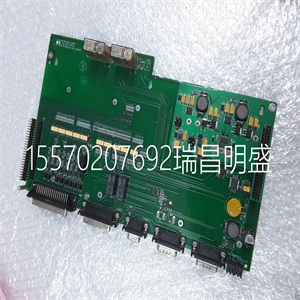
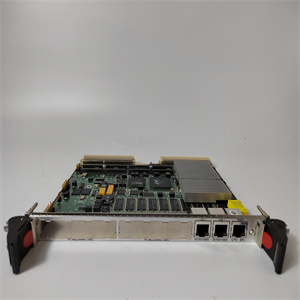
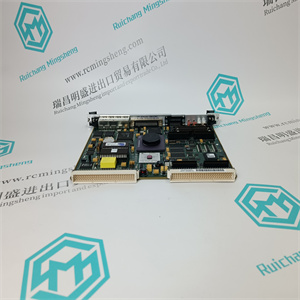
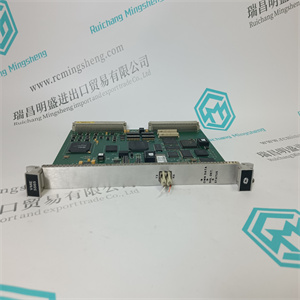
MEM86-192K 5760969-9D 57088443 用于驱动内存板 ABB
为了提高Profibus分辨率,对Profibus缩放功能进行了更改。
本补充说明了新的Profibus功能,以提高分辨率和必要性
Profibus主控制器的变化,以适应张力电子装置PFEA113的变化。
新的缩放功能适用于SW版本1.8及更高版本。
本补充文件可与所有语言版本的用户手册、Web张力一起使用
带张力电子装置的系统PFEA113 3BSE029382R00xx。
1.2其他菜单
使用此菜单缩放Profibus测量值。
参考用户手册PFEA113,3BSE029382R0001 B版,3.12.11节。
图1-1.Profibus缩放,单辊或双辊
快速安装
网张力
展示菜单
设定标称负载
服务菜单
零集
SetWrapGain
>5秒
AO 1-AO 6
混杂的
菜单
系统定义
对象类型
做1-做4
AI 1-AI 2
迪
到
混杂的
菜单
Profibus开/关
[ZZ]
现场总线地址
[ZZZ]
Profibus开/关
ZZ
现场总线地址
ZZZ
(仅在以下情况下显示:
Profibus已打开)
测量范围
1卷
(仅在以下情况下显示:
Profibus已打开)
服务菜单
设置工厂
违约
你确定行动完成了吗
(显示1s)
负荷分配
XXX。XXX N
测量范围
XXX。XXX N
测量范围
[XXX.XXX]N
测量范围
二卷
(仅在以下情况下显示:
Profibus已打开)
负荷分配
XXX。XXX N
测量范围
XXX。XXX N
测量范围
[XXX.XXX]N
来自DI
1.Profibus缩放:在系统定义中选择两个辊
这个菜单不是
如果一卷
被选中
系统定义
带张力电子设备PFEA113的卷筒纸张力系统,Profibus缩放,补充
1章Profibus测量值的缩放
1-2 3 BSE041811R0001
图1-2 Profibus缩放,分段滚动
1.2.1现场总线
•Profibus开/关
可以启用或禁用Profibus。
•Profibus地址?
如果启用Profibus,Profibus地址必须设置在000-125范围内。
•Profibus测量范围?
如果启用了Profibus,Profibus测量范围和负荷分配可设置为
Roll1和Roll2分开。
阅读PFEA113用户手册3.13节中有关Profibus的更多信息。
1.2.2 Profibus测量值的缩放
Profibus值可以通过两种方式进行缩放:
•默认缩放-缩放仅取决于称重传感器标称负载。
•用户定义的缩放–用户可以设置Profibus值的缩放。
设置工厂
违约
你确定行动完成了吗
(显示1s)
测量范围
分段滚压
(仅在以下情况下显示:
Profibus已打开)
负荷分配
XXX。XXX N
测量范围
XXX。XXX N
测量范围
[XXX.XXX]N
混杂的
菜单
Profibus开/关
[ZZ]
Profibus开/关
ZZ
2.Profibus缩放:在系统定义中选择分段辊
带张力电子设备PFEA113的卷筒纸张力系统,Profibus缩放,补充
1.2.2节Profibus测量值的缩放
3BSE041811R0001 1-3
1.2.2.1默认缩放
这与先前软件版本SW 1.0-1.7中的功能类似。
称重传感器组合,称重传感器梳:一卷或两卷
对于一个或两个辊的称重传感器组合,默认缩放与前面的功能类似
软件版本,SW 1.0-1.7。主要变化为差分信号。在SW 1.0-1.7中
差分信号具有单独的标度。在SW1.8中,每个测量对象的所有信号具有
相同的缩放。对于差异信号,必须在Profibus主设备中调整负载比例
用SW1.8单元更换旧单元时。
称重传感器组合,称重传感器梳:分段辊
对于SW1.8,默认缩放功能与9至12个称重传感器功能类似(连接至
模拟输出)。对于3-8个称重传感器,
当使用Profibus主设备更换旧设备时,必须在Profibus主设备中调整负载比例
SW1.8单元。
1kN称重传感器示例(SW1.8):
对于1 kN测力传感器和连接至AO 1的AI1+A+B(AI1+2测力传感器),值
低有效位是:
0.001×12×1000=12 N
测量范围:60000N
连接的称重传感器数量
至模拟输出通道
低有效位的值,
负荷分配(分辨率)
(Fnom=称重传感器标称负载)
SW1.0-1.7 SW1.8
一卷或两卷
•1或2个称重传感器0.001×2×Fnom 0.001
•差信号0.001×Fnom 0.001
分段辊
•3个称重传感器0.001×3×Fnom 0.001
•4个称重传感器0.001×4×Fnom 0.001
•5至8个称重传感器
(1至4个称重传感器+AI1)
0.001×
•9至12个称重传感器
(1至4个称重传感器+AI1+AI2)
0.001×12×Fnom 0.001
•差信号0.001×Fnom 0.001
MEM86-192K 5760969-9D 57088443 用于驱动内存板 ABB
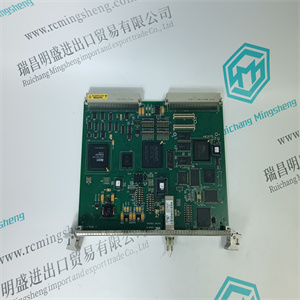
MEM86-192K 5760969-9D 57088443 用于驱动内存板 ABB
MEM86-192K 5760969-9D 57088443 用于驱动内存板 ABB
To improve the Profibus resolution, the profbus scaling function has been changed.
This supplement explains the new Profibus function for improved resolution and necessary
changes in the Profibus master to adapt to changes in Tension Electronics PFEA113.
The new scaling function is valid for SW-version 1.8 and higher.
This supplement can be used together with all language versions of User Manual, Web Tension
Systems with Tension Electronics PFEA113 3BSE029382R00xx.
1.2 Miscellaneous Menu
Use this menu for scaling Profibus measuring values.
Refer to User Manual PFEA113, 3BSE029382R0001 Rev B, Section 3.12.11.
Figure 1-1. Profibus Scaling, One Roll or Two Rolls
FastSetUp
WebTension
PresentationMenu
SetNominalLoad
ServiceMenu
ZeroSet
SetWrapGain
> 5 s
AO 1 - AO 6
Miscellaneous
Menu
SystemDefinition
ObjectType
DO 1 - DO 4
AI 1 - AI 2
DI
To
Miscellaneous
Menu
Profibus On/Off
[ZZ]
ProfibusAddress
[ZZZ]
Profibus On/Off
ZZ
ProfibusAddress
ZZZ
(Only shown if
Profibus is On)
MeasuringRange
Roll 1
(Only shown if
Profibus is On)
ServiceMenu
SetFactory
Default
AreYouSure ActionDone
(shown for 1 s.)
LoadDivision
XXX.XXX N
MeasuringRange
XXX.XXX N
MeasuringRange
[XXX.XXX] N
MeasuringRange
Roll 2
(Only shown if
Profibus is On)
LoadDivision
XXX.XXX N
MeasuringRange
XXX.XXX N
MeasuringRange
[XXX.XXX] N
From DI
1. Profibus Scaling: Two rolls selected in SystemDefinition
This menu is not
shown if One roll
is selected in
SystemDefinition
Web Tension Systems with Tension Electronics PFEA113, Profibus Scaling, Supplement
Chapter 1 Scaling Profibus Measuring Values
1-2 3BSE041811R0001
Figure 1-2. Profibus Scaling, Segmented Roll
1.2.1 Profibus
• Profibus On/Off
The Profibus can be enabled or disabled.
• Profibus Address?
If the Profibus is enabled, the Profibus address must be set in the range 000 - 125.
• Profibus Measuring Range?
If the Profibus is enabled, the Profibus Measuring Range and load division can be set for
Roll1 and Roll2 separately.
Read more about the Profibus in User manual for PFEA113, Section 3.13.
1.2.2 Scaling of Profibus Measuring Values
The Profibus values can be scaled in two ways:
• Default Scaling – the scaling is only depending on load cell nominal load.
• User defined Scaling – the scaling of the Profibus values can be set by the user.
SetFactory
Default
AreYouSure ActionDone
(shown for 1 s.)
MeasuringRange
SegmentedRoll
(Only shown if
Profibus is On)
LoadDivision
XXX.XXX N
MeasuringRange
XXX.XXX N
MeasuringRange
[XXX.XXX] N
Miscellaneous
Menu
Profibus On/Off
[ZZ]
Profibus On/Off
ZZ
2. Profibus Scaling: Segmented roll selected in SystemDefinition
Web Tension Systems with Tension Electronics PFEA113, Profibus Scaling, Supplement
Section 1.2.2 Scaling of Profibus Measuring Values
3BSE041811R0001 1-3
1.2.2.1 Default Scaling
This is a similar function as in previous software versions, SW 1.0-1.7.
Load Cell Combination, LoadCellComb: One roll or Two rolls
For Load cell Combination One or Two rolls, default scaling is a similar function as in previous
software versions, SW 1.0-1.7. The main change is for Difference signals. In SW 1.0-1.7, the
difference signal has a separate scaling. In SW1.8, all signals for each measurement object have
the same scaling. For difference signals, the load scaling must be adjusted in the Profibus master
when replacing an old unit with an SW1.8-unit.
Load Cell Combination, LoadCellComb: Segmented roll
For SW1.8 Default scaling has a similar function as the 9 to 12 load cells function (connected to
an analog output) in SW 1.0-1.7, with the exception for difference signals. For 3-8 load cells,
the load scaling must be adjusted in the Profibus master when replacing an old unit with an
SW1.8-unit.
Example for 1 kN load cells (SW1.8):
With 1 kN load cells, and with AI1+A+B (AI1 + 2 load cells) connected to the AO 1, the value
of the least significant bit is:
0.001 × 12 × 1000 = 12 N
Measuring range: 60 000 N
Number of load cells connected
to the analog output channel
Value of least significant bit,
Load Division (Resolution)
(Fnom = Load cell nominal load)
SW 1.0-1.7 SW1.8
One or Two rolls
• 1 or 2 load cells 0.001 × 2 × Fnom 0.001 × 2 × Fnom
• Difference signal 0.001 × Fnom 0.001 × 2 × Fnom
Segmented roll
• 3 load cells 0.001 × 3 × Fnom 0.001 × 12 × Fnom
• 4 load cells 0.001 × 4 × Fnom 0.001 × 12 × Fnom
• 5 to 8 load cells
(1 to 4 load cells + AI1)
0.001 × 8 × Fnom 0.001 × 12 × Fnom
• 9 to 12 load cells
(1 to 4 load cells + AI1 + AI2)
0.001 × 12 × Fnom 0.001 × 12 × Fnom
• Difference signal 0.001 × Fnom 0.001 × 12 × Fnom
MEM86-192K 5760969-9D 57088443 用于驱动内存板 ABB