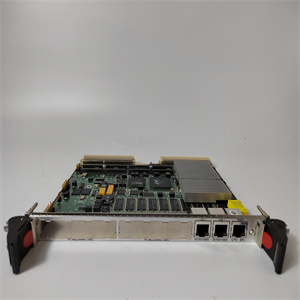
AC800M系列 TP830 处理器单元端子
nctions以及IEC 61850和其他标准的通信工程
支持的协议。
安装手册包含如何安装IED的说明。这个
本手册提供了机械和电气安装程序。章节
按安装IED的时间顺序组织。
操作手册包含了IED安装后如何操作的说明
已委托。本手册提供了监控和控制说明
以及设置IED。本手册还描述了如何识别干扰和
如何查看计算和测量的电网数据以确定
过错
点列表手册描述了数据点的外观和属性
特定于IED。本手册应与
相应的通信协议手册。
技术手册包含应用程序和功能说明和列表
功能块、逻辑图、输入和输出信号、设置参数和
技术数据按功能分类。本手册可作为技术参考
在工程设计阶段、安装和调试阶段,以及
正常服务。
1.3.2文件修订历史
文件修订/日期产品版本历史记录
A/2007-12-20 1.0次发布
B/2008-02-08 1.0更新内容
C/2008-07-02 1.1更新内容以符合
产品版本
D/2009-03-04 2.0更新内容以符合
产品版本
E/2009-07-03 2.0更新内容
F/2010-06-11 3.0更新内容以符合
产品版本
G/2010-06-29 3.0术语更新
H/2010-09-24 3.0内容更新
K/2012-05-11 4.0更新内容以符合
产品版本
从ABB网站下载新文档
http://www.abb.com/substationautomation.
1节1MRS756378 K
介绍
参考文献615
应用手册
1.3.3相关文件
文档的名称文档ID
Modbus通信协议手册1MRS756468
DNP3通信协议手册1MRS756709
IEC 60870-5-103通信协议手册1MRS756710
IEC 61850工程指南1MRS756475
工程手册1MRS757121
安装手册1MRS756375
操作手册1MRS756708
技术手册1MRS756887
1.4符号和惯例
1.4.1符号
电气警告图标表示存在危险
这可能导致电击。
警告图标表示存在危险,可能:
导致人身伤害。
警告图标表示重要信息或警告相关信息
与文中讨论的概念一致。它可能表示存在
可能导致软件损坏或损坏的危险
设备或财产。
信息图标提醒读者注意重要事实和
条件
提示图标表示建议,例如,如何设计
项目或如何使用某个函数。
尽管警告危险与人身伤害有关,但有必要
了解在某些操作条件下,操作损坏
设备可能导致工艺性能下降,导致人身伤害
或者死亡。因此,请完全遵守所有警告和注意事项。
1MRS756378 K1节
介绍
参考文献615 7
应用手册
1.4.2文件惯例
本手册中不得使用特定约定。
•本手册中的缩写和字母缩略词在术语表中有详细说明。这个
术语表还包含重要术语的定义。
•LHMI菜单结构中的按钮导航通过使用
按钮图标。
要在选项之间导航,请使用和。
•HMI菜单路径以粗体显示。
选择主菜单/设置。
•LHMI消息以快递字体显示。
要将更改保存在非易失性存储器中,请选择Yes,然后按。
•参数名称以斜体显示。
可通过操作设置启用和禁用该功能。
•参数值用引号表示。
相应的参数值为“开”和“关”。
•IED输入/输出消息和监控数据名称以Courier字体显示。
当功能启动时,启动输出设置为T AC800M系列 TP830 处理器单元端子
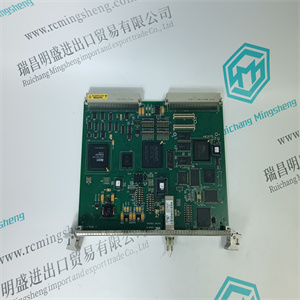 AC800M系列 TP830 处理器单元端子
nctions as well as communication engineering for IEC 61850 and other
supported protocols.
The installation manual contains instructions on how to install the IED. The
manual provides procedures for mechanical and electrical installation. The chapters
are organized in chronological order in which the IED should be installed.
The operation manual contains instructions on how to operate the IED once it has
been commissioned. The manual provides instructions for monitoring, controlling
and setting the IED. The manual also describes how to identify disturbances and
how to view calculated and measured power grid data to determine the cause of a
fault.
The point list manual describes the outlook and properties of the data points
specific to the IED. The manual should be used in conjunction with the
corresponding communication protocol manual.
The technical manual contains application and functionality descriptions and lists
function blocks, logic diagrams, input and output signals, setting parameters and
technical data sorted per function. The manual can be used as a technical reference
during the engineering phase, installation and commissioning phase, and during
normal service.
1.3.2 Document revision history
Document revision/date Product version History
A/2007-12-20 1.0 First release
B/2008-02-08 1.0 Content updated
C/2008-07-02 1.1 Content updated to correspond to the
product version
D/2009-03-04 2.0 Content updated to correspond to the
product version
E/2009-07-03 2.0 Content updated
F/2010-06-11 3.0 Content updated to correspond to the
product version
G/2010-06-29 3.0 Terminology updated
H/2010-09-24 3.0 Content updated
K/2012-05-11 4.0 Content updated to correspond to the
product version
Download the latest documents from the ABB Web site
http://www.abb.com/substationautomation.
Section 1 1MRS756378 K
Introduction
6 REF615
Application Manual
1.3.3 Related documentation
Name of the document Document ID
Modbus Communication Protocol Manual 1MRS756468
DNP3 Communication Protocol Manual 1MRS756709
IEC 60870-5-103 Communication Protocol Manual 1MRS756710
IEC 61850 Engineering Guide 1MRS756475
Engineering Manual 1MRS757121
Installation Manual 1MRS756375
Operation Manual 1MRS756708
Technical Manual 1MRS756887
1.4 Symbols and conventions
1.4.1 Symbols
The electrical warning icon indicates the presence of a hazard
which could result in electrical shock.
The warning icon indicates the presence of a hazard which could
result in personal injury.
The caution icon indicates important information or warning related
to the concept discussed in the text. It might indicate the presence
of a hazard which could result in corruption of software or damage
to equipment or property.
The information icon alerts the reader of important facts and
conditions.
The tip icon indicates advice on, for example, how to design your
project or how to use a certain function.
Although warning hazards are related to personal injury, it is necessary to
understand that under certain operational conditions, operation of damaged
equipment may result in degraded process performance leading to personal injury
or death. Therefore, comply fully with all warning and caution notices.
1MRS756378 K Section 1
Introduction
REF615 7
Application Manual
1.4.2 Document conventions
A particular convention may not be used in this manual.
• Abbreviations and acronyms in this manual are spelled out in the glossary. The
glossary also contains definitions of important terms.
• Push-button navigation in the LHMI menu structure is presented by using the
push-button icons.
To navigate between the options, use and .
• HMI menu paths are presented in bold.
Select Main menu/Settings.
• LHMI messages are shown in Courier font.
To save the changes in non-volatile memory, select Yes and press .
• Parameter names are shown in italics.
The function can be enabled and disabled with the Operation setting.
• Parameter values are indicated with quotation marks.
The corresponding parameter values are "On" and "Off".
• IED input/output messages and monitored data names are shown in Courier font.
When the function starts, the START output is set to T | | |