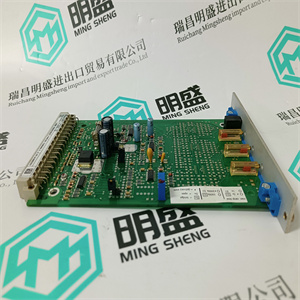
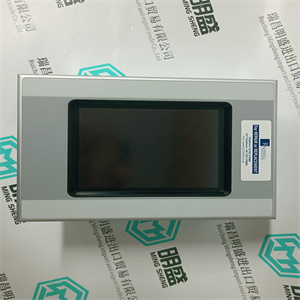
3HAC028017-001 3HAC17343-1/01 TYPE-B 伺服电机 ABB
未从与其他外壳相邻的任何外壳中移除,包括:
不属于AC 800M控制器及其连接的S800 I/O的设备。
ABB机柜
作为合适的外壳,ABB建议使用以下两个机柜
特别适用于安装AC 800M控制器和S800 I/O。都是
密封至防护等级IP54,可支持控制器和S800 I/O单元
不需要额外的冷却设备:
•RM550–落地式机柜
•RE820–壁挂式机柜。
有关ABB机柜的更多信息,请参见附录C,建议
组件。
在DIN导轨上安装AC 800M装置
由于AC 800M单元(CPU和通信接口)通过自对流冷却,因此它们必须安装在水平DIN导轨上。
每个底板都有一个锁定机构,将金属背板与
DIN导轨,提供有效的接地连接。DIN导轨的功能如下:
非常有效的系统接地。
位于底板下部的附加螺钉凸耳用于
电气功能。如果需要额外的紧固,则提供它们
在受到过度振动的环境中。
安装在金属板上第2节安装
72 3BSE036351-600 A
有两种方式将产品安装在机柜、开放式机架或其他类型的
装置;铝型材,安装有DIN导轨或DIN导轨安装在
适当尺寸的金属板。铝型材或金属板应适当
连接到保护接地。
应使用高度为7.5mm的DIN导轨。参考NS 35/7.5型,根据
符合标准EN50022。
外部信号的干扰抑制通常直接接地至
底盘和/或工厂地面。电厂接地电位必须稳定且良好
定义,即使在由高压设备引起的低接地故障的情况下,或
雷击。
每个模块的导电背面连接到金属DIN导轨,用于:
作为互连设备之间的模块电子接地导体。
这是为了确保内部逻辑和的良好接地连接
模块的EMI抗扰度和射频发射。DIN安装导轨必须具有
与机柜PE的良好结合。
如果AC 800M模块配置为两个或多个组,并与
延长电缆,应特别注意确保所有
组具有良好的接地连接。同时确保固定图号。
安装在金属板上
DIN导轨应通过紧固件牢固固定在未涂漆的金属板上
每100毫米(4英寸)拧一次螺钉,以确保良好的机械稳定性和良好的底盘
机柜或开放式机架中的接地连接。
金属板厚度应至少为2.5mm,高度至少为180mm。金属
板材应至少每500mm机械固定在机柜或机架上,并配有:
至少四个螺钉。应进行机柜框架的紧固
使用自攻螺钉以获得良好的接地连接。
第二节预制铝型材安装
3BSE036351-600 A 73
预制铝型材
有用于水平安装的铝型材。铝型材提供:
良好的接地和相关产品的刚性安装。铝
型材应使用至少4个自攻螺钉固定在机柜上。
型材上有螺钉槽,可用于将模块固定在
具有高振动的环境。
图16 DIN导轨支架的铝型材
AC 800M控制器和相关装置必须断电,并且
安装在DIN导轨上时断开连接!
预成型铝型材
渠道
电缆管道
DIN导轨
预制铝型材第2节安装
74 3BSE036351-600 A
PM8xx和CI8xx装置的安装程序,包括底板
在将任何处理器单元或通信接口安装到DIN导轨上之前,
仔细阅读随设备提供的安装说明。自从
电子单元和基板作为一个单元提供,无需
在安装过程中将它们分开。
将装置安装到DIN导轨上只需要一个合适的刀片螺丝刀
牢固地插入底板锁紧螺钉(1 mm槽)。有关详细信息,请参阅
安装程序,参见第75页图17。
使用以下步骤安装底板,包括单元:
1.将锁定装置旋转至打开位置(1),将上钩钩在
装置底板的后部,牢固地位于DIN导轨的上边缘,以及
轻轻地将底板完全卡入安装位置。
2.将锁定装置旋转至滑动位置(2),沿
DIN导轨至所需安装位置,并使用连接器插头和
插座轻轻地将其连接到相邻的装置底板上。
3.互连完成后,顺时针旋转锁定装置
锁定位置(3)。T 3HAC028017-001 3HAC17343-1/01 TYPE-B 伺服电机 ABB
 3HAC028017-001 3HAC17343-1/01 TYPE-B 伺服电机 ABB
that this is not removed from any enclosure adjacent to other enclosures containing
equipment not belonging to the AC 800M Controller and its connected S800 I/O.
ABB Cabinets
As a suitable enclosure, ABB recommends the following two cabinets, both
specially adapted for mounting the AC 800M Controller and S800 I/O. Both are
sealed to protection class IP54 and can support the Controller and S800 I/O units
with no requirement for additional cooling equipment:
• RM550 – Floor-mounted cabinet
• RE820 – Wall-mounted cabinet.
For further information on ABB cabinets, see Appendix C, Recommended
Components.
Mounting AC 800M Units onto DIN-Rail
Since the AC 800M units (CPU and communication interfaces) are cooled by selfconvection, it is important that they only be mounted onto a horizontal DIN- rail.
Each baseplate has a locking mechanism that contacts the metal backplate to the
DIN-rail, providing an effective ground connection. The DIN-rail functions as a
very effective ground for the system.
The additional screw lugs, located in the lower part of the baseplate, serve no
electrical function. They are provided for use should extra fastening be required
within environments subject to excessive vibration.
Mounting on metal sheet Section 2 Installation
72 3BSE036351-600 A
There are two ways of mounting the product in cabinets, open rack or other types of
installations; aluminum profile with mounted DIN-rail or DIN-rail mounted on a
metal sheet of proper size. The aluminum profile or metal sheet shall be properly
connected to protective earth.
DIN-rail type with height 7.5 mm shall be used. Refer to type NS 35/7.5 according
to standard EN50022.
The interference suppression for external signals, are normally directly grounded to
chassis and/or plant ground. The plant ground potential must be stable and well
defined, even in the event of a low ground fault caused by high voltage equipment or
a lightning strike.
Each module's conductive back plane connects to the metallic DIN-rail which serves
as the module electronics ground conductor between the interconnected devices.
This is to ensure a good ground connection both for the internal logic and for the
EMI immunity and RF emission of the modules. The DIN mounting rail must have a
good bond to the PE of the cabinet.
If AC 800M modules are configured as two or more groups interconnected with
extension cables, special care should be taken to ensure that the DIN-rails of all
groups have a good connection to ground. Also ensure to fix the figure numbers.
Mounting on metal sheet
The DIN-rail shall be firmly attached to an unpainted metal sheet with fastening
screws every 100 mm (4 in) to ensure good mechanical stability and a good chassis
ground connection in the cabinet or an open rack.
The metal sheet shall at least be 2.5 mm thick and at least 180 mm high. The metal
sheet shall be mechanical fastened at least every 500 mm to the cabinet or rack with
a minimum of four screws. The fastening to the cabinet frame shall be performed
with self-tapping screws to get a good grounding connection.
Section 2 Installation Prefabricated aluminum profile
3BSE036351-600 A 73
Prefabricated aluminum profile
There are aluminum profiles for horizontal mounting. The aluminum profile gives
an excellent grounding and rigid mounting of products concerned. The aluminum
profile shall be fastened to the cabinet with at least 4 self-tapping screws.
The profile has grooves for screws that can be used for fastening the modules in an
environment with high vibrations.
Figure 16. Al-profile for DIN-rail support
The AC 800M Controller and associated units must be unpowered and
disconnected when being mounted onto a DIN-rail!
Al-profile Pre-formed
channels
Cable Duct
DIN-rail
Prefabricated aluminum profile Section 2 Installation
74 3BSE036351-600 A
Mounting Procedure for PM8xx and CI8xx Units, Complete with Baseplates
Before mounting any processor unit or communication interface onto the DIN-rail,
read carefully the installation instructions provided with the equipment. Since the
electronic unit and baseplate are supplied as a single unit, there is no requirement to
separate them during the mounting procedure.
Mounting the units onto the DIN-rail only requires a blade screwdriver that fits
securely into the baseplate locking screw (1 mm slot). For further details on
mounting procedure, see Figure 17 on page 75.
Use the following procedure to mount the baseplates, complete with units:
1. Rotate the locking device to the OPEN position (1), hook the upper hook at the
rear of the unit baseplate securely over the upper edge of the DIN-rail and
gently snap the baseplate fully into the mounting position.
2. Rotate the locking device to the SLIDE position (2), slide the unit along the
DIN-rail to the desired mounting position and using the connector plugs and
sockets gently attach it to the adjacent unit baseplate.
3. When interconnection is complete, rotate the locking device clockwise to
the LOCKED position (3). The baseplate is now fully locked into position and
has a good ground connection to the DIN-rail.
For further visual information on mounting AC 800M Controller units,
see Figure 18 on page 75.
This topic does not apply to PM891. See Mounting Procedure for PM891 Unit on
page 76.
It is not allowed to manipulate CEX bus baseplates in a powered and running
system. Before changing or removing a baseplate, all CEX modules on that
segment must be removed.
To prevent damage to the pins, be sure the baseplate plugs and sockets are fully
aligned as the units interconnect. Under no circumstances use excessive force!
It is essential that the locking device be placed in the LOCKED position to
avoid possible problems caused by vibration and/or intermittent grounding. 3HAC028017-001 3HAC17343-1/01 TYPE-B 伺服电机 ABB
| 3HAC028017-001 3HAC17343-1/01 TYPE-B 伺服电机 ABB | | | | |