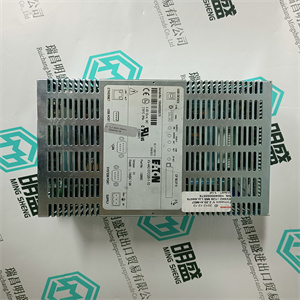
40PB3202A 回路输入/输出 PLC模块卡DCI系统 ABB
第2节安装:在单个配置中安装PM85x/PM86x/TP830处理器单元
3BSE036351-600 A 87
图26.用于CEX总线的TB851端子(母)
终结者
TB851
TK850电缆
在单个配置中安装PM85x/PM86x/TP830处理器单元第2节:安装
88 3BSE036351-600 A
图27使用BC810/BC820时的CEX总线终端
BC810
BC810
区域协调股链接
缆绳
PM858/PM861A/PM862/PM864A
终结者
TB850
PM865/PM866/PM866A/PM867
终结者
TB850
第2节安装:在单个配置中安装PM85x/PM86x/TP830处理器单元
3BSE036351-600 A 89
图28.监控信号的SA/SB连接器
在单个配置中安装PM85x/PM86x/TP830处理器单元第2节:安装
90 3BSE036351-600 A
通信端口
CN1和CN2
控制网络连接到一个或两个RJ45连接器(CN1和CN2)
取决于网络选项(单个或冗余)。
使用IEEE802.3(以太网)的RJ45连接器连接到5类
屏蔽双绞线(STP 5级)。
5级或更高,电缆10/100BaseT/TX大100米(110码)。ABB建议:
在工业环境中使用光纤,例如62.5/125
100BaseFX,大距离1500米(1600码)。
表5.TP830 CN1和CN2连接(RJ45连接器)
引脚名称方向描述
1 TD+输出传输数据(plus)
2 TD-输出传输数据(减)
接收数据中的第3+条(加号)
4–5–未使用
第6位-接收数据中(减)
7–8–未使用
外壳屏蔽-屏蔽
PM851/PM851A仅限于一个以太网(CN1)端口,因此是冗余的
以太网不可用。
第2节安装:在单个配置中安装PM85x/PM86x/TP830处理器单元
3BSE036351-600 A 91
COM3端口
COM3是带有调制解调器信号的RS-232C端口。此端口用于串行
协议,如Modbus、西门子3964R、COMLI或定制设计。
表6.TP830 COM3连接(RJ45连接器)
引脚名称方向描述
1要发送的RTS输出请求
2 DTR输出数据终端就绪
3 TD输出传输数据
4 0V-信号接地
5 0V-信号接地
接收数据中的第6位
7数据载体检测中的DCD
8个CTS,允许发送
外壳屏蔽-屏蔽
在单个配置中安装PM85x/PM86x/TP830处理器单元第2节:安装
92 3BSE036351-600 A
COM4端口
COM4端口是一个RS-232C端口,光隔离,没有调制解调器信号。
当直接连接到控制器时,将Control Builder连接到此端口,或者,
不需要时,无需通过控制器使用远程工具连接
网络
表7.TP830 COM4连接(RJ45连接器)
引脚名称方向描述
1–未使用
2–未使用
3 TD输出传输数据
4.0 V–信号接地
5.0 V–信号接地
接收数据中的第6位
7–未使用
8–未使用
外壳屏蔽-屏蔽
第2节安装:在单个配置中安装PM891
3BSE036351-600 A 93
在单个配置中安装PM891
使用以下步骤以单一配置安装PM891处理器单元:
1.如果已经连接,则从
PM891处理器单元。
2.安装PM891处理器单元、通信接口和S800
DIN导轨上的I/O装置。
PM891的通信接口连接到CEX总线
处理器单元的左侧。PM891的S800输入/输出单元通过以下方式连接:
处理器单元底部的光学模块总线。
3.将总线终端重新插入距离
处理器单元。对于CEX总线,使用TB850终端插头(TB851,如果
使用CEX总线延长电缆TK850。如果在CEX总线上没有使用单元,
不需要总线终端。
4.使用终端插头提供冗余终端
TB853 RCU控制链路端子,位于
处理器单元的顶部。
5.提供电缆连接:
a、 将电源引线连接到螺钉端子L+和L-。如果适用,
将SS82x的电源监控信号连接到螺钉端子
SA和SB。
b、 将控制网络电缆连接至CN1(单连接),或
CN1+CN2(冗余连接)。
c、 使用电缆TK212将控制构建器连接到COM4(如果需要,用于
改变IP地址)。否则,将控件生成器连接到
控制网络。
在单个配置中安装PM891第2节安装
94 3BSE036351-600 A
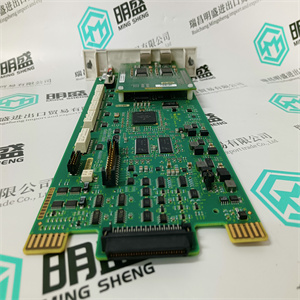
6.将光学模块总线连接到opti 40PB3202A 回路输入/输出 PLC模块卡DCI系统 ABB
 40PB3202A 回路输入/输出 PLC模块卡DCI系统 ABB
Section 2 Installation Installing the PM85x/PM86x/TP830 Processor Unit in Single Configuration
3BSE036351-600 A 87
Figure 26. TB851 Terminator for CEX-Bus (female)
Terminator
TB851
TK850 Cable
Installing the PM85x/PM86x/TP830 Processor Unit in Single Configuration Section 2 Installation
88 3BSE036351-600 A
Figure 27. CEX-Bus Terminator when using BC810/BC820
BC810
BC810
RCU Link
Cable
PM858/PM861A/PM862/PM864A
Terminator
TB850
PM865/PM866/PM866A/PM867
Terminator
TB850
Section 2 Installation Installing the PM85x/PM86x/TP830 Processor Unit in Single Configuration
3BSE036351-600 A 89
Figure 28. SA/SB Connectors for Supervision Signals
Installing the PM85x/PM86x/TP830 Processor Unit in Single Configuration Section 2 Installation
90 3BSE036351-600 A
Communication Ports
CN1 and CN2
The control network connects to one or two RJ45 connectors (CN1 and CN2)
depending on network option (single or redundant).
Use an RJ45 connector for IEEE802.3 (Ethernet) for connecting to a category 5
Shielded Twisted Pair cable (STP class 5).
Class 5, or higher, cable 10/100BaseT/TX max 100 m (110 yd). ABB recommends
the use of optical fiber in an industrial environment, for example 62.5/125
100BaseFX, max. distance 1500 m (1600 yd).
Table 5. TP830 CN1 and CN2 Connections (RJ45 connectors)
Pin Designation Direction Description
1 TD+ Out Transmit Data (plus)
2 TD- Out Transmit Data (minus)
3 RD+ In Receive Data (plus)
4–5 – – Not used
6 RD- In Receive Data (minus)
7–8 – – Not used
Housing Shield – Shield
PM851/PM851A is restricted to one Ethernet (CN1) port, thus redundant
Ethernet is not available.
Section 2 Installation Installing the PM85x/PM86x/TP830 Processor Unit in Single Configuration
3BSE036351-600 A 91
COM3 Port
The COM3 is an RS-232C port with modem signals. This port is used for serial
protocols such as Modbus, Siemens 3964R, COMLI or custom-design.
Table 6. TP830 COM3 Connections (RJ45 connector)
Pin Designation Direction Description
1 RTS Out Request To Send
2 DTR Out Data Terminal Ready
3 TD Out Transmit Data
4 0V - Signal ground
5 0V - Signal ground
6 RD In Receive Data
7 DCD In Data Carrier Detect
8 CTS In Clear To Send
Housing Shield - Shield
Installing the PM85x/PM86x/TP830 Processor Unit in Single Configuration Section 2 Installation
92 3BSE036351-600 A
COM4 Port
The COM4 port is an RS-232C port, opto-isolated and without modem signals.
Connect Control Builder to this port when connecting directly to the controller, or,
when not required, without the need use the remote tool connection via the Control
Network.
Table 7. TP830 COM4 Connections (RJ45 connector)
Pin Designation Direction Description
1 – – Not used
2 – – Not used
3 TD Out Transmit Data
4 0 V – Signal ground
5 0 V – Signal ground
6 RD In Receive Data
7 – – Not used
8 – – Not used
Housing Shield – Shield
Section 2 Installation Installing PM891 in Single Configuration
3BSE036351-600 A 93
Installing PM891 in Single Configuration
Use the procedure below to install the PM891 processor unit in single configuration:
1. If already connected, remove the CEX-Bus termination from the side of the
PM891 processor unit.
2. Mount the PM891 processor unit, the communication interfaces, and the S800
I/O units on the DIN-rail.
The communication interfaces for PM891 is connected to the CEX-Bus to the
left of the processor unit. The S800 I/O units for PM891 is connected through
the optical ModuleBus at the bottom of the processor unit.
3. Re-insert the bus terminations into the communication units farthest from the
processor unit. For CEX-Bus, use the TB850 termination plug (TB851, if
CEX-Bus Extension cable TK850 is used. If no units are used on the CEX-Bus,
no bus termination is required.
4. Provide termination for redundancy, by using the termination plug
TB853 RCU Control Link Terminator, at the RCU Control Link connector at
the top of the processor unit.
5. Provide cable connections:
a. Connect the power leads to screw terminals L+ and L-. If applicable,
connect the power supervision signals from SS82x to the screw terminals
SA and SB.
b. Connect the Control Network cables to CN1 (single connection) or
CN1 + CN2 (redundant connection).
c. Connect the Control Builder to COM4 with cable TK212 (if required, for
changing an IP address). Otherwise connect the Control Builder to the
Control Network.
Installing PM891 in Single Configuration Section 2 Installation
94 3BSE036351-600 A
6. Connect the optical ModuleBus to the opti 40PB3202A 回路输入/输出 PLC模块卡DCI系统 ABB
| | | |