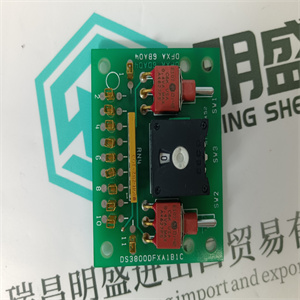
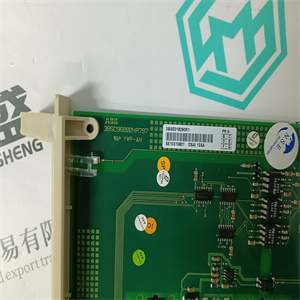
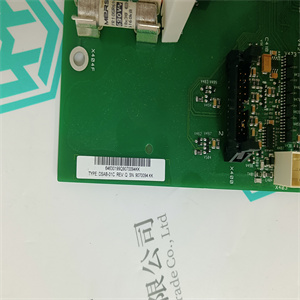
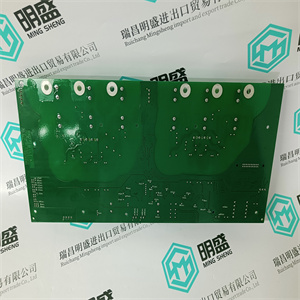
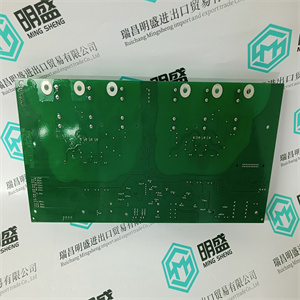
086318-002 086318-501 可模拟量输入输出控制卡 ABB
可能的原因和纠正措施
R(un)和F(ault)指示灯均不亮
正在
SM810/SM811/SM812板位于
重新启动或配置的过程。允许
现在是后敲定的时候了。
如果条件持续存在,并且没有其他装置指示灯点亮
CEX总线点亮:
•检查日志文件
•检查CPU单元内的CEX总线保险丝。
•从CPU启动复位信号(INIT)
单元
•更换SM810/SM811/SM812单元。
单元错误时,F(故障)指示灯亮起。更换SM810/SM811/SM812
单元
PRIM LED闪烁单元错误。更换SM810/SM811/SM812
单元
PRIM LED在单个中关闭
配置
单元错误。更换SM810/SM811/SM812
单元
同步指示灯闪烁,升级正在进行。当LED闪烁时
对于对称模式,请留出时间
后确定。如果LED闪烁,则闪烁3次
暂停序列,SM811/SM812准备就绪
SIL3热插拔确认,见SM811
和TP868,参见SM812和
TP868第306页。如果条件持续存在
更长时间,更换SM811/SM812装置。
第5节内部电池维护/SB821外部电池/SB822可充电外部电池
3BSE036351-600 A 219
内部电池/SB821外部电池/SB82外部充电电池
电池
PM891装置不包含内部电池。
表30.内部/SB821/SB822外部电池/故障查找
故障、可能原因和纠正措施
B(蓄电池)LED指示灯亮
PM8xx处理器单元为:
闪烁
内部电池
•更换PM8xx内部电池
SB821:
•检查外部电池连接。
如果情况持续存在:
•更换外部电池,参见SB821
外部电池单元,见第203页。
SB822:
•检查外部电池连接。
如果SB822上的充电指示灯和/或电源指示灯
关闭:
•检查24V电源连接。
如果情况持续存在:
•更换锂离子电池组,请参阅
SB822可充电外部电池单元
见第205页。
系统时间不正确
停电后
更换外部电池。
车载RS-232C通道——CI853第5节维护
220 3BSE036351-600 A
板载RS-232C信道——CI853
表31.板载RS-232C信道CI853——故障查找
故障、可能原因和纠正措施
PM8xx正在传输,而
Tx1/Tx2 LED闪烁,但
连接的设备不是
接收数据。
或
连接的设备是
发送,但Rx1/Rx2
LED不闪烁。
•检查通信
接口电缆已连接。
•检查握手信号。
发送/接收信号闪烁
同时
传输,但信息
未正确接收
通过连接的设备。
•检查波特率、奇偶校验和
数据和停止位的数量如下:
为连接的设备指定。
•检查握手程序
如两端所规定。
•检查驾驶员程序是否:
控制器和
连接的设备。
•断开控制器电源,
请稍等,然后通电
再一次
•停止程序并启动复位
来自PM8xx的信号(初始化)
处理器单元。
CI853支持热插拔。
第5节维护PROFIBUS DP–CI854/CI854A/CI854B
3BSE036351-600 A 221
现场总线DP–CI854/CI854A/CI854B
表32.现场总线DP CI854/CI854A/CI854B——故障查找
指示、可能原因和纠正措施
既不是R(un)也不是F(ault)
LED灯亮起
CI854/CI854A/CI854B板正在处理中
重新启动或配置的。为此留出时间
定稿。
如果条件持续存在,则
CEX总线具有不发光的LED:
•检查有效的硬件配置,包括:
将CI854下载到控制器。
•检查PM8xx内的CEX总线保险丝
处理器单元。
•从PM8xx启动复位信号(INIT)
处理器单元。
•更换CI854/CI854A/CI854B装置。
F(ault)指示灯亮起。检查CI854板是否处于以下过程中:
正在重新启动。留出时间完成这项工作。
检查是否未报告任何配置故障
来自CBM中的CI854/CI854A/CI854B。
如果状态保持不变,则启动复位信号(INIT)
来自PM8xx处理器单元。如果状态仍然
重置后的剩余部分,请更换
CI854/CI854A/CI854B单元。
RxA LED熄灭,线路A上无通信。
•检查从属设备是否已配置,以及
连接到该线路。
•如果使用冗余从属设备,请检查
冗余工作正常。后备
slave必须响应生命列表请求
是主人派来的。
•检查所有电缆和连接器是否损坏
以及松动或不良连接。 086318-002 086318-501 可模拟量输入输出控制卡 ABB
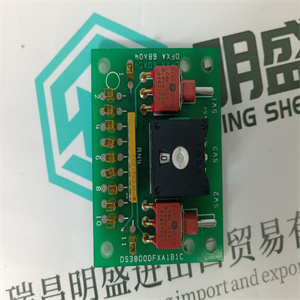 086318-002 086318-501 可模拟量输入输出控制卡 ABB Possible Cause and Corrective Action
Neither R(un) nor F(ault) LEDs
are ON
The SM810/SM811/SM812 board is in the
process of being restarted or configured. Allow
time for this to finalize.
If the condition persists, and no other unit LED on
the CEX-Bus is lit:
• Check the Log File
• Check the CEX-Bus fuse inside the CPU unit.
• Initiate a reset signal (INIT) from the CPU
unit.
• Replace the SM810/SM811/SM812 unit.
F(ault) LED is ON Unit error. Replace the SM810/SM811/SM812
unit.
PRIM LED is flashing Unit error. Replace the SM810/SM811/SM812
unit.
PRIM LED is OFF in single
configuration.
Unit error. Replace the SM810/SM811/SM812
unit.
SYNC LED is flashing Upgrade in progress. When the LED is blinking
with a symmetric pattern, allow time for this to
finalize. If the LED is blinking with a 3 blinks and a
pause sequence, the SM811/SM812 is ready for
acknowledgment of SIL3 hot insert, see SM811
and TP868 on page 300 and see SM812 and
TP868 on page 306. If the condition persists for a
longer time, replace the SM811/SM812 unit.
Section 5 Maintenance Internal Battery / SB821 External Battery/SB822 Rechargeable External
3BSE036351-600 A 219
Internal Battery / SB821 External Battery/SB822 Rechargeable External
Battery
The PM891 unit does not contain internal battery.
Table 30. Internal / SB821/SB822 External Battery/– Fault-Finding
Fault Possible Cause and Corrective Action
B(attery) LED indicator on
PM8xx processor unit is
flashing
Internal battery
• Renew the PM8xx internal battery
SB821:
• Check external battery connections.
If condition persists:
• Renew the External battery, see SB821
External Battery Unit on page 203.
SB822:
• Check external battery connections.
If Charge LED and or Power LED on SB822 are
turned off:
• Check 24V supply connections.
If condition persists:
• Renew the Li-Ion battery package, see
SB822 Rechargeable External Battery Unit
on page 205.
The system time is incorrect
following a power failure
Renew the External Battery.
On-board RS-232C Channels – CI853 Section 5 Maintenance
220 3BSE036351-600 A
On-board RS-232C Channels – CI853
Table 31. On-board RS-232C Channels CI853 – Fault-Finding
Fault Possible Cause and Corrective Action
The PM8xx is transmitting and the
Tx1/Tx2 LEDs are flashing, but
the connected device is not
receiving data.
OR
The connected device is
transmitting, but the Rx1/Rx2
LEDs are not flashing.
• Check that the communication
interface cable is connected.
• Check the hand-shake signals.
The Tx/Rx signals are flashing
concurrently with
transmission, but the messages
are not being received correctly
by the connected device.
• Check that the baud rate, parity, and
number of data and stop bits are as
specified for the connected device.
• Check that the handshake procedures
are as specified at both ends.
• Check that the driver routines are
adequate, both in the controller and
the connected device.
• Disconnect power to the controller,
wait a moment and then power-up
again.
• Halt the program and initiate a reset
signal (INIT) from the PM8xx
processor unit.
CI853 supports hot swap.
Section 5 Maintenance PROFIBUS DP – CI854/CI854A/CI854B
3BSE036351-600 A 221
PROFIBUS DP – CI854/CI854A/CI854B
Table 32. PROFIBUS DP CI854/CI854A/CI854B – Fault-Finding
Indication Possible Cause and Corrective Action
Neither R(un) nor F(ault)
LED’s are ON
The CI854/CI854A/CI854B board is in the process
of being restarted or configured. Allow time for this
to finalize.
If the condition persists, and all other units on the
CEX-bus have non-illuminated LEDs:
• Check that a valid HW configuration including
the CI854 is downloaded to the controller.
• Check the CEX-bus fuse inside the PM8xx
processor unit.
• Initiate a reset signal (INIT) from the PM8xx
processor unit.
• Replace the CI854/CI854A/CI854B unit.
F(ault) LED is ON Check that the CI854 board is in the process of
being restarted. Allow time for this to finalize.
Check that there is no configuration fault reported
from CI854/CI854A/CI854B in CBM.
If the status remains initiate a reset signal (INIT)
from the PM8xx processor unit. If the status still
remains after the reset replace the
CI854/CI854A/CI854B unit.
RxA LED is OFF No communication on Line A.
• Check that slaves are configured and
connected to this line.
• If redundant slaves are used check that the
redundancy is working properly. The backup
slave has to answer to the life list requests
sent by the master.
• Check all cables and connectors for damage
and loose or poor connections.
| 086318-002 086318-501 可模拟量输入输出控制卡 ABB | | | |