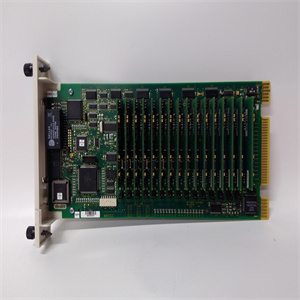
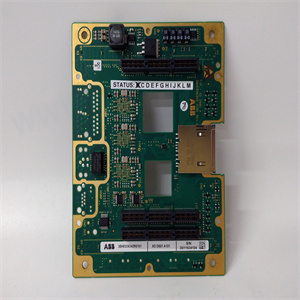
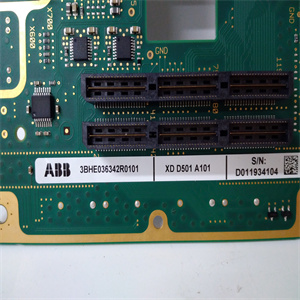
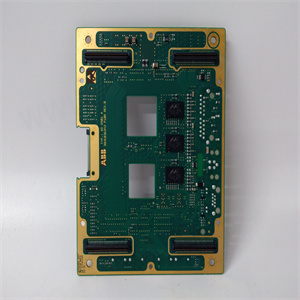
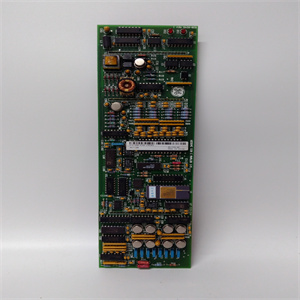


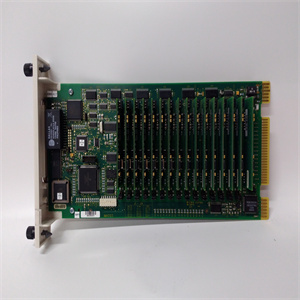
产品标题:AN-X2-AB-DHRIO 技术网关以太网模块数据高速模块 ProSoft
型号:AN-X2-AB-DHRIO 技术网关以太网模块数据高速模块
质保:七天验收期,质保期年
发货期:1-3个工作日
应用行业:
品牌: ProSoft
产品图片展示
产品详情资料
按照以下步骤安装接线盒。1.将接线盒重新连接到连接器上,直至就位。
2.拧紧将接线板固定至连接器的两个螺钉。直流电源连接直流供电的PanelView Plus设备具有集成的24V直流电源。都是孤立的
非隔离电源具有以下额定值:
•标称24V直流电(18…32V直流电)•大70 W(24V直流电时为2.9 A)电源内部保护,防止直流+和直流连接的反向极化。输入电源接线板支持这些导线尺寸。
直流输入电源接线板的电线规范
属性值导线类型绞合或实心,铜90°C(194°F)双导线规格(1)1)每个端子多两线。22…16 AWG单线规22…14 AWG终端螺钉扭矩逻辑模块,A系列至Dogic模块,E系列及以上0.23…0.34 N•m(2…3磅•英寸)0.56 N•m 2磅•英寸2位置接线板(E系列或更高版本逻辑模块)3位置接线板3 A至D系列逻辑模块)罗克韦尔自动化出版物2711P-IN026H-EN-P-2018年5月17高亮度显示模块连接直流电源按照以下步骤连接终端直流电源。确认端子未连接到电源。2.将直流电源线固定到端子板。
按照接线板和端子上的标记进行正确连接。3.将接地/地线固定到显示屏底部的接地/接地端子螺钉上。直流电源连接
以太网电缆
对于PanelView Plus 700至1500终端,使用Belden 7921A屏蔽以太网5e类
符合TIA 568-B的电缆。1和符合IEC 60603-7的RJ45连接器
符合欧盟89/336/EEC EMC指令。
警告:爆炸危险
除非电源已关闭,且该区域已知,否则不要断开设备
无危险。
安装或更换部件前,断开所有电源。未能断开电源可能:
导致电击或端子损坏llow these steps to install the terminal block.1. Reattach the terminal block to the connector until seated.
2. Tighten the two screws that secure the terminal block to the connector.DC Power ConnectionsDC-powered PanelView Plus devices have an integrated 24V DC power supply. Both isolated
and nonisolated power supplies have these ratings:
• 24V DC nominal (18…32V DC)• 70 W maximum (2.9 A at 24V DC)The power supply is internally protected against reversepolarity of the DC+ and DCconnections.The input power terminal block supports these wire sizes.
Wire Specifications for DC Input Power Terminal Block
Attribute ValueWire Type Stranded or solid,Cu 90 °C (194 °F)Dual-wire Gauge(1)1) Two-wire max per terminal.22…16 AWGSingle-wire Gauge 22…14 AWGTerminal Screw TorqueLogic module, series A to Dogic module, series E and later0.23…0.34 N•m (2…3 lb•in)0.56 N•m (5 lb•in)Two-position Terminal Block(Series E or later logic module)Three-position Terminal Block(Series A to D logic modules)Rockwell Automation Publication 2711P-IN026H-EN-P - May 2018 17High-bright Display ModulesConnect DC PowerFollow these steps to connect the terminal DC power.1. Verify that the terminal is not connected to a power source.2. Secure the DC power wires to the terminal block.
Follow the markings on the terminal blocks and the terminal for proper connections.3. Secure the earth/ground wire to the earth/ground terminal screw at the bottom of thedisplay.DC Power Supply Connections
Ethernet Cable
For PanelView Plus 700 to 1500 terminals, use Belden 7921A shielded Ethernet Category 5e
cable according to TIA 568-B.1 and RJ45 connector according to IEC 60603-7 for compliance
with the European Union 89/336/EEC EMC Directive.
WARNING: Explosion Hazard
Do not disconnect equipment unless power has been switched off and the area is known to be
nonhazardous.
Disconnect all power before installing or replacing components. Failure to disconnect power may
result in electrical shock or damage to the terminal
主营产品简介
专注于DCS、PLC、机器人控制系统、大型伺服四大系统领域。
主营产品各种模块/卡件,控制器,触摸屏,伺服驱动器。
优势:供应进口原装正品,专业停产配件,
发货快,货期精准,
主营品牌包括 ABB贝利、GE/FUANC、FOXBORO、英维思TRICONEX 、本特利BENTLY、A-B罗克韦尔、艾默生EMERSON 、OVATION、MOTOROLA、XYVOM、霍尼韦尔HONEYWELL 、力士乐REXROTH、KUKA、NI、DEIF、横河、伍德沃德WOODWARD、瑞恩、施耐德SCHNEIDER 、安川、 穆格MOOG、PROSOFT等品牌
主营产品广泛应用于冶金、石油天然气、玻璃制造业、铝业、石油化工、煤矿、造纸印刷、纺织印染、机械、电子制造、汽车制造、烟草、塑胶机械、电力、水利、水处理/环保、市政工程、锅炉供暖、能源、输配电等等。
Copyright ©2019-2022 瑞昌明盛自动化设备有限公司 版权所有 赣ICP备2021006016号






