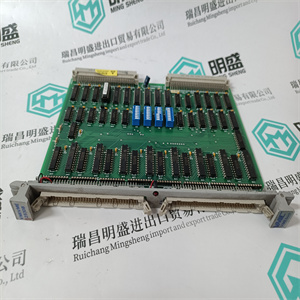
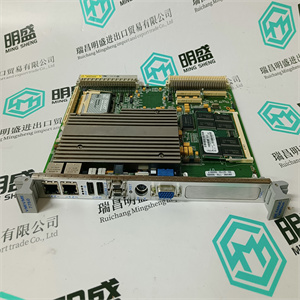
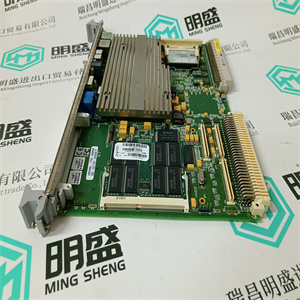




产品标题:PU515A 3BSE032401R1 用于Advant主总线实时加速器 ABB
型号:PU515A 3BSE032401R1 用于Advant主总线实时加速器
品牌: ABB
质保:七天验收期,质保期一年
发货期:1-3个工作日
产品图片展示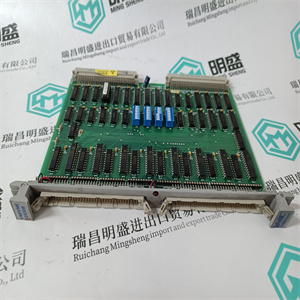
产品详情资料
快速列表用户界面此部分介绍快速列表的类别以及配置和操作快速列表的过程。有两种快速列表类别可用:•快速列表操作员,可由操作员创建和配置。快速列表,操作员可以使用,但必须由应用程序工程师配置。图8显示了QuickList配置视图。
图8配置视图-快速列表
如何使用快速列表第5节快速列表
26 3BSE030352-600如何使用快速列表
快速列表工具可以预先配置搜索条件。例如,可以为一个方面配置特定流程部分的搜索条件。
如果某个方面是预先配置的,则当该方面等容并在快速列表主视图中显示结果时,搜索将自动启动。快速列表特性
快速列表方面与操作员工作区中的其他方面一样创建和处理。配置快速列表:1.通过在ObjectBrowser工具中选择Config View打开现有的快速列表方面,请参见图9。
图9.打开快速列表第5节快速列表如何使用快速列表3BSE030352-600 272。从目标窗口顶部的工具栏面板选择配置视图。
配置视图如图10所示。
图10.快速列表配置视图3.配置简单的搜索条件。例如,要了解控制器节点73和74.4的节点中处于错误状态(错误标志集)和报警状态的数字输入和数字输出信号。请在“对象类型”区域中分别选中DI和DO复选框。这两种对象类型共有的属性以绿色显示(红色不常见,无法在属性中选择
区域)。请参见图11.5。单击Properties区域中的属性forerrorstate(ERR)和文本
“属性1”文本字段中将显示ERR,后跟“=”。
6.在Property1文本字段中键入“1”或“TRUE”。
7.单击列表中的AL_UNACK属性,并在
属性2文本字段(按CR)Quick List User InterfaceThis section describes about the categories of Quick List and the procedure toconfigure and operate Quick Lists.Two Quick List categories are available:• Quick List Operator, which can be created and configured by an operator.Quick List, which can be used by an operator but has to be configured by anapplication engineer.Figure 8 shows the Quick List configuration view.
Figure 8. Configuration View - Quick List
How to use the Quick List Section 5 Quick List
26 3BSE030352-600How to use the Quick List
The Quick List aspect can be pre-configured with search criteria. For example, oneaspect can be configured with search criteria for a specific Process Section.
If an aspect is pre-configured, the search will start automatically when the aspect isopened and the result is presented in the Quick list main view.The Quick List Aspect
The Quick List aspect is created and handled as other aspects in theOperator Workplace. The configure a Quick List:1. Open an existing Quick List aspect by selecting Config View in the ObjectBrowser tool, see Figure 9.
Figure 9. Opening the Quick ListSection 5 Quick List How to use the Quick List3BSE030352-600 272. Select the Config View from the tool bar panel on top of the aspect window.
The configuration view is shown as in Figure 10.
Figure 10. Quick List Config View3. Configure a simple search criteria. For example, to know the Digital Input andDigital Output signals that are in an error state (Error flag set) and alarm statein the nodes with controller node 73 and 74.4. Select the DI and DO checkbox respectively in the Object Type area.The properties common to both these object types are shown in Green color(Red colored are not common, and are not possible to select in the Properties
area). See Figure 11.5. Click on the property for error state (ERR) in the Properties area and the text
ERR followed by a “=” appears in the Property1 text field.
6. Type “1” or “TRUE” in the Property1 text field.
7. Click on the AL_UNACK property in the list and type “1” or “TRUE” to the
Property2 text field (press CR)
主营产品简介
专注于DCS、PLC、机器人控制系统、大型伺服四大系统领域。
主营产品各种模块/卡件,控制器,触摸屏,伺服驱动器。
优势:供应进口原装正品,专业停产配件,
发货快,货期精准,
主营品牌包括 ABB贝利、GE/FUANC、FOXBORO、英维思TRICONEX 、本特利BENTLY、A-B罗克韦尔、艾默生EMERSON 、OVATION、MOTOROLA、XYVOM、霍尼韦尔HONEYWELL 、力士乐REXROTH、KUKA、NI、DEIF、横河、伍德沃德WOODWARD、瑞恩、施耐德SCHNEIDER 、安川、 穆格MOOG、PROSOFT等品牌
Copyright ©2019-2022 瑞昌明盛自动化设备有限公司 版权所有 赣ICP备2021006016号






