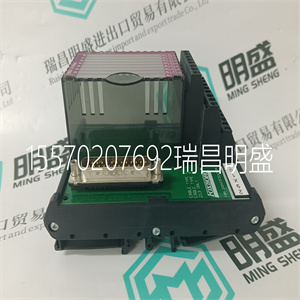
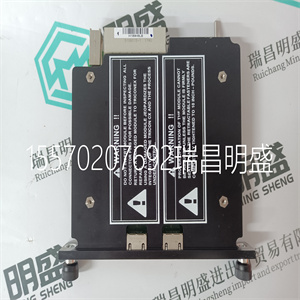
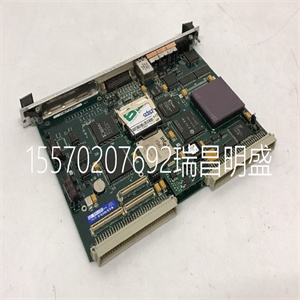
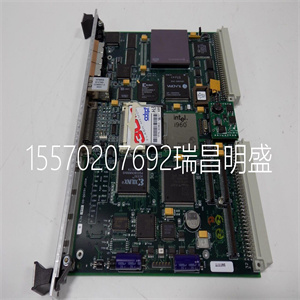
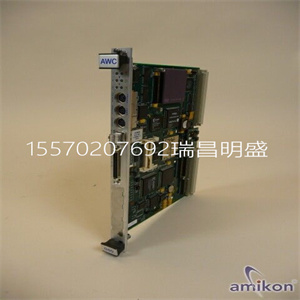
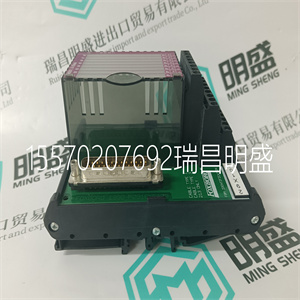
产品标题:P0960KA ZLAM 用于接口模块 FOXBORO INVENSYS
型号:P0960KA ZLAM 用于接口模块 FOXBORO
品牌: FOXBORO
质保:七天验收期,质保期一年
发货期:1-3个工作日
产品图片展示
产品详情资料
开内部Compact Flash存储卡可用于扩展项目内存。
操作员面板支持I型和II型紧凑型闪存卡。
建议使用SiliconSystems SiliconDrive、,
SanDisk工业级和仙人掌203-、302-、303系列。
安装
执行以下步骤,在操作员中安装内部Compact Flash卡
面板:
1.关闭面板电源。
2.使用梅花螺丝刀拆下操作面板上的后盖
(T10*50)。”使用内部闪存卡时,没有外部闪存
可以使用存储卡。外部USB闪存驱动器也可用于相同用途
可作为外部Compact Flash卡使用。
请遵守处理静电敏感设备的注意事项。4个内梅花螺钉
内部紧凑型闪存卡第3节安装
20 3BSE043449R501号
3.翻转后盖;CPU板安装在后盖内。
4.将Compact Flash存储卡插入CPU板上的插槽中。
5.将后盖重新安装到操作面板上。
6.打开操作员面板的电源。
7.当操作面板启动时,系统会询问您是否要移动
文件到内部卡;对此问题选择“是”。
Panel Builder 800中的设置
必须在配置工具中输入内部存储卡的大小
操作员面板。
1.选择设置/终端选项。2.在存储卡下输入内部存储卡的大小
设置/内部。
警告-如果CPU卡和电源卡彼此断开连接
时间越长,面板重新组装时可能无法启动
0100 Image Load mode, allows upgrading of the complete software
pa An internal Compact Flash memory card can be used to expand the project memory.
Compact Flash cards of type I and II are supported by the operator panels.
Recommended Compact Flash memory cards are SiliconSystems SiliconDrive,
SanDisk Industrial Grade and Cactus 203-, 302-, 303-series.
Installation
Perform the following steps to install an internal Compact Flash card in the operator
panel:
1. Turn off the power to the panel.
2. Remove the back cover on the operator panel, using a torx screwdriver
(T10*50).‘When using an internal Compact Flash memory card, no external Compact Flash
memory card can be used. An external USB Flash drive can be used for the same
functions as an external Compact Flash card.
Observe precautions for handling electrostatic sensitive devices.4 Torx Screws
Internal Compact Flash Memory Card Section 3 Installation
20 3BSE043449R501
3. Flip the back cover; the CPU board is mounted inside the back cover.
4. Insert the Compact Flash memory card in its slot on the CPU board.
5. Re-attach the back cover to the operator panel.
6. Turn on the power to the operator panel.
7. When the operator panel starts up, you will be asked if you like to move the
files to the internal card; select YES to this question.
Settings in Panel Builder 800
The size of the internal memory card must be entered in the configuration tool for
the operator panel.
1. Select Setup/Terminal Options.2. Enter the size of the internal memory card under Memory card
settings/Internal.
Caution - If the CPU card and power card is disconnected from each other for a
longer period of time, the panel may not boot when it is reassembled
主营产品简介
专注于DCS、PLC、机器人控制系统、大型伺服四大系统领域。
主营产品各种模块/卡件,控制器,触摸屏,伺服驱动器。
优势:供应进口原装正品,专业停产配件,
发货快,货期精准,
主营品牌包括 ABB贝利、GE/FUANC、FOXBORO、英维思TRICONEX 、本特利BENTLY、A-B罗克韦尔、艾默生EMERSON 、OVATION、MOTOROLA、XYVOM、霍尼韦尔HONEYWELL 、力士乐REXROTH、KUKA、NI、DEIF、横河、伍德沃德WOODWARD、瑞恩、施耐德SCHNEIDER 、安川、 穆格MOOG、PROSOFT等品牌