

主营产品简介
专注于DCS、PLC、机器人控制系统、大型伺服四大系统领域。
主营产品各种模块/卡件,控制器,触摸屏,伺服驱动器。
优势:供应进口原装正品,专业停产配件,
发货快,货期精准,
主营品牌包括 ABB贝利、GE/FUANC、FOXBORO、英维思TRICONEX 、本特利BENTLY、A-B罗克韦尔、艾默生EMERSON 、OVATION、MOTOROLA、XYVOM、霍尼韦尔HONEYWELL 、力士乐REXROTH、KUKA、NI、DEIF、横河、伍德沃德WOODWARD、瑞恩、施耐德SCHNEIDER 、安川、 穆格MOOG、PROSOFT等品牌
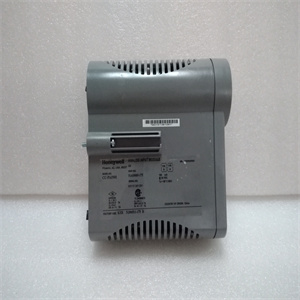
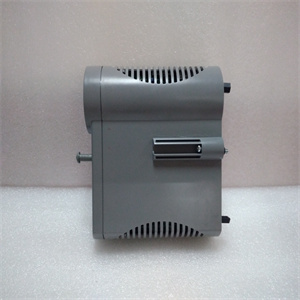
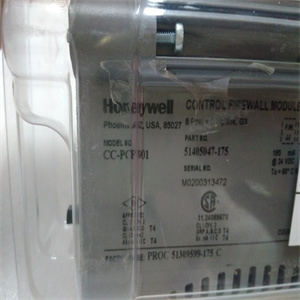
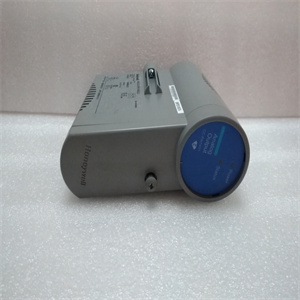
产品图片展示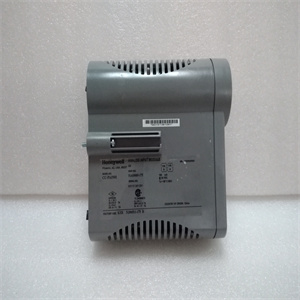
产品详情资料
或错误消息,“状态”指示从绿色变为红色。按下时,消息将从显示屏上消失。如果激活警告或错误消息的问题消失,“状态”指示变为绿色。如果错误或警告仍然存在,则“状态”指示为红色。使用以进入后一个菜单,您可以在其中读取错误或警告消息。有关处理错误和警告消息的信息,请参阅6章故障跟踪。张力电子设备PFEA113,用户手册5.1节关于本章3BSE029382R0101版次C 5-15章维护5.1关于本章在正常操作条件下,您的系统不需要任何维护。但是,我们建议您进行定期检查。根据系统运行的环境类型,可以采取以下预防措施。5.2预防性维护单元措施称重传感器保护称重传感器,避免其长期接触腐蚀性元件。检查固定螺钉,必要时重新拧紧。检查称重传感器和转接板之间的间隙,以确保它们没有被灰尘堵塞,这可能会导致分流力进入称重传感器。如有必要,用压缩空气清洁间隙。张力电子设备检查电路板是否正确固定,电缆或电线是否损坏。检查所有端子螺钉和电缆密封套是否正确拧紧。连接电缆检查称重传感器和张力电子设备之间的连接电缆是否损坏。张力电子设备PFEA113,用户手册5章维护5-2 3BSE029382R0101 C版张力电子设备-PFEA113,用户手册6.1节关于本章3BSE039382R0011 C版6-16章故障跟踪6.1关于本章在测量系统的工作寿命内,可能会发生干扰其和过程的事件。这些干扰可能以多种不同的方式出现,故障原因可能很难找到。然而,性质相似的干扰可以组合在一起,通常它们具有相同或相似的误差源。本章中的故障跟踪说明将帮助您快速查找和纠正常见的故障。6.2安全说明在跟踪故障时,请阅读并遵循1章“简介”中给出的安全说明。然而,如果地方法规更严格,则应优先考虑。6.3互换性6.4必要的设备和文件执行故障跟踪和维修需要以下项目:•电缆图,安装的称重传感器类型见附录(B、C、D、E、F或G)•维修工具•扭矩扳手•万用表Analog outputs, AO1-6, can be connected to different tension values corresponding to a number of tension signal combinations. See Section 3.12.7 Setting Analog Outputs (AO1-AO6). Analog output tension menus: AO1, Value AO2, Value AO3, Value AO4, Value AO5, Value AO6, Value 4.7.2 Error and Warning Messages An ERROR is something that causes the tension electronics to function incorrectly. A WARNING is something that might affect the accuracy of the measurement. When a warning or an error occurs, a warning or an error message is displayed on the Operator Panel and the “Status” indication turns from green to red. When is pressed the message disappears from the display. If the problem that activated the warning or error message has disappeared the “Status” indication turns to green. If the error or warning remains the “Status” indication is red. Use the to step to the last menu, where you can read the error or warning message. For handling Error and Warning messages, see Chapter 6 Fault-tracing. Tension Electronics PFEA113, User Manual Section 5.1 About this Chapter 3BSE029382R0101 Rev C 5-1 Chapter 5 Maintenance 5.1 About this Chapter Under normal operating conditions, your system does not require any maintenance. However, we recommend you to perform regular checks. The following preventive measures may be taken depending on the type of environment in which your system operates. 5.2 Preventive Maintenance Unit Measures Load cells Protect the load cells from prolonged contact with corrosive elements. Check the fixing screws and re-tighten if necessary. Check the gaps between load cell and adapter plates to ensure that they are not clogged with dirt, which can cause a shunt force into the load cell. Clean the gaps with compressed air if necessary. Tension Electronics Check that the circuit boards are properly secured and that cables or wires are not damaged. Check that all terminal screws and cable glands are properly tightened. Connection cables Check that the connection cables between the load cells and the tension electronics are not damaged. Tension Electronics PFEA113, User Manual Chapter 5 Maintenance 5-2 3BSE029382R0101 Rev C Tension Electronics PFEA113, User Manual Section 6.1 About this
Copyright ©2019-2022 瑞昌明盛自动化设备有限公司 版权所有 赣ICP备2021006016号






